11. Soft Switch List Field Service Ver. 1.0 Aug. 2005
154
FK-503
Adjustment / Setting
NOTE
• The features with (*) are settable by users. <*>: Soft switch setting
NOTE
• The features with (*) are settable by users. <*>: Soft switch setting
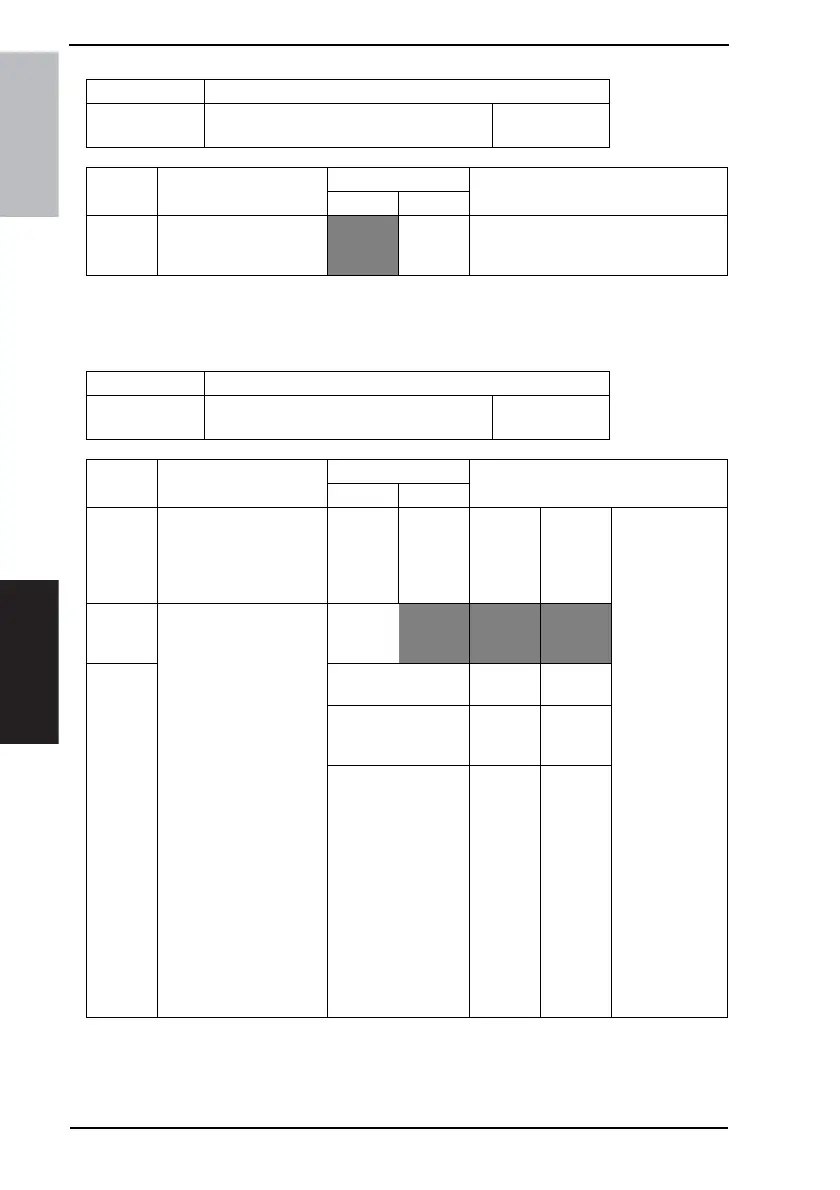
MODE Factory setting bit
473
Bit: 7654 3210
0000 0000
HEX:00
Bit Feature
Logic
Description
01
7 Set priority Job List
screen <*>
Display
by status
Display
by print
order
Set whether to prioritize the print order
display.
MODE Factory setting bit
477
Bit: 7654 3210
0000 0000
HEX:00
Bit Feature
Logic
Description
01
Fax regis-
tration/
Report
output
restriction
Destina-
tion dis-
play
Fax registration /
report output
restriction
“Administrator
only”:
Fax registration
and report output
buttons move to
the Admin.Man-
agement menu.
Destination dis-
play “Display
one-touch
name”: Display
registered one-
touch names for
destinations
specified for one-
touch keys, Job
List, destination
names of result
reports, and
Activity Report
(TX). (Do not dis-
play the tel. no./
address of the
destination.)
6 Set fax registration restric-
tion and destination dis-
play <*>
Bit6-5:
00 Allow
user
Display
Tel. No./
Address
501Not avail-
able
Not avail-
able
10 Adminis-
trator only
Display
Tel. No./
Address
11 Adminis-
trator only
Display
one-touch
name









 To Next Page