EasyManua.ls Logo

Edwards HemoSphere - User Manual

Edwards HemoSphere
238 pages
Print Icon
To Next Page IconTo Next Page
Loading...
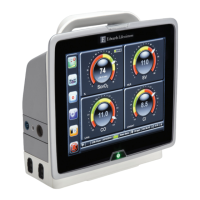
HemoSphere
Advanced Monitor
HemoSphere
Advanced Monitor
Operator’s
manual
Status = Released Printed Date: 2018-01-16 Released Date: 2017-09-14

Table of Contents

Questions and Answers

  • A
    Amy RamirezSep 2, 2025
    What to do if the Edwards HemoSphere Monitor shows 'Fault: Cable Port 2 – Hardware Failure'?
    • C
      Christopher MarshallSep 3, 2025
      If you see a 'Fault: Cable Port 2 – Hardware Failure' message on your Edwards Monitor, try re-inserting the cable. Check for bent or broken pins on the cable or port. As an alternative, try switching to cable port 1. If the problem continues, contact Edwards Technical Support.
  • C
    clopezSep 2, 2025
    What to do if the Edwards HemoSphere Monitor shows 'Fault: Cable Port 1 – Hardware Failure'?
    • A
      Anthony GrahamSep 2, 2025
      If you see a 'Fault: Cable Port 1 – Hardware Failure' message on your Edwards Monitor, try reinserting the cable. Check for bent or broken pins on the cable or port. As an alternative, try switching to cable port 2. If the problem continues, contact Edwards Technical Support.
  • K
    Kevin PittsSep 1, 2025
    What to do if the Edwards Monitor shows 'Fault: Module Slot 2 – Hardware Failure'?
    • D
      Dustin WoodwardSep 1, 2025
      If you see a 'Fault: Module Slot 2 – Hardware Failure' message on your Edwards Monitor, try reinserting the module. Check for bent or broken pins on the slot or module. As an alternative, try switching to module slot 1. If the problem continues, contact Edwards Technical Support.
  • M
    mullinsbryanAug 31, 2025
    What to do if the Edwards Monitor shows 'Fault: Module Slot 1 – Hardware Failure'?
    • R
      Regina MccartyAug 31, 2025
      If you see a 'Fault: Module Slot 1 – Hardware Failure' message on your Edwards Monitor, try reinserting the module. Check for bent or broken pins on the slot or module. As an alternative, try switching to module slot 2. If the problem continues, contact Edwards Technical Support.
  • A
    Angela MurphyAug 30, 2025
    What does it mean when my Edwards HemoSphere says 'Service Battery'?
    • S
      Shawn MitchellAug 30, 2025
      If your Edwards Monitor displays 'Service Battery', power cycle the system. If the condition persists, replace the battery pack.
  • J
    Jessica WilliamsAug 29, 2025
    What to do if the Edwards Monitor displays a 'Fault: Swan-Ganz Module Disconnected'?
    • C
      colleenbrockAug 29, 2025
      If you receive a 'Fault: Swan-Ganz Module Disconnected' message on your Edwards Monitor, first, make sure the module is properly inserted. If it is, remove and re-insert the module. Also, check the module for bent or broken pins. You can also try switching to another module slot. If the problem persists, contact Edwards Technical Support.
  • C
    chavezlisaAug 28, 2025
    What does 'Battery Needs Conditioning' mean on my Edwards Monitor, and how do I fix it?
    • T
      Tim CisnerosAug 28, 2025
      If the Edwards Monitor displays 'Battery Needs Conditioning', connect the monitor to an electrical outlet to fully charge the battery. Allow the battery to rest in fully charged state for at least two hours. Disconnect the monitor from electrical outlet and continue to run the system on battery power. The HemoSphere advanced monitor will power down automatically when the battery is fully depleted. Allow the battery to rest in fully depleted state for five hours or more. Connect monitor to an electrical outlet to fully charge battery. If the message persists, replace the battery pack.
  • D
    David SwansonAug 27, 2025
    What does it mean if the Edwards HemoSphere displays an 'Alert: Low Battery'?
    • J
      Jacob BrewerAug 27, 2025
      If the Edwards Monitor displays an 'Alert: Low Battery', connect it to an alternate power source to avoid loss of power and continue monitoring, as the battery has less than 20% charge remaining or will be depleted within 8 minutes.
  • J
    Joy BriggsAug 26, 2025
    What to do if the Edwards Monitor shows an 'Internal System Failure' fault?
    • M
      melissa10Aug 27, 2025
      If the Edwards Monitor displays an 'Internal System Failure' fault, try power cycling the system. If the problem persists, contact Edwards Technical Support.
  • C
    Christopher ClarkAug 25, 2025
    What to do if the Edwards HemoSphere Monitor displays a 'Battery Depleted' fault?
    • J
      Jennifer ArnoldAug 26, 2025
      If your Edwards Monitor displays 'Battery Depleted', connect it to an alternate power source immediately. This will prevent power loss and allow you to continue monitoring.

Summary

1 Introduction

2 Safety and Symbols

2.2 Warnings

Lists critical warnings for safe operation and potential hazards.

2.3 Cautions

Lists cautions to prevent equipment damage or data invalidation.

3 Installation and Setup

4 HemoSphere Advanced Monitor Quick Start

4.1 HemoSphere Swan-Ganz Module Cardiac Output Monitoring

Brief instructions for setting up and monitoring with the Swan-Ganz module.

4.3 HemoSphere Oximetry Cable Monitoring

Brief instructions for setting up and monitoring with the oximetry cable.

5 Navigating the HemoSphere Advanced Monitor

7 Advanced Settings

7.1 Alarms; Targets

Explains how to configure physiological and technical alarms and target ranges.

9 HemoSphere Swan-Ganz Module Monitoring

9.2 Continuous Cardiac Output

Explains how the monitor measures cardiac output continuously.

10 Monitoring with the HemoSphere Pressure Cable

10.3 FloTrac Sensor Monitoring

Details how to use the FloTrac sensor for monitoring.

11 Oximetry Monitoring

11.2 In Vitro Calibration

Steps for calibrating the oximetry cable before patient use.

13 Troubleshooting

Appendix F: System Care, Service and Support

Edwards HemoSphere Specifications

General IconGeneral
TechnologyAdvanced hemodynamic monitoring
ConnectivityEthernet, USB
Power Supply100–240 VAC, 50/60 Hz
Parameters MeasuredCardiac output, stroke volume, systemic vascular resistance
TrendingYes
AlarmsConfigurable alarms for various parameters
Data StorageInternal memory
ApplicationsCritical care
DisplayTouchscreen

Related product manuals