110 Eos Apex, Eos Ti, Gio, Gio @5, Ion Xe, Ion Xe 20, and Element 2 User Manual
> - Indicates a cue with a follow or hang time. Found to the left of the cue number.
F5 (see in cue 1) - Indicates a follow time associated with the cue (in this case, 9
seconds). Found in the cue display.
H3 (see cue 2) - Indicates a hang time associated with the cue (in this case 4 seconds).
Found in the cue display.
I - Indicates an intensity blocked cue. Found in the cue display “Flags” area.
L - Indicates a live move. A “+” is used to show that both types of moves are in that cue.
M or m (see cue 1) - Indicates a marked cue. “M” indicates an AutoMark or a reference
mark that is used by a subsequent cue. “m” indicates a reference mark that is currently
unused by any subsequent cue (see
About Mark (on page268)
). Found in the “Flags”
area.
P (see cue 3) - Indicates the cue will preheat. Found in the cue display “Flags” area.
R (see cue 8) - Indicates the source cue which refers back to an earlier mark (see
Referenced Marks (on page269)
). Found in the cue display “Flags” area.
Number in the FXcolumn (see in cue 1) - Indicates a cue level effects override.
M1(see in cue 3) - Indicates a linked macro.
Q2/1 (see in cue 6) - Indicates a linked cue.
S1 (see in cue 1) - Indicates a linked string. The string will display here.
Relay 1/1 (see in cue 8) - Indicates a linked relay.
Note:
The playback status display will show a red counter for sneak time.
Note:
If any show control options are currently enabled in Setup>System>Show
Control, they will display at the top of the Playback Status Display.
For more details on information contained in the playback status display, see
Playback Status
Display (on page106)
.
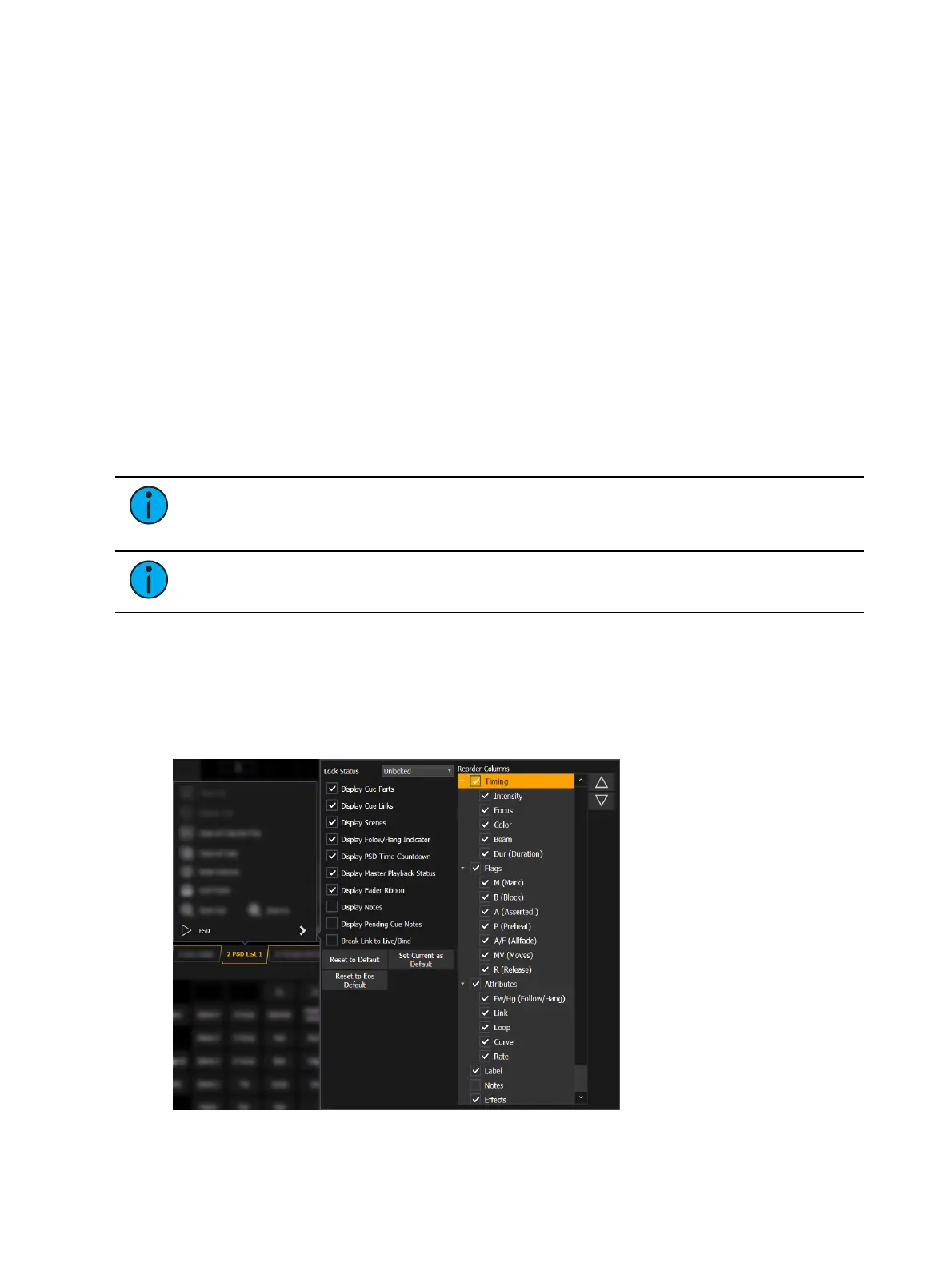
Playback Status Display Configuration
Playback Status Display (PSD) has a configuration menu, which is accessed by double clicking
or right-clicking on the PSD tab, or by selecting the gear icon, and clicking PSD.
The following options are available in the PSD Configuration Menu:



 To Next Page