562 Eos Apex, Eos Ti, Gio, Gio @5, Ion Xe, Ion Xe 20, and Element 2 User Manual
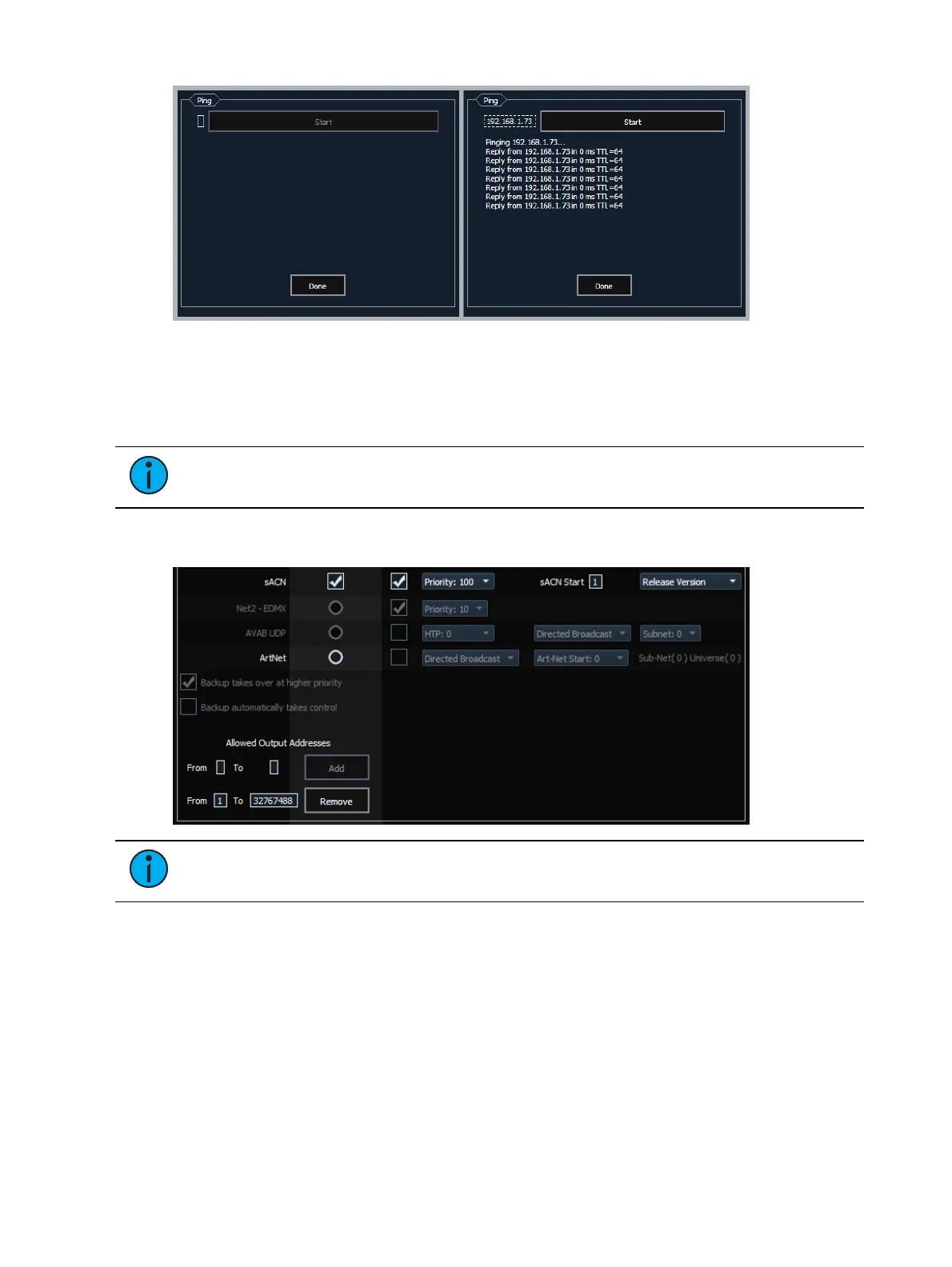
1. Click the empty box on the left, and enter the IP address of the device you want to ping.
2. Press Start. You will either see replies from the device, or "response timed
out,"indicating the device is not responding to the ping.
Output Protocols
Note:
Apex consoles, Windows 10 consoles, and ETCnomad software do not
support draft sACN, Net2, or AVABUDP output protocols.
This is for selecting which protocols the console will output and which ones are included in the
default.
Note:
sACN can be output on both ports. All other output protocols can only be
output on a single NIC.
sACN
This sets the control priority and the starting address for sACN data from your console. The
valid range for this setting is 1 (lowest) to 200 (highest). This is the reverse of EDMX.
Eos allows you to use any sACNuniverses from 1-63,999.The address range equals 1 to
32,767,488, which is 63,999 times 512.
Eos supports both the draft and ratified versions of sACN. The ratified version is output by
default unless this is changed.



 To Next Page