64 Eos Apex, Eos Ti, Gio, Gio @5, Ion Xe, Ion Xe 20, and Element 2 User Manual
CAUTION:
The USB ports cannot be used for charging devices.
Task Lights
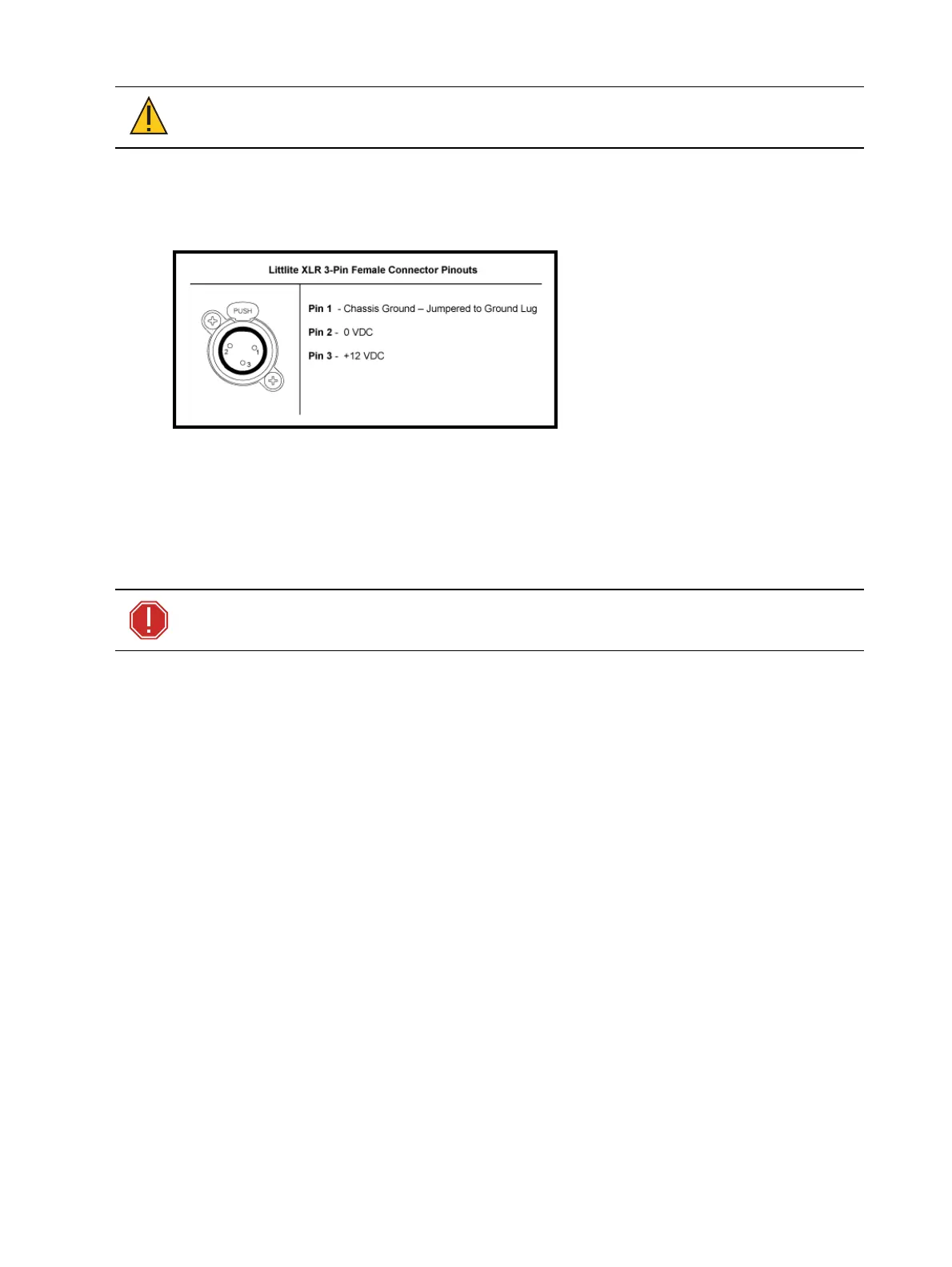
Littlites®
You may connect Littlites to the back of your console.
Dimming Task Lights
Task lights can be dimmed from within Eos, under Setup > Device > Brightness Settings. The
{Desk Lamp} slider has a range of 0% (dimmest) to 100% (brightest). The default setting is
0%. The console will set the desk lamp to this setting on startup of the application. See
Brightness Settings (on page219)
for more information.
Task lights can also be controlled by holding down [Displays] and rolling the level wheel.
WARNING: This device contains a lithium battery. Battery may explode if
mistreated. Do not recharge, disassemble or dispose of in fire.
Element 2 Capacities
Output Parameters
1,024 (Min)
6,144 (Max)
Channel Counts
32,768 channels (can be any number from 1 to 99,999)
Cues and Cue List
1 cue list
10,000 cues
Record Targets
1,000 Groups
1,000 x 4 Palettes (Intensity, Focus, Color and Beam)
1,000 Presets
1,000 Effects
99,999 Macros
1,000 Snapshots
1,000 Curves
1,000 Color Paths



 To Next Page