68 Eos Apex, Eos Ti, Gio, Gio @5, Ion Xe, Ion Xe 20, and Element 2 User Manual
Hardkeys
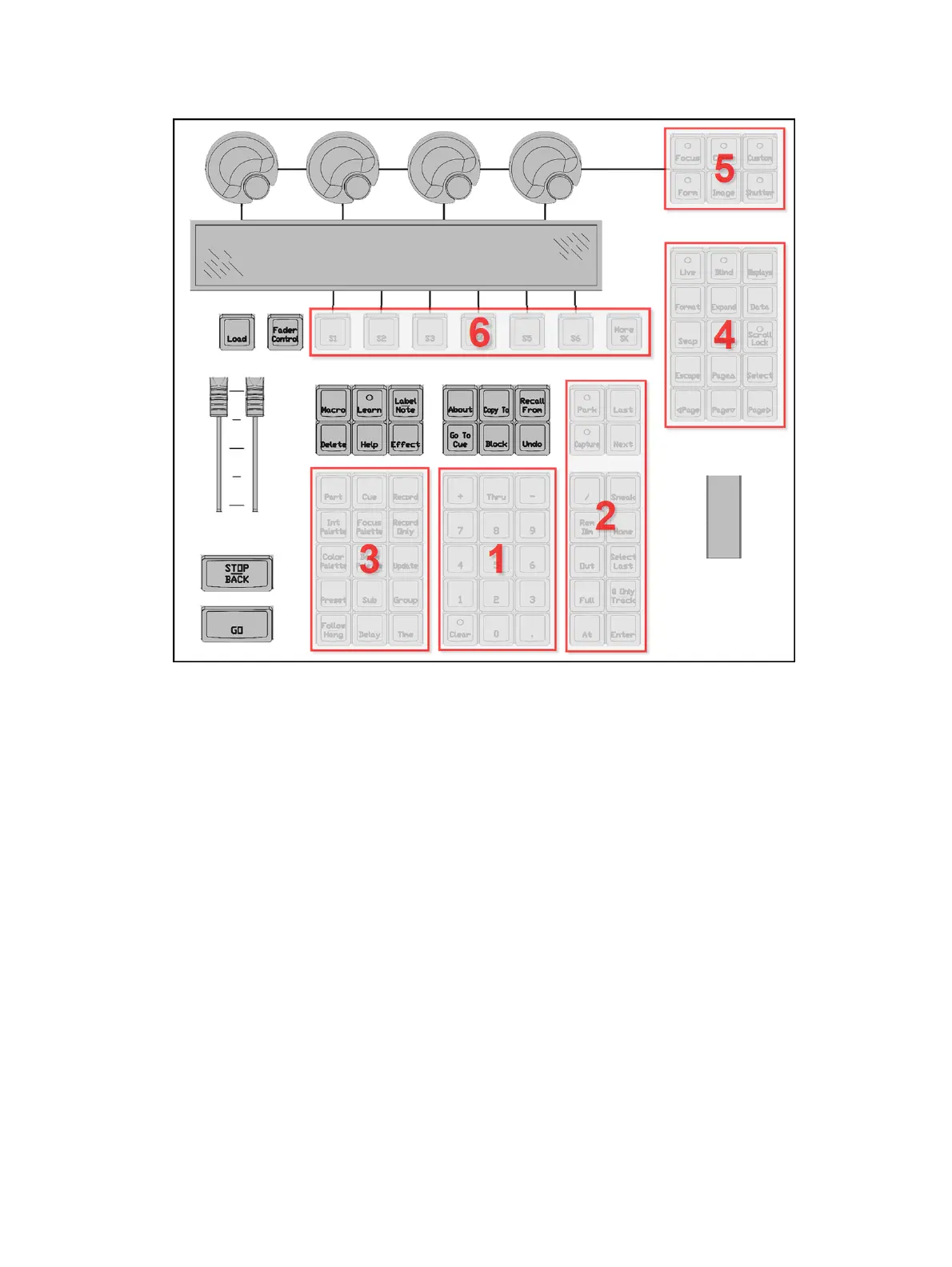
Hardkeys are provided on the face panel, divided into several sections based on their
functionality.
Keypad (1)
The numeric keypad allows you to type numbers for channel or target selection via the
command line, along with modifier keys to alter your selection.
Level Controls (2)
The level controls provide options for altering the intensity levels of channels, along with a
number of other non-intensity parameters / targets.
Targets (3)
The target controls provide options for altering a variety of record targets, as well as shortcuts
to various Blind displays.
Display &Navigation (4)
The display and navigation keys provide quick access to common displays, formatting, paging,
and navigation within displays.
Encoder Categories (5)
The encoder category buttons allow expanded control of a variety of fixture parameters, along
with additional softkey options where applicable.



 To Next Page