Hand-Held Terminal (HHT) 10-8
File Upload?
The following options are available within File Upload:
● Panel? Use this option to upload a system’s
configuration (zone descriptions/types, variable
settings, literal file changes, and so on) in file format
for later restoration (for example, after a cold start) or
for transfer to a PC.
● PC? Use this option to upload a Panelman file via
the PC serial port.
● DM1200? Use this option to upload literals 387/
388/389 from the DM1200. These literals are stored
in the DM1200’s EEPROM and contain digital
communicator/modem setup data such as telephone
or account numbers.
● Printer Port? This option allows the HHT to capture
data sent by the controller (via serial port) as if it
were sending it to a printer. Typically, this could be
the system log.
File Download?
Use this option to download a stored file to the
Controller, a PC, or DM1200.
File Manager?
The following options are available within File Manager:
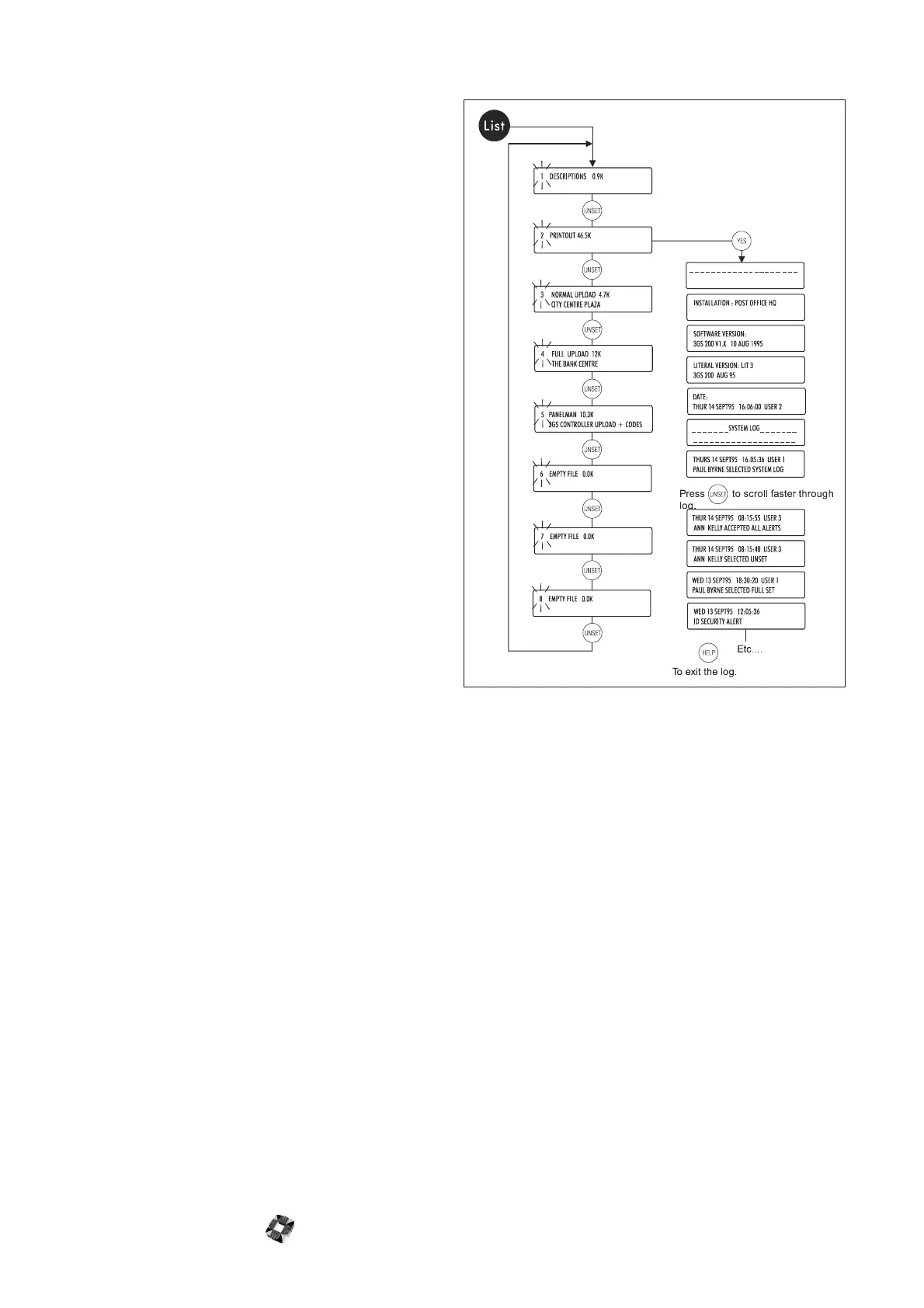
● List Files. Use this option to view the number of
stored files and see the file size in kilobytes. The file’s
name and origin are also displayed if programmed.
Press the YES key to view the contents of a log
printout. Press the UNSET key to increase scroll
speed
.
● Delete Files? Use this option to delete files
individually or as a group. Note that codes are only
stored in one location at any one time. If you select
the Wipe Codes option when performing an upload,
all codes (including default codes) will be removed
from the 3GS Controller. Therefore, before a
download is performed, the HHT is storing the only
file containing these codes. It is important to
consider this before deleting a file.



 To Next Page