Issue 4.5 August 2005 Hand-Held Terminal (HHT) 10-12
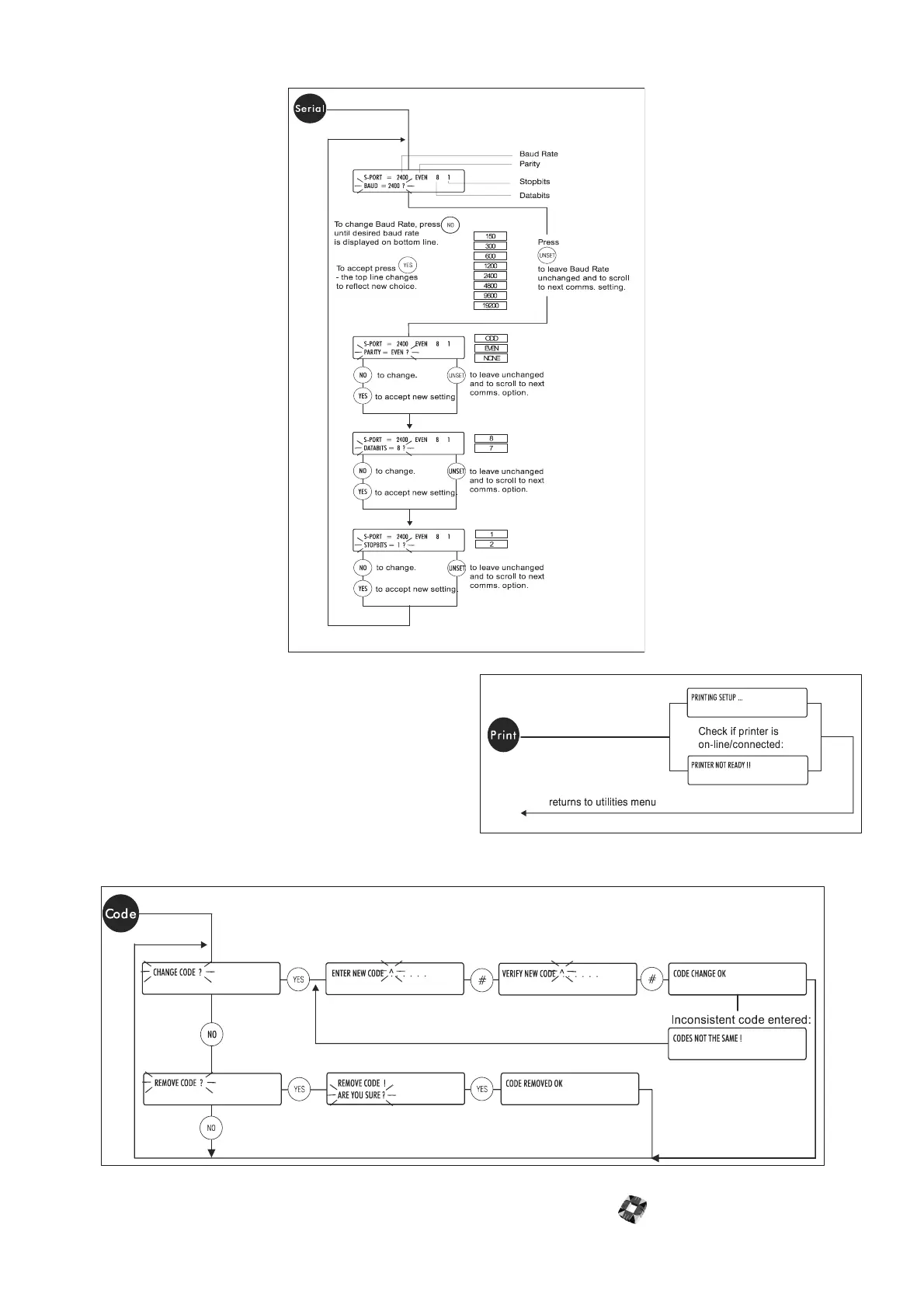
● Serial Port: Use this option to configure the HHT’s serial port for direct serial communications with other devices.
● Print Setup: Use this option to print out the current
settings and parameters for the HHT. This includes:
the serial number, software version, user name,
serial port settings, backlight parameters, and
language setup..
● Code Setup: Use this option to change or remove
the passcode required to access the HHT main
menu. The default code is 123456. You have three
attempts to enter the correct code. After three
failed attempts, you will need to reload the default
setup (this will overwrite any existing files).



 To Next Page