Issue 4.5 August 2005 Hand-Held Terminal (HHT) 10-13
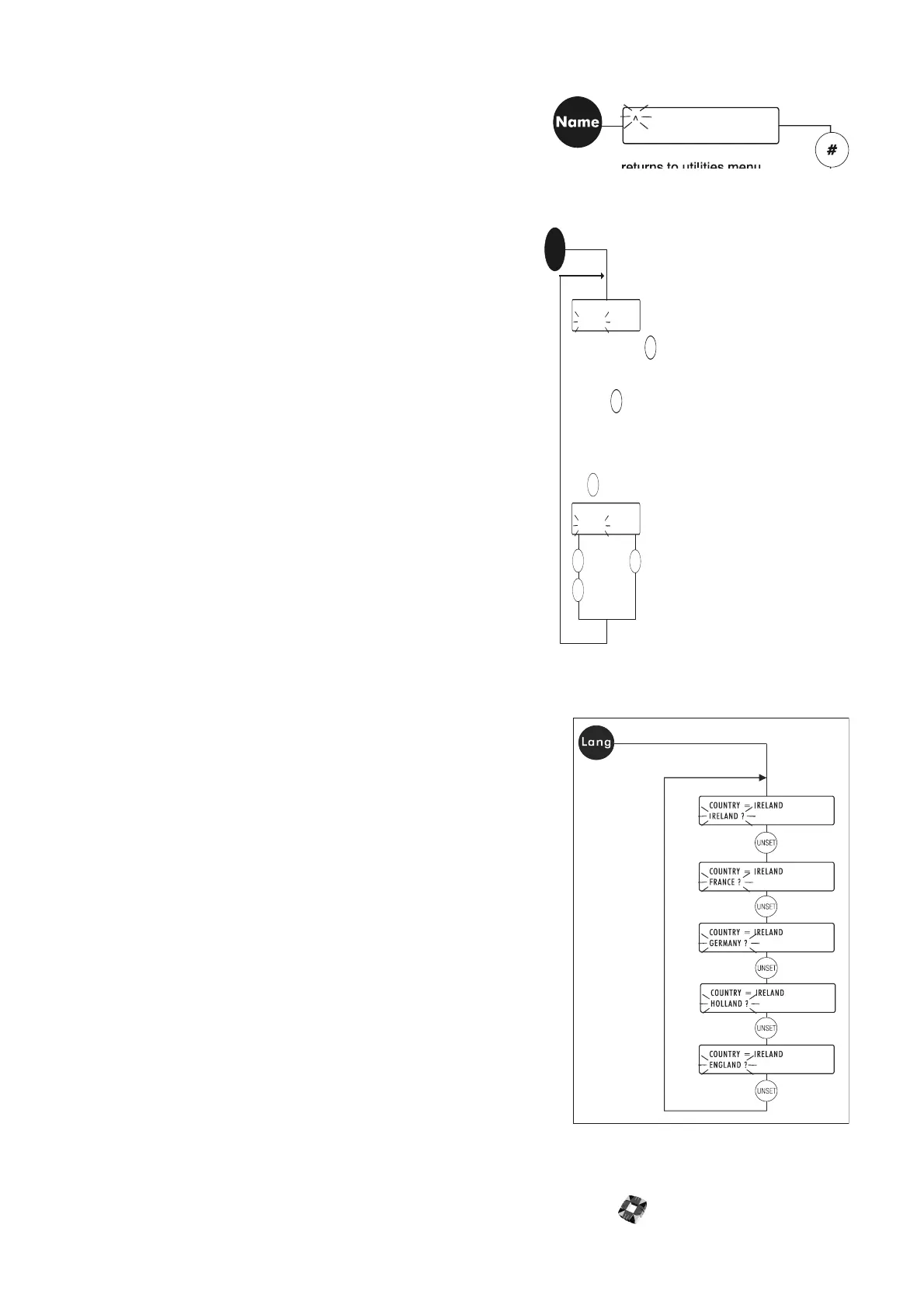
● Name Change: Use this option to change, enter, or edit the
user’s company name and address. You place the alphabetic
card over the HHT keypad and select the required letters using
the Shift key (ensure the Shift key is in the Up position before
entering the next letter).
● Backlit Setup: Use this option to adjust the display backlight
parameters. Use the UNSET and PART keys to scroll between
Level/On Time and YES/NO keys. On Time refers to the
number of seconds the backlight will remain on for once a
key has been pressed. Level refers to the intensity of the
display backlight. Once the required settings are displayed on
the top line, press Help to save and exit.
● Language Setup: Use this option to load default language for
setup defined markets.
BACKLIT 50% FOR 5 SECONDS
LEVEL = 50% ?
BACKLIT 50% FOR 5 SECONDS
ON TIME = 5 ?
NO
YES
YES
To accept press
- top line changes
to reflect new choice.
to change.
to accept
new setting.
To change Backlit Level, press
until desired level (0% - 100%)
is displayed on bottom line.
Press to select "On Time" (1-10 secs.).
to leave unchanged
and return to
Backlit Level.
UNSET
UNSET
NO
Backlit



 To Next Page