DM1200 Digital Communicator/Modem 12-6
Connecting a Local Printer
A local serial printer can be connected to the DM1200.
Data is output to the printer at TTL levels from the
DM1200 in the following format:
● Baud Rate: 1200 or 300
● Parity: EVEN
● Stop Bits: 1
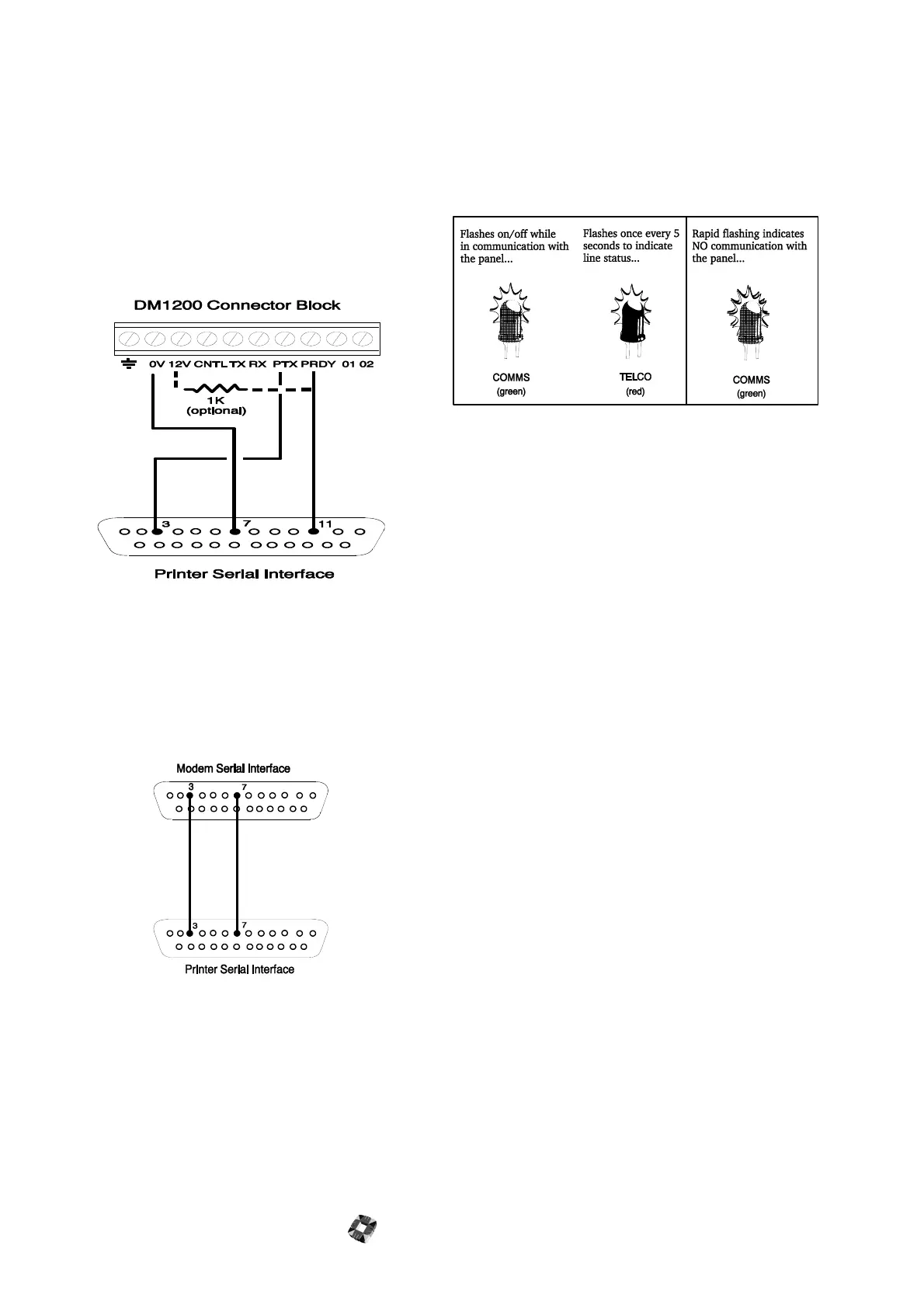
Connect the printer using serial cable as illustrated in the
following diagram.
Important:
The maximum distance between the
DM1200 and the printer should not exceed 25 metres.
Remote Printer
Connect the 25-way modem interface to the printer
interface as illustrated in the following diagram.
DM1200 LEDs
The LEDs will indicate the operational status of the
DM1200 (see the following diagram).
If the DM1200 does not operate as expected, recheck
the wiring connections and your programmed
configuration.



 To Next Page