17 - 18
SIA - Extended Report Window
This Window allows you to select a SIA Record, set a reporting Delay of 0 to 99 seconds, set a combination of two
phone numbers to be used to report the record to the central station, and to set the Priority.
All Panel SIA commands can be Uploaded or Downloaded from this Window using the Functions Buttons.
Note: To change any SIA records, you must first connect to the Panel and Upload all SIA commands.
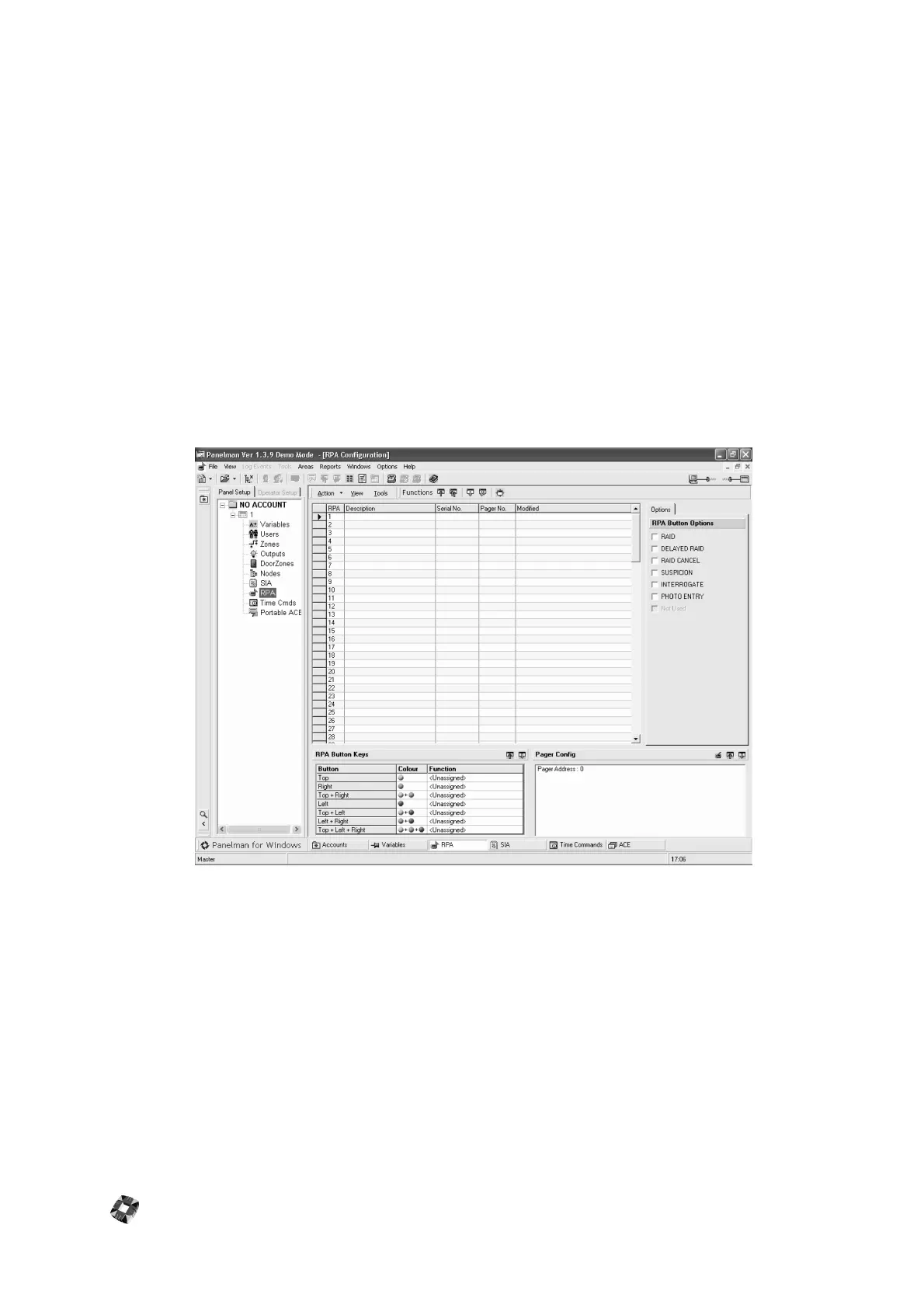
RPA Configuration Window
This Window allows you to assign RPA's to a Panel. To change RPA Description, Serial No. and Pager No. click in the
relevant text-boxes of the RPA to be modified and add required data. To assign RPA Button Options simply check
the relevant options required for each RPA under "RPA Button Options". Upload and Download Individual or All can
be performed by using the Functions Buttons.
Assigning RPA Button Keys: To Assign RPA button Keys, double click the relevant text-box under "Function" for the
relevant RPA Button. The following form will appear:
Select the button option required from drop-down list and click "Save" to assign this option to this button. Note that
two different RPA buttons (or combinations of buttons) cannot have the same option assigned. To download Button
options to Panel, click on "Download Button Assignment" button on the toolbar.
Setting Pager Address: Pager Address can be set by double clicking on "Pager Address: 0" in the "Pager Config" box,
or by clicking on the icon. This will bring up the following form:
Type in New Pager Address Number and click on "Save". To download this to Panel, click on the "Download Pager
Address" button on the toolbar.



 To Next Page