17 - 17
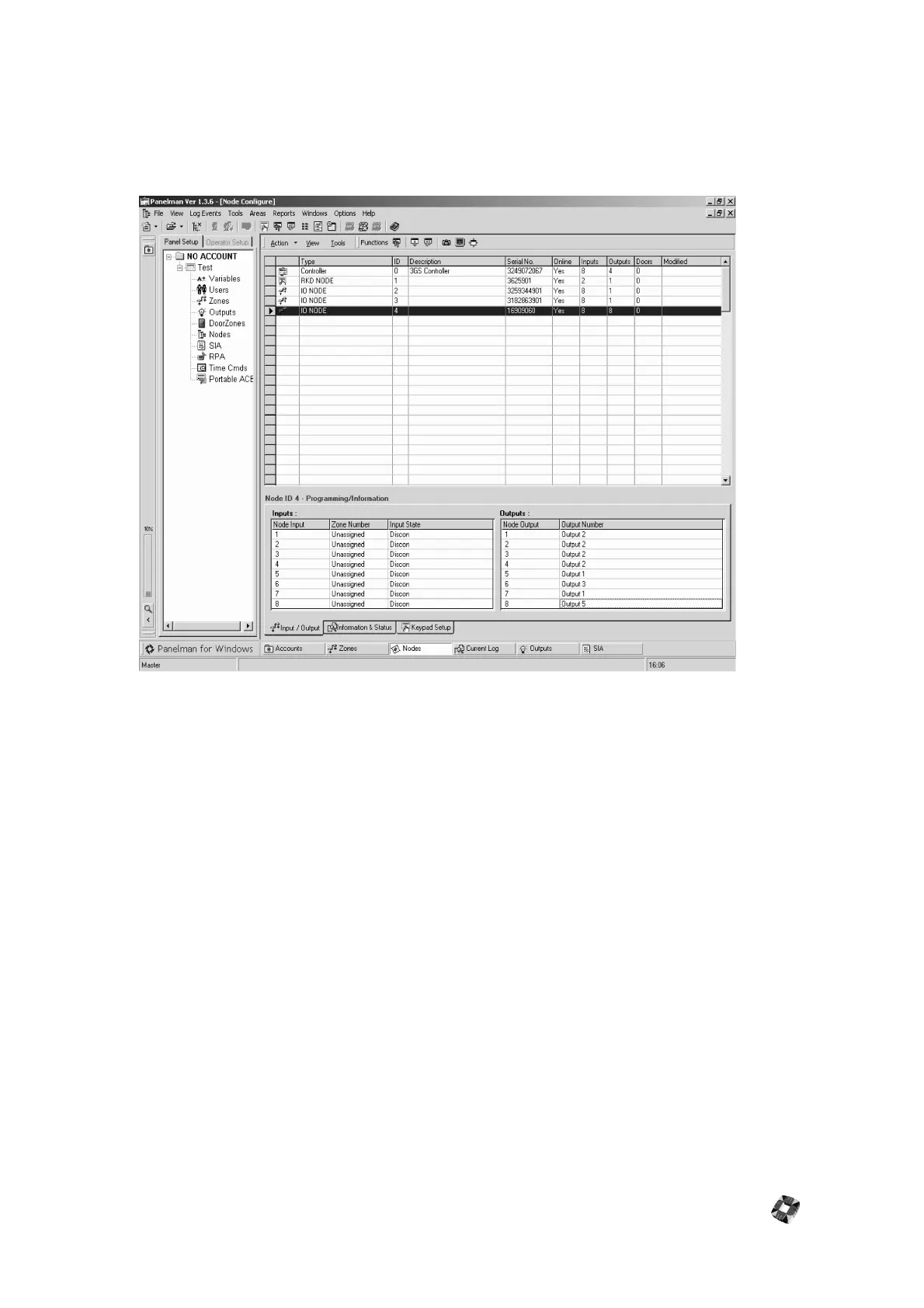
Node Configuration Window
This screen is used to set Node Descriptions, and to Assign Zone numbers and Output numbers to Node Inputs and
Outputs. Node Serial numbers, Online status, Inputs, Outputs etc. can also be viewed. Node information such as
Software version and Days Running etc. can be viewed by clicking on the "Information and Status" Tab at the bottom of
this screen. Status reports such as lid tamper and power problem etc. can also be viewed in this section.
To select a Node, simply click anywhere in the Row of the Node that you wish to work with. If the selected Node is a
Keypad, and Areas have been set up on this Panel, selected Areas can be assigned to this keypad by clicking on the
"Keypad Setup" Tab.
Assigning Zone Numbers to Node Inputs: To assign Zone Numbers to Node inputs, under the "Inputs" section, double
click anywhere in the Row of the Node Input that you wish to assign the Zone number to. The following form will be
displayed:
Select the required Zone number from the drop-down list and click "Save" to assign this Zone Number to this Input.
Assigning Output Numbers to Node Outputs: To assign Output Numbers to Node Outputs, under the "Outputs"
section, double click anywhere in the Row of the Node Output that you wish to assign the Output number to. Follow
the same procedure used to Assign Zone Numbers.
When all Zones, Outputs, Descriptions etc. have been assigned, Upload and Download All or Download Individual
Node can be performed by using the Functions Buttons.
Note: To change any Node Configuration Information, you must first connect to the Panel and Upload All Nodes.



 To Next Page