DMP 128 FlexPlus • DSP Configurator Software 36
Input Ducking Block
The duck block contains a ducking processor as well as an adaptive gain processor.
• Ducker (see the next page) — Decreases levels on specified channels when signal is
present above a set threshold on the duck source (trigger).
• Adaptive Gain (see page 38) — Increases levels on specified channels when signal
is present above a set threshold on the adaptive gain source channel (trigger).
Double-click the Duck block to open the drop-down menu where the Ducker and Adaptive
Gain
processors can be selected.
Figure 58. Duck Block and Drop-Down Menu
Select
Ducker to insert a ducking processor into the duck block. Select Adaptive Gain
to insert an adaptive gain processor into the duck block. Depending on the processor
selected, the duck block displays
DUCK for a ducker or AG for adaptive gain.
Figure 59. Ducking Block Icons
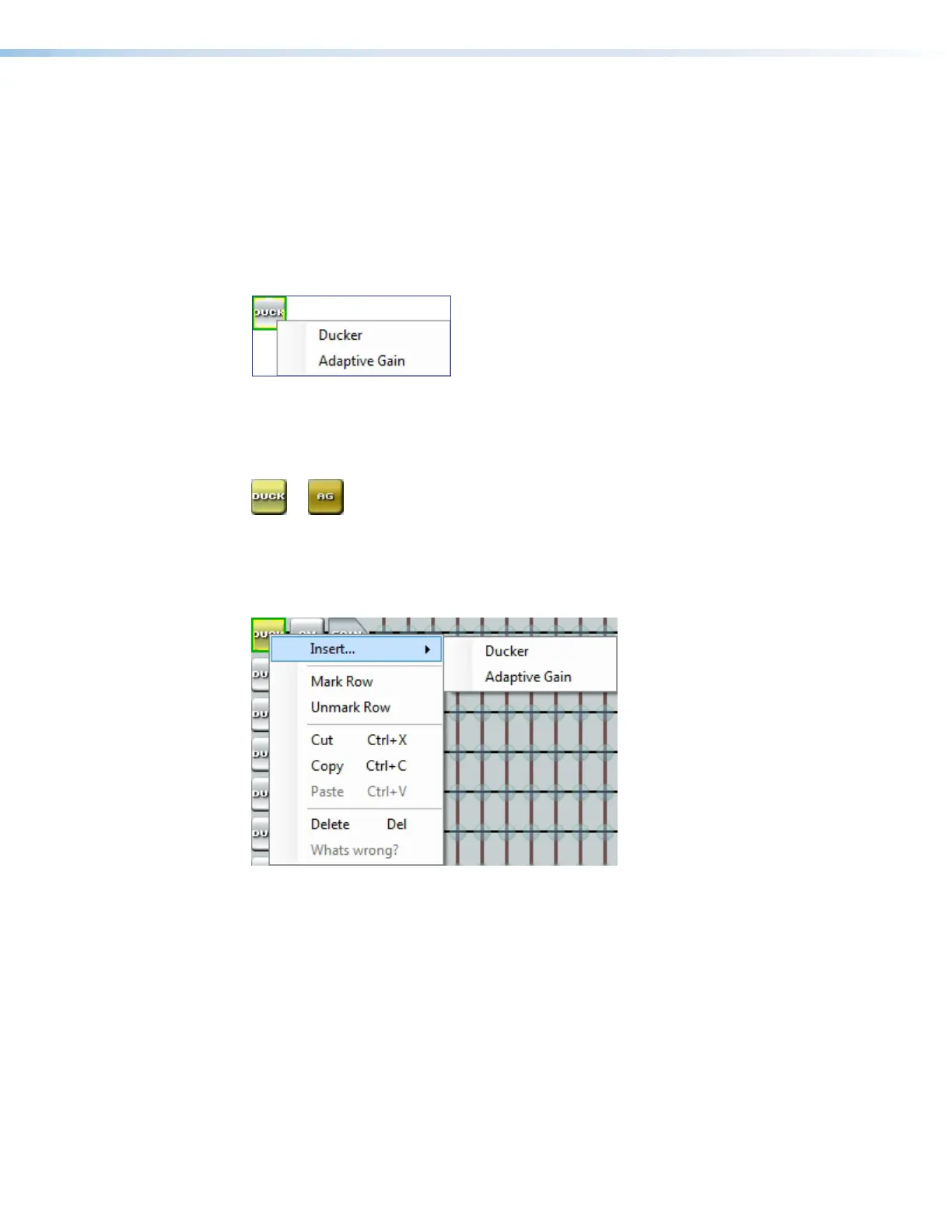
If a ducking processor has been inserted and needs to be changed to a an adaptive gain
processor, or vice versa, right-click the block and hover over Insert to insert a different
processor (see figure 60 below).
Figure 60. Changing Ducking Processor
figure 50. Duck Block and Drop Down Menu
figure 51. Duck Block Icons
figure 52. Changing Ducking Processor



 To Next Page