5 Copying
105
2.
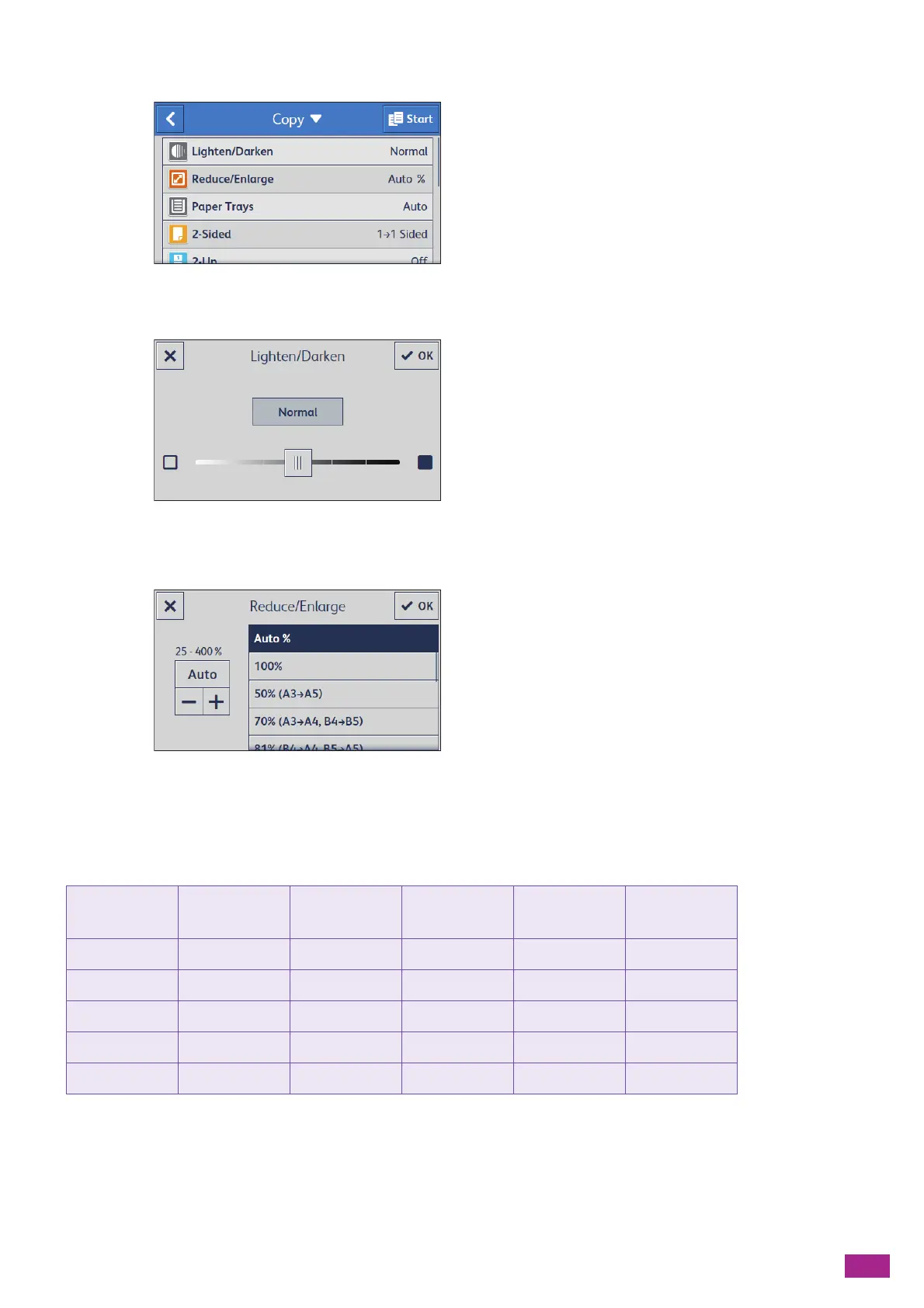
Select the desired setting item.
[Lighten/Darken]
Specify the density to make the copy darker or lighter.
[Reduce/Enlarge]
Specify the zoom ratio to enlarge or reduce the copied image.
When [Auto %] is selected, the optimal zoom ratio is automatically specified according to the document size
and the paper size.
See the following table for specific zoom ratios from the standard size document to the standard size paper
when enlarging or reducing the copied image.
Copy
Document
A5 B5 A4 B4 A3
A5 100% 122% 141% 172% 200%
B5 81% 100% 115% 141% 163%
A4 70% 86% 100% 122% 141%
B4 57% 70% 81% 100% 115%
A3 50% 61% 70% 86% 100%



 To Next Page
 Loading...