Chapter 3 Configuration and Monitoring How to Configure and Monitor the ProView 7000
© 2011 Harmonic Inc. 36 ProView 7000 v.2.4, Rev. A
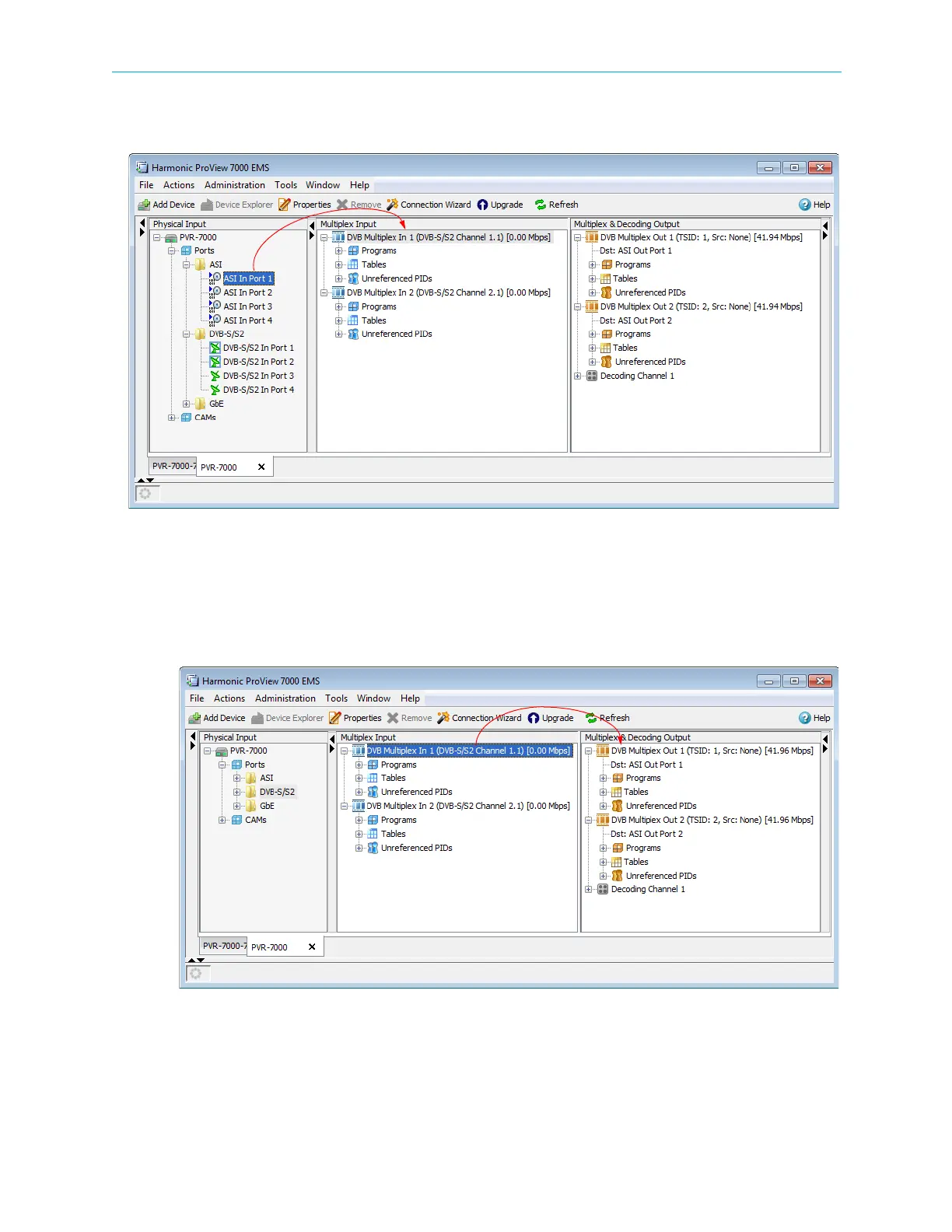
6. To associate a different port or additional ports to a Multiplex In:
aDrag a Port from the Physical Input box to a Multiplex In in the Multiplex Input box.
A confirmation dialog displays.
bClick
Yes to create the association.
7. To cross-connect an input transport stream, a program, an EMM in a conditional access
table (CAT) or even an unreferenced PID:
a Drag the item from the Multiplex Input box and drop it into the Multiplex & Decoding
Output box.
The Cross-Connect configuration dialog displays for you to configure the parameters
of the routed element.
b Configure the desired parameters and click
Create to create the cross-connect.



 To Next Page