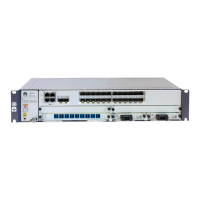
Table 7-3 Description of the AC power supply indicators
Indicator Color Description
RUN Green If the indicator is on, it indicates that the AC
power input is normal.
If the indicator is off and the FAULT indicator
or ALARM indicator is on, it indicates that a
fault occurs or an alarm other than the over-
current alarm is generated.
ALARM
Yellow If the indicator is on, it indicates a PS-off alarm,
over-temperature alarm, over-voltage alarm,
under-voltage alarm, or over-current alarm.
If the indicator blinks, it indicates that the
communication is fault.
If the indicator is off, it indicates that the power
supply is normal.
FAULT
Red If the indicator is on, it indicates that the power
supply is faulty and cannot be rectified.
If the indicator is off, it indicates that the power
supply does not have any fault that cannot be
rectified.
7.3 SRU Indicators
This section describes the SRU indicators.
Table 7-4 describes the SRU indicators.
Table 7-4 Description of the buttons and indicators on the SRU panel
Indicator/Button
Color Meaning
RUN/ALM Green If the indicator is on, it indicates that the SRU
is powered on, but the software is not running.
If the indicator blinks once every 2s (0.5 Hz),
it indicates that the system is in normal state.
If the indicator blinks once every 0.25s (4 Hz),
it indicates that the system is being started.
Red
If the indicator is in red, it indicates that the
board is faulty.
Orange If the indicator is in orange, it indicates that
the board is installed in the slot and is powered
on.
Quidway S9300 Terabit Routing Switch
Hardware Description 7 List of Indicators
Issue 01 (2010-12-15) Huawei Proprietary and Confidential
Copyright © Huawei Technologies Co., Ltd.
7-3



 To Next Page
 Loading...