EasyManua.ls Logo

Koden MDP-621 - Page 101

Koden MDP-621
244 pages
Print Icon
To Next Page IconTo Next Page
To Previous Page IconTo Previous Page
Loading...
Chapter 6 MDP-621/641/640
Plotter operation Operation manual
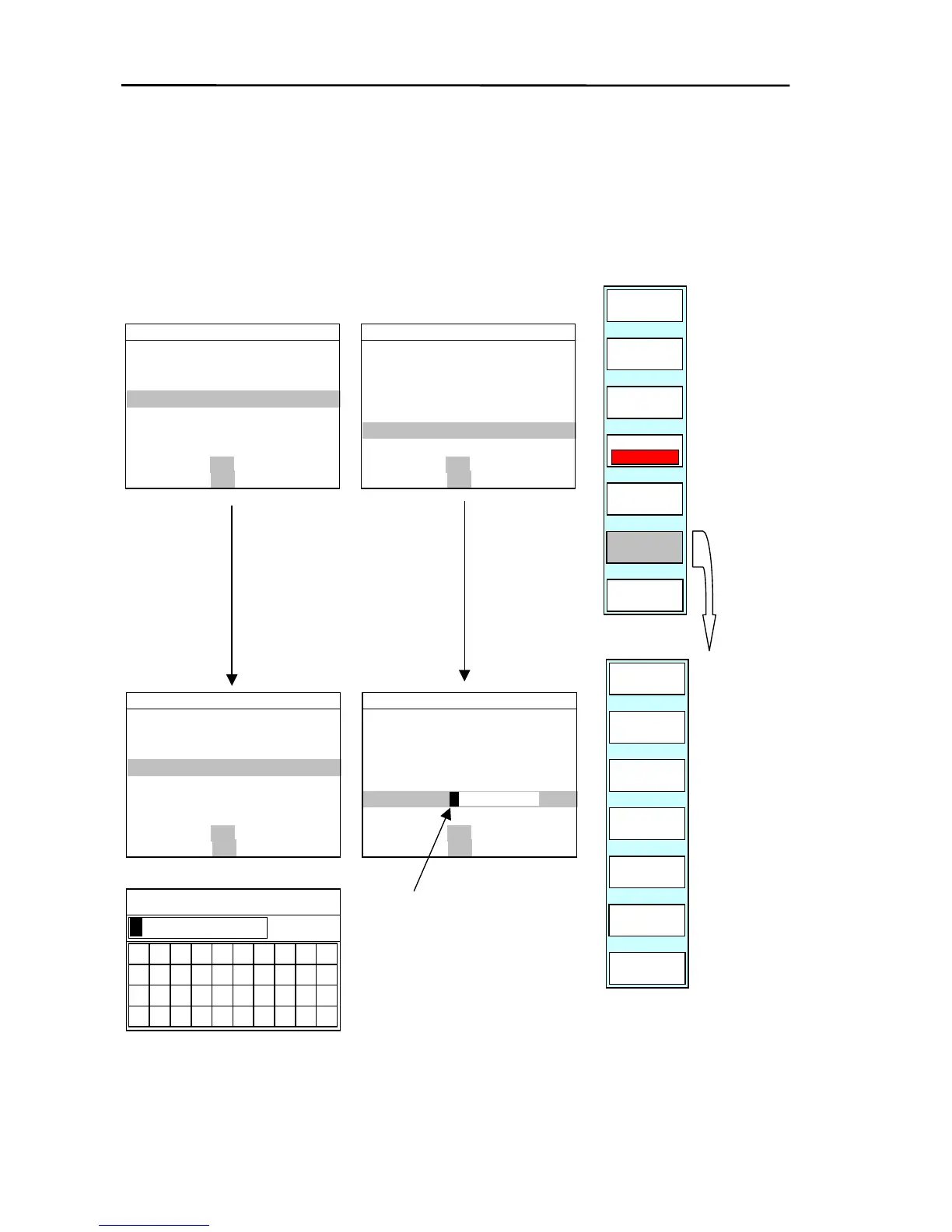
(c) Changing or entering the data
Position the line cursor on COMMENT, LAT, LON or DEPTH and press the ”SELECT”key.
The block cursor is displayed at the start of the data. Carry out data editing or data entry.
GOTO/WPT/EDIT
SELECT
COLOR
SHAPE
RETURN
PLOTTER
PAGE1
WPT EDIT
M NO
DATE
MARK
0 COMMNET
1 LAT
2 LON
3 DEPTH
4 DISP
5 M NO
35°10.000N
135°10.000E
980 ft
ON OFF
ON OFF
0001
2003/06/19 06:17:25
A
BCDEFGHIJKL
WPT EDIT
M NO
DATE
MARK
0 COMMNET
1 LAT
2 LON
3 DEPTH
4 DISP
5 M NO
35°10.000N
135°10.000E
980 ft
ON OFF
ON OFF
0001
2003/06/19 06:17:25
A
BCDEFGHIJKL
WPT EDIT
M NO
DATE
MARK
0 COMMNET
1 LAT
2 LON
3 DEPTH
4 DISP
5 M NO
0001
2003/06/19 06:17:25
A
BCDEFGHIJKL
35°10.000N
135°10.000E
980 ft
ON OFF
ON OFF
Block cursor
WPT EDIT
M NO
DATE
MARK
0 COMMNET
1 LAT
2 LON
3 DEPTH
4 DISP
5 M NO
0001
2003/06/19 06:17:25
A
BCDEFGHIJKL
35°10.000N
980 ft
ON OFF
ON OFF
135°10.000E
0 1
2
3
4 5 6
7
89
A B
C D E F
G
H
I
J
S
_
T
.
R
#
O
P
Q
Y
Z
&
K
U
L
M
N
V W X
COMMENT
CLEAR
ENTER
CANCEL
EW
NS
PLOTTER
PAGE1
6-28 0093161022-06

Table of Contents

Related product manuals