MDP-621/641/640 Chapter 6
Operation manual Plotter operation
(5) Editing the data selected by the line cursor
Changes the registered data and entering new data to an unregistered number.
Move the line cursor over the data to be edited or the number for the new data entry and press
the ”EDIT” key.
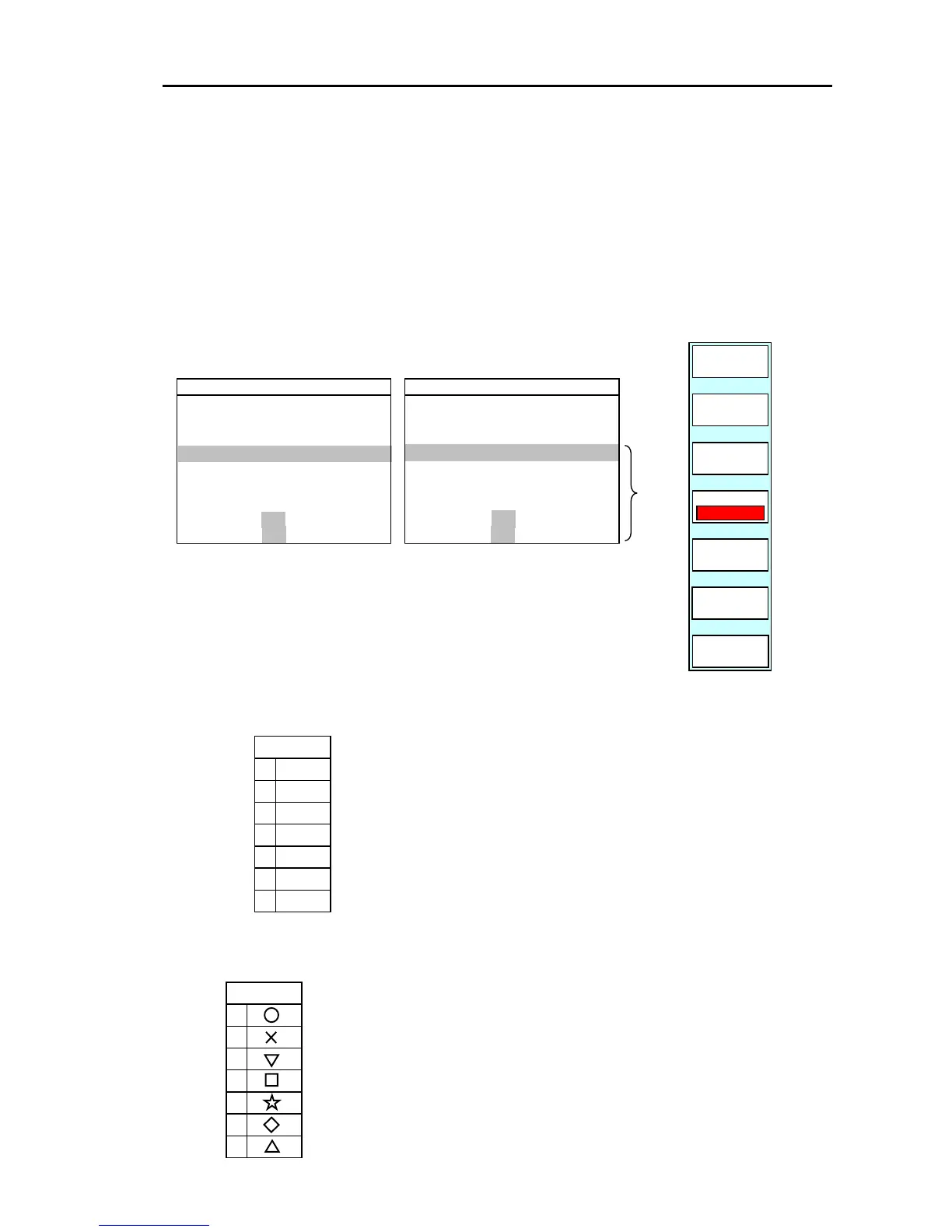
The following soft menu and edit list are displayed.
GOTO/WPT/EDIT
COLOR
SHAPE
■
SELECT
RETURN
PLOTTER
PAGE1
(Entering new data)
WPT EDIT
M NO
DATE
MARK
0 COMMNET
1 LAT
2 LON
3 DEPTH
4 DISP
5 M NO
(Editing registered data)
35°10.000N
135°10.000E
980 ft
ON OFF
ON OFF
0001
2003/06/19 06:17:25
■
BCDEFGHIJKL
WPT EDIT
M NO
DATE
MARK
0 COMMNET
1 LAT
2 LON
3 DEPTH
4 DISP
5 M NO
ON OFF
ON OFF
N
E
0005
2003/12/25 08:23:35
■
*1
※ When entering new data,
*1
The line curso
moves from 0 to 5.
the following are set as a default.
DATE : Current data/time
LAT/LON : 0°00.000 N, 0°00.000 E
DISP/M NO : ON
(a) Setting the mark color
COLOR
WHT
PNK
BLU
DBL
GRN
6
5
4
3
2
1
0
If the “COLOR” key is pressed, the settings menu for the
mark color will be displayed. Use the up / down key or the
rotary control to set the color.
The mark color that has been set is displayed in the bottom
part of the soft menu.
(b) Setting the mark shape
SHAPE
6
5
4
1
2
3
0
If the “SHAPE” key is pressed, the settings menu for the mark shape
will be displayed. Use the up / down key or the rotary control to se
the shape.
The mark shape that has been set is displayed in the bottom part o
the soft menu.
0093161022-06 6-27



 To Next Page