Terminal machine functions 12
Keys 12.2
Comprima V 180
Original Operating Instructions 150001053_00_en 103
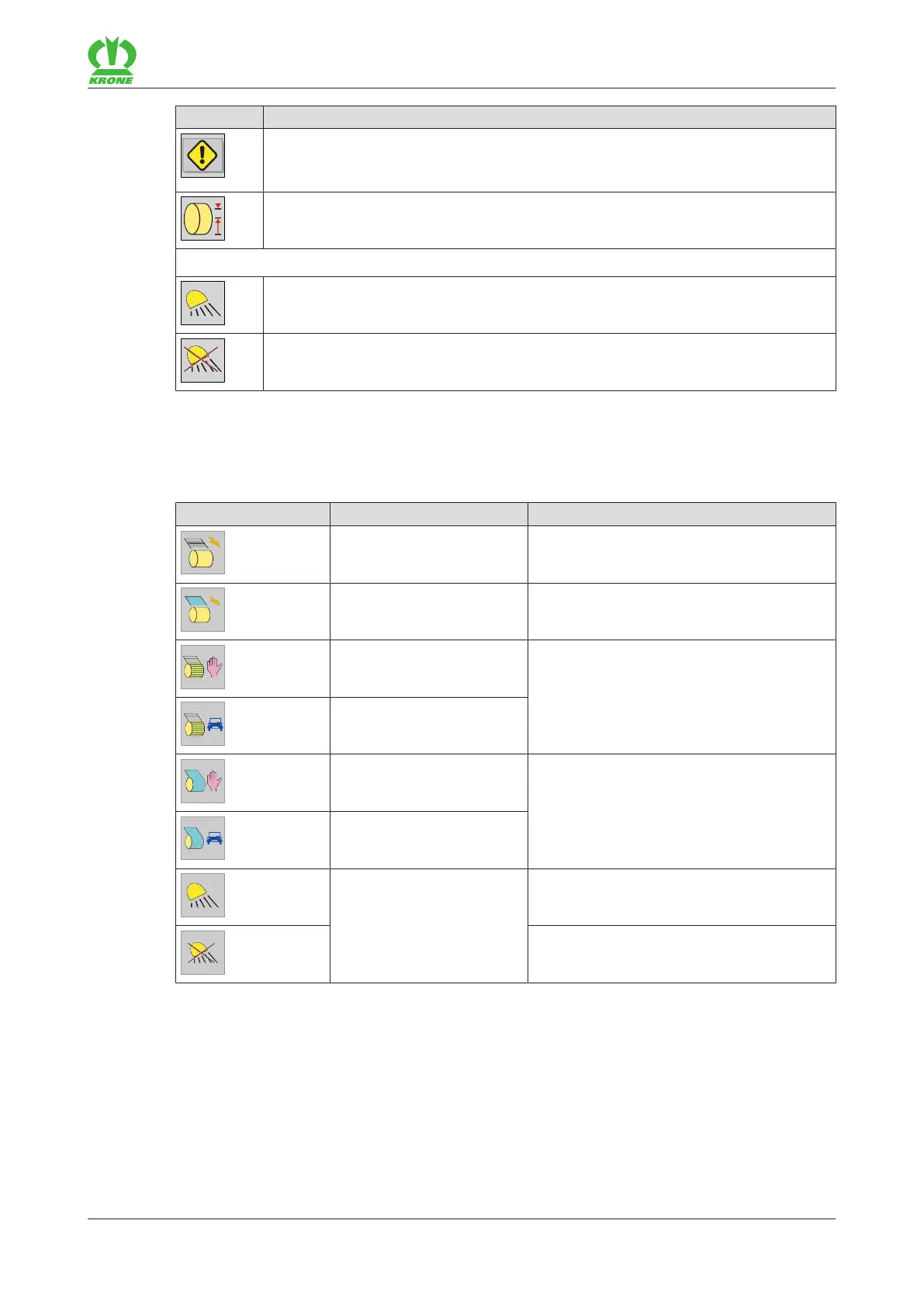
Icon Explanation
There are one or more error messages.
For version with "Touch-capable display": If this icon is pressed, the pending error
messages open in sequence, refer to page200.
Pre-signalling set.
For the “Working lights” version
Switched on.
Switched off.
12.2 Keys
The available icons comply with the equipment of the machine. The following represented icons
are not always available.
Icon Designation Explanation
Feed net in manual mode. Press the key to guide the net to the round
bale.
Feed film in manual mode. Press the key to guide the film to the round
bale.
Net wrapping in manual
mode.
The previously selected mode (manual
mode or automatic mode) is displayed in
the set tying type. Press the key to change
the mode.
Net wrapping in automatic
mode.
Chamber film wrapping in
manual mode.
The previously selected mode (manual
mode or automatic mode) is displayed in
the set tying type. Press the key to change
the mode.
Chamber film wrapping in
automatic mode.
Work lighting Switching off
Switching ON









 To Next Page