7 Commissioning
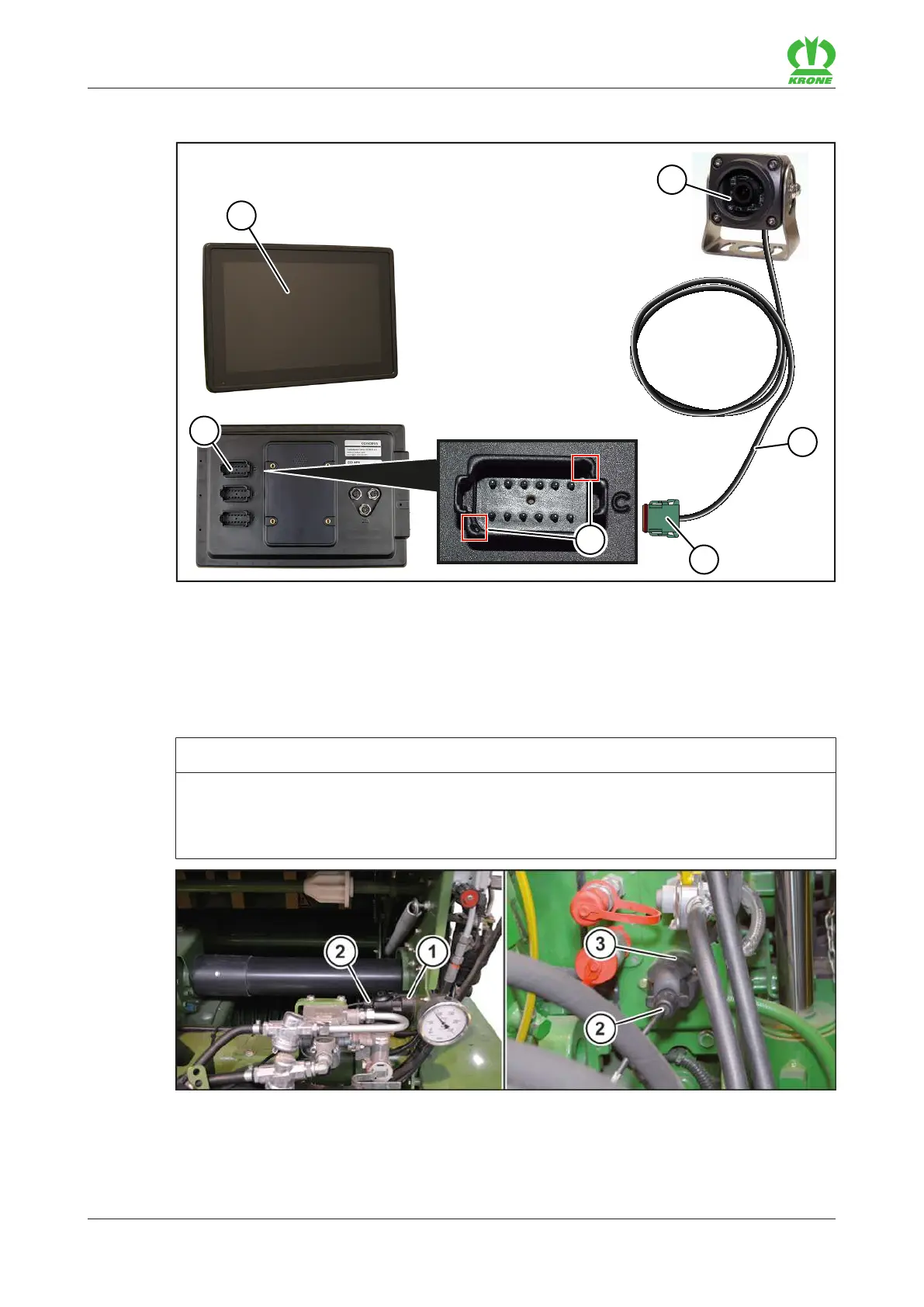
7.11 Connecting the camera to the KRONE ISOBUS terminal CCI 1200
64
Comprima V 180
Original Operating Instructions 150001053_00_en
7.11 Connecting the camera to the KRONE ISOBUS terminal CCI 1200
EQ000-212
Insert the plug(4) on the camera(2) cable(3) into the connectionC(6) of the KRONE
ISOBUS terminal CCI1200(1).
To connect the plug(4) correctly, ensure that it is aligned with the marked points(5).
7.12 Connecting the road lighting
NOTICE
Short circuit caused by impurities and moisture in the plug connection
The machine may be damaged by a short circuit.
Make sure that the plugs and sockets are clean and dry.
BPG000-067









 To Next Page