Settings 15
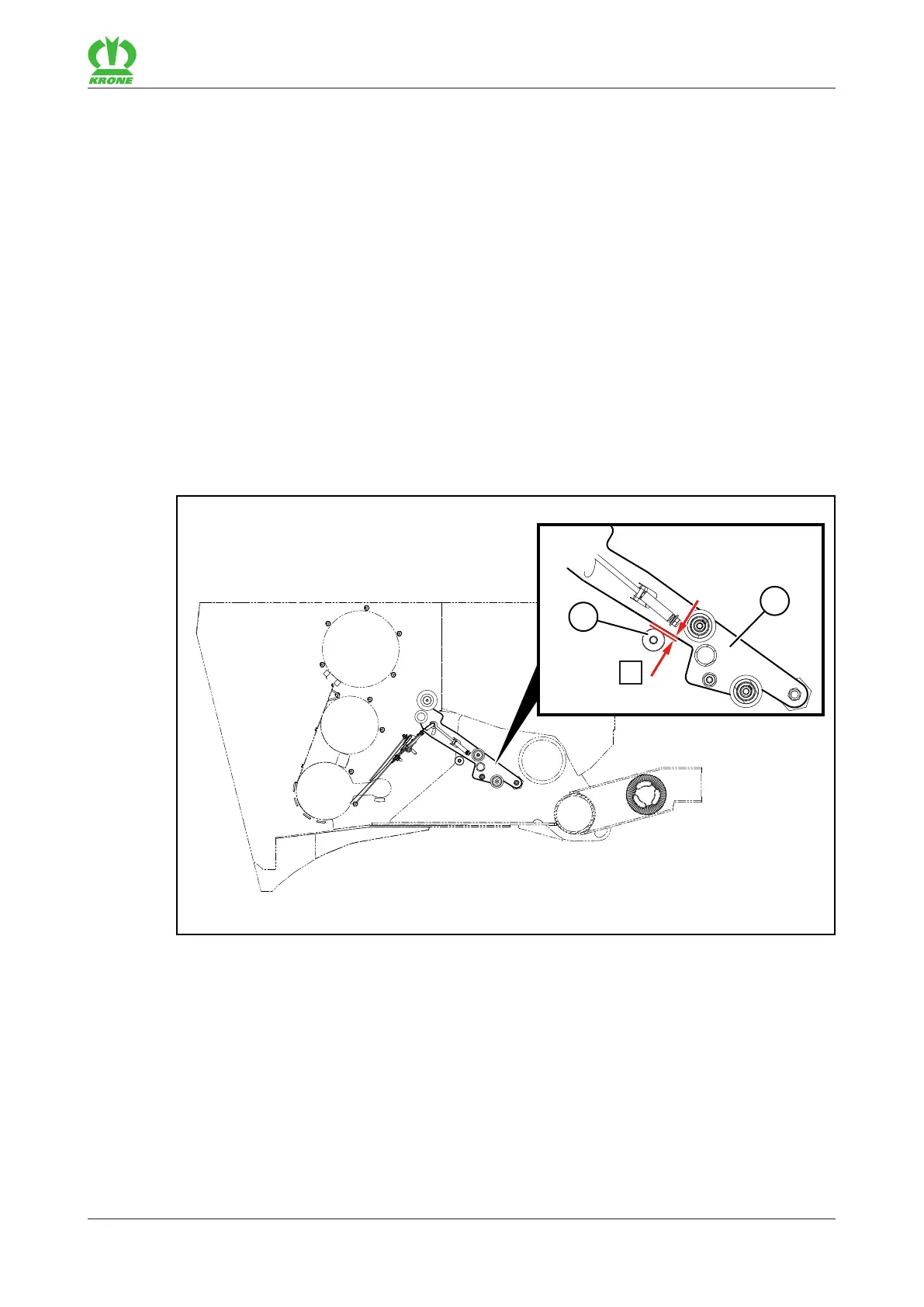
Checking and setting the position of the feed rocker arm 15.12
Comprima V 180
Original Operating Instructions 150001053_00_en 157
Make the following setting on all 6 trapezoidal rubbers(4):
Remove the screw connections(3) and the metal strip(2).
Turn the trapezoidal rubber(4) by 180° so that the shorter end points in the direction of
travel (position II).
Ensure that the brown fabric side is facing down.
Mount the metal strip(2) with the screw connections(3).
Ensure that the borehole(5) on the metal strip(2) is facing against the direction of travel.
15.12 Checking and setting the position of the feed rocker arm
For the "Net and chamber film wrapping" version
For more information on how the feed rocker arm is moved into the feed or end position, refer to
page135.
Checking and adjusting the feed position
RP000-029
For optimum film reception, check the feed position and adjust if required:
Open menu 10 "Manual operation" on the terminal, refer to page125.
Move the feed rocker arm(1) with the terminal towards the round bale into the saved feed
position.
Switch off the tractor, remove the ignition key and take it with you.
Check whether there is a distance of X=5mm between the feed rocker arm(1) and the
stop(2).









 To Next Page