15 Settings
15.12 Checking and setting the position of the feed rocker arm
158
Comprima V 180
Original Operating Instructions 150001053_00_en
If the distance is not X=5mm:
Start the tractor.
Open menu 15-1 "Sensor test" on the terminal, refer to page133.
Press the key until the feed rocker arm(1) has approached the stop(2) up to a
distance dimension of X=5mm.
Press the key.
Æ The set position is saved. The icon is displayed.
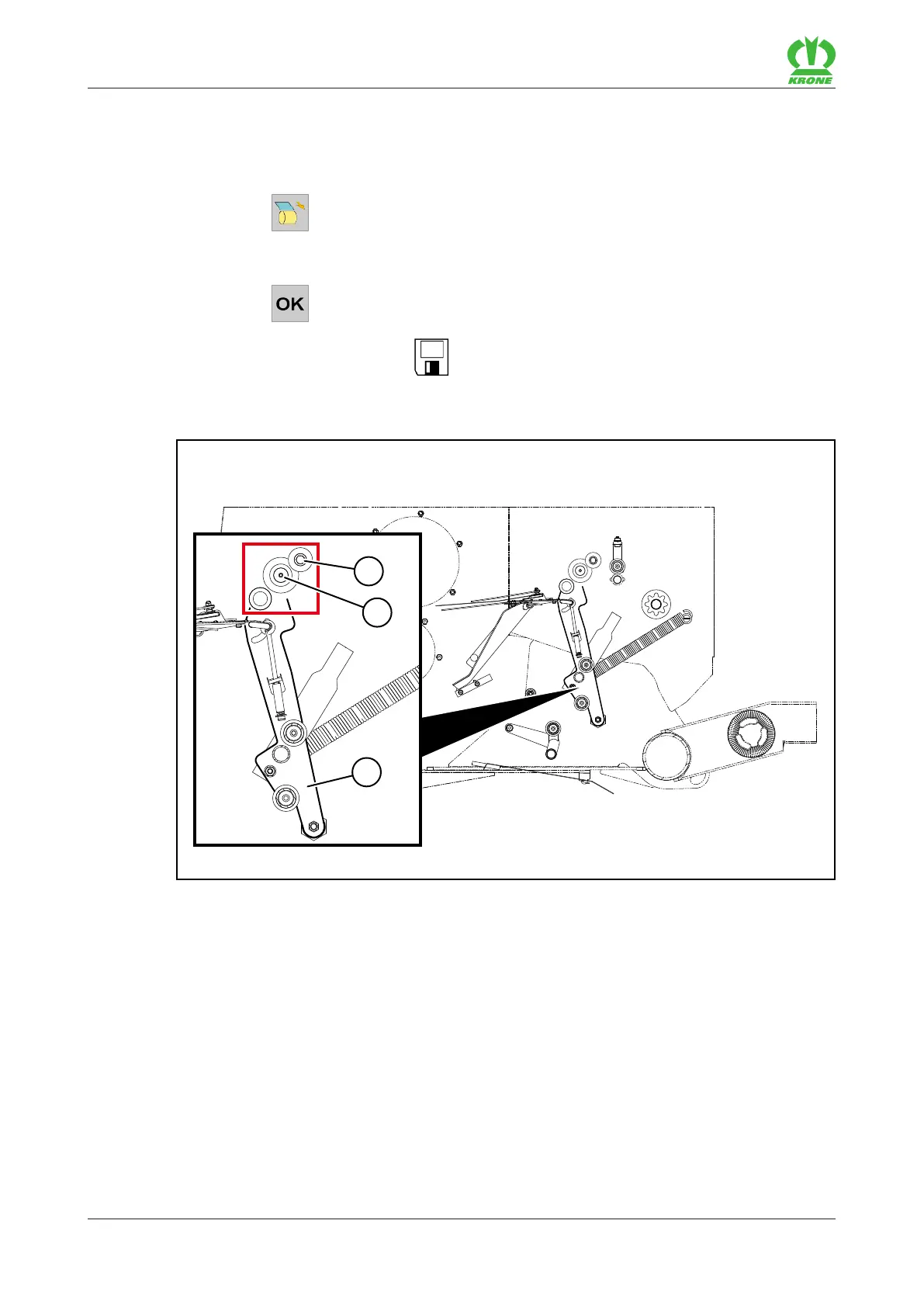
Checking and setting end position
RP000-028
For version with "Chamber film wrapping", the feed rocker arm(1) in its end position must be
positioned on the insulation of the pressure shaft(2). For optimum film reception, check the end
position and adjust if required:
Open menu 10 "Manual operation" on the terminal, refer to page125.
Move the feed rocker arm(1) with the terminal to the saved end position.
Switch off the tractor, remove the ignition key and take it with you.
Check whether the conical roller(3) is positioned on the insulation of the pressure shaft(2)
and whether the film jams between the insulation of the pressing shaft(2) and the conical
roller(3).









 To Next Page