Settings 15
Setting the working lights 15.6
Comprima V 180
Original Operating Instructions 150001053_00_en 151
For the "Net and chamber film wrapping" version
RP000-608
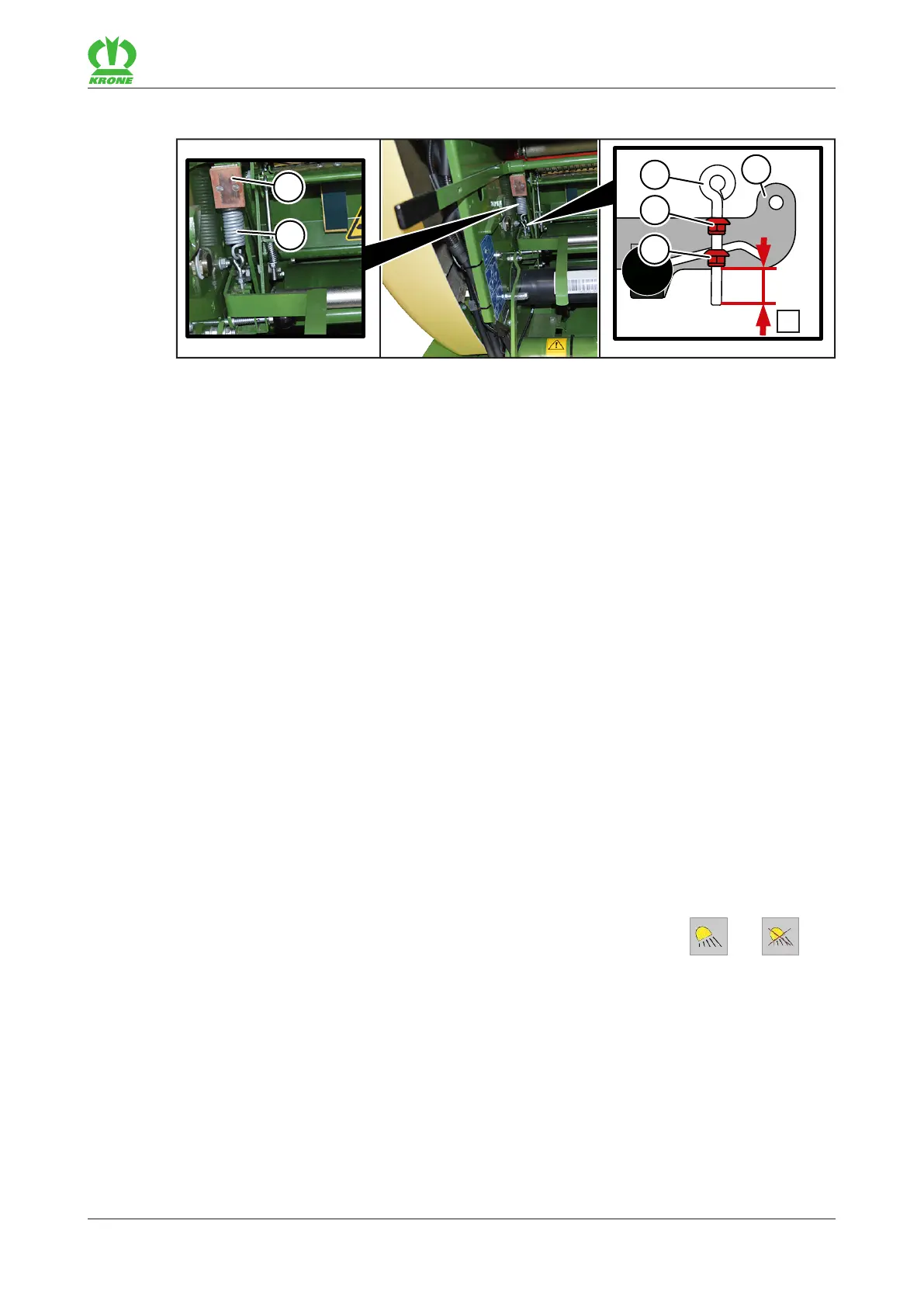
The wrapping material brake is located on the right side of the machine under the storage
compartment.
The spring(2) is mounted in such a way that the brake pad(1) is pressed onto the brake disc
(not shown in the picture). This ensures that the wrapping material brake decelerates the
feeding of the wrapping material to the round bale.
If the stretching of the film is too strong or too weak or if the net around the round bale has been
tied too strong or too weak, it is possible to increase or reduce the brake force of the wrapping
material brake by means of the nut (5) at the eyelet bolt (3). To check the stretching, refer to
page86.
The pre-set dimensionX for net wrapping and chamber film wrapping is X=21 mm.
If "KRONE excellent" net or film is not used for the tying, the brake force may have to be
adjusted at the eyelet bolt(3).
ü The machine is shut down and safeguarded, refer to page25.
ü The roll holder has been swivelled forwards.
To increase the brake force, increase the dimensionX or hook the eyelet bolt(3) into the
upper cone(4), if necessary.
To reduce the brake force, reduce the dimensionX.
15.6 Setting the working lights
For "working lights 1.0" version
The interior working lights on the side hoods on the left- and right-hand side of the machine can
be set as required. The working lights are turned on and off using the keys and in
the terminal, refer to page103.









 To Next Page