16 Maintenance
16.23 Servicing the hydraulic system
194
Comprima V 180
Original Operating Instructions 150001053_00_en
16.23.2 Changing the hydraulic oil filter
RPG000-076
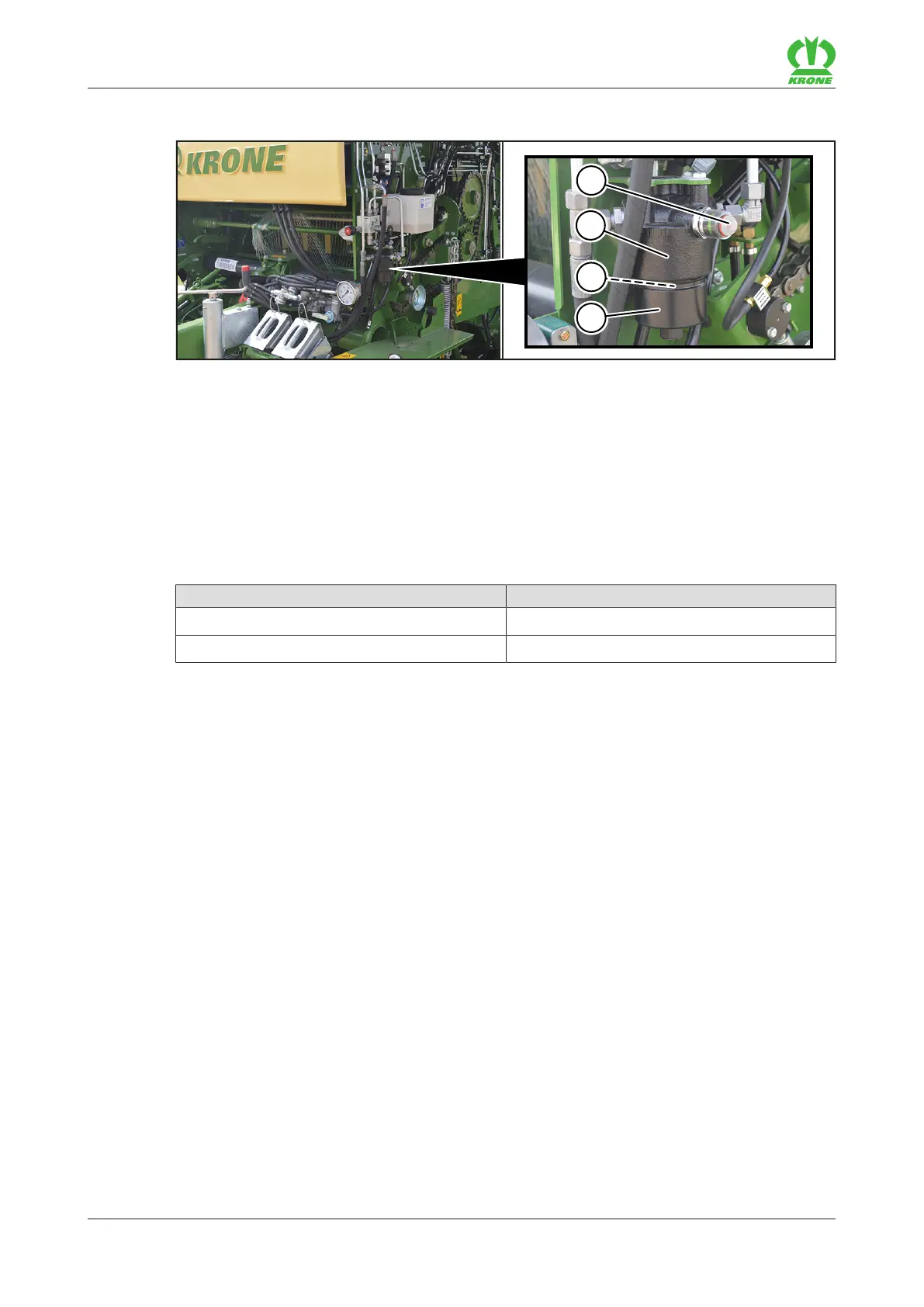
The hydraulic oil filter(2) is located behind the side hood on the film compartment.
The hydraulic oil filter(2) is located behind the side hood.
The hydraulic oil filter(2) absorbs deposits of solid particles from the hydraulic system. This can
prevent damage to the components of the hydraulic circuit. The contamination indicator(1)
provides visual information about the degree of contamination of the hydraulic oil filter.
Checking the hydraulic oil filter
Always check the contamination indicator(1) before use.
Display Meaning
Green Filter element(3) adequately clean.
Red The filter element(3) must be changed.
If the cold contamination indicator(1) jumps out during start-up:
Wait until the operating temperature has been reached before pressing in the contamination
indicator(1) again.
If the contamination indicator(1) immediately jumps out again, change the filter element(3)
as follows.
Changing the filter element(3)
New filter elements can be ordered by quoting the order number 27 018 688*.
Depressurise the hydraulic system.
Unscrew and clean the bottom part of the filter(4).
Remove the filter element(3).
Insert new filter element(3).
Check the O-ring seal on the filter element(3) and, if required, replace it with a new O-ring
seal which has identical properties.
Screw the bottom part of the filter(4) onto the filter head.
Charge the hydraulic system with pressure and check it for leaks.









 To Next Page