8 Operation
8.12 Net wrapping
80
Comprima V 180
Original Operating Instructions 150001053_00_en
Removing
Remove the linch pins(4) and(5) on the right and left sides of the machine.
Remove the spring(3) from the right and left sides of the machine.
Remove the baffle sheet(1).
Mounting
Place the baffle sheet(1) on the crop press roller(2) and secure with the linch pins(4)
and(5) on the right and left sides of the machine.
Mount the spring(3).
8.12 Net wrapping
For version with "Net wrapping"
8.12.1 Inserting the net roll
To ensure that the sleeve clamp can hook completely into the sleeve of the net roll, a cardboard
sleeve should be used. If a plastic sleeve with grooves is used, the sleeve clamp may hook into
the grooves, transferring the brake force from the brake disc to the net roll. For this reason,
plastic sleeves without grooves are not recommended.
When using cardboard sleeves, make sure they are inserted in the correct position. Moisture or
high humidity may cause the cardboard sleeve to soften, impairing the tying functionality. Also
observe the information on the package provided by the tying material manufacturer.
INFORMATION
For trouble-free use in the field, KRONE recommends one of the "KRONE excellent" nets, see
label on the machine with the number 27018640*.
RPG000-016
ü The machine is shut down and safeguarded, refer to page25.
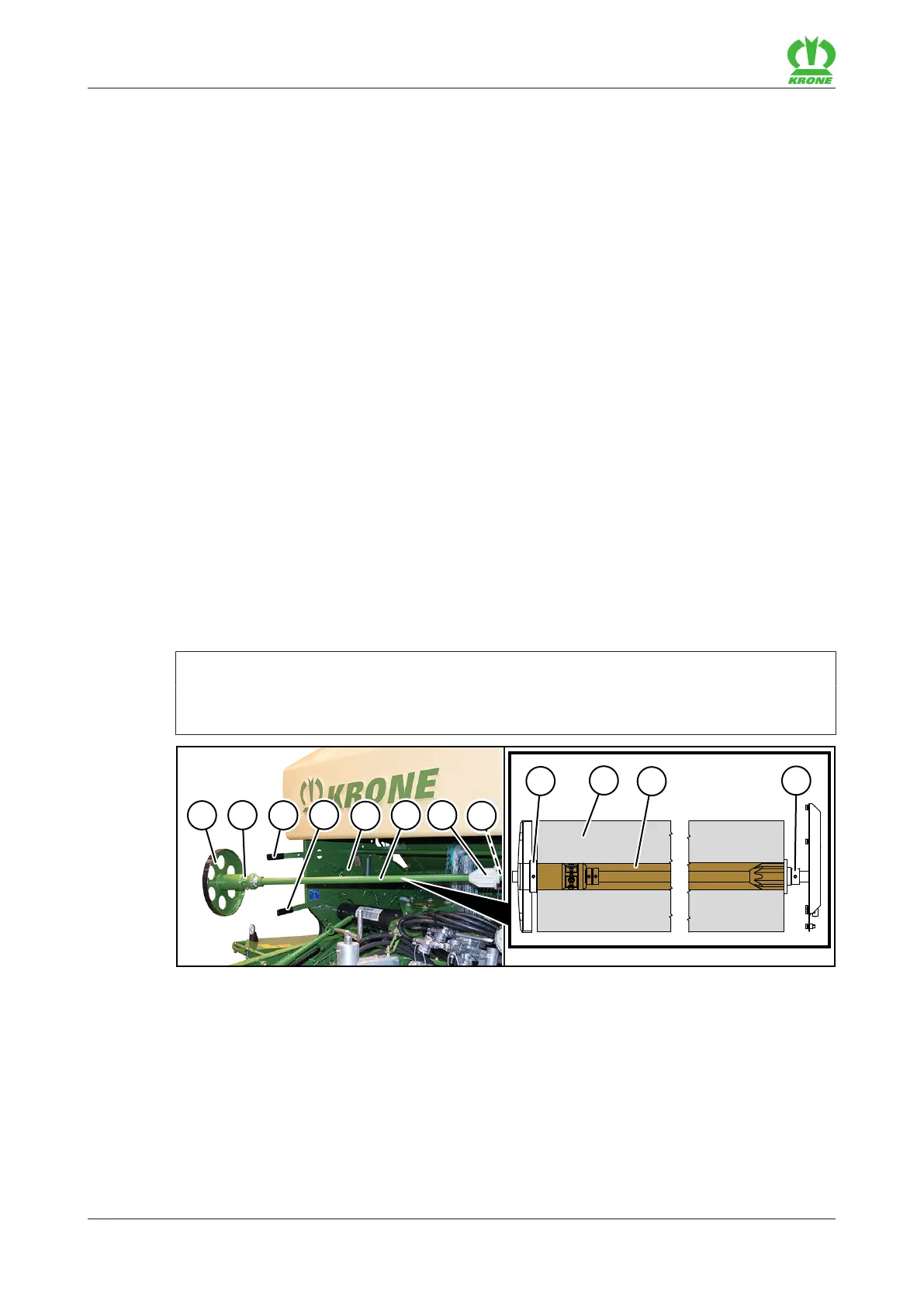
Raise the lever(4).
Swivel the roll holder(6) and brake disc(1) forwards.
Remove the brake disc(1).
Take a new net roll out of the package. Ensure that the beginning of the net roll faces
towards the machine and can be pulled out from above.
Push the net roll(9) onto the roll holder(6) and push on the support(7).
Push the brake disc(1) with the sleeve clamps(2) anti-clockwise all the way into the
sleeve(10) of the net roll(9).









 To Next Page