Appendix A Installation
Page 226 Rev. 1.30.03.07.r1
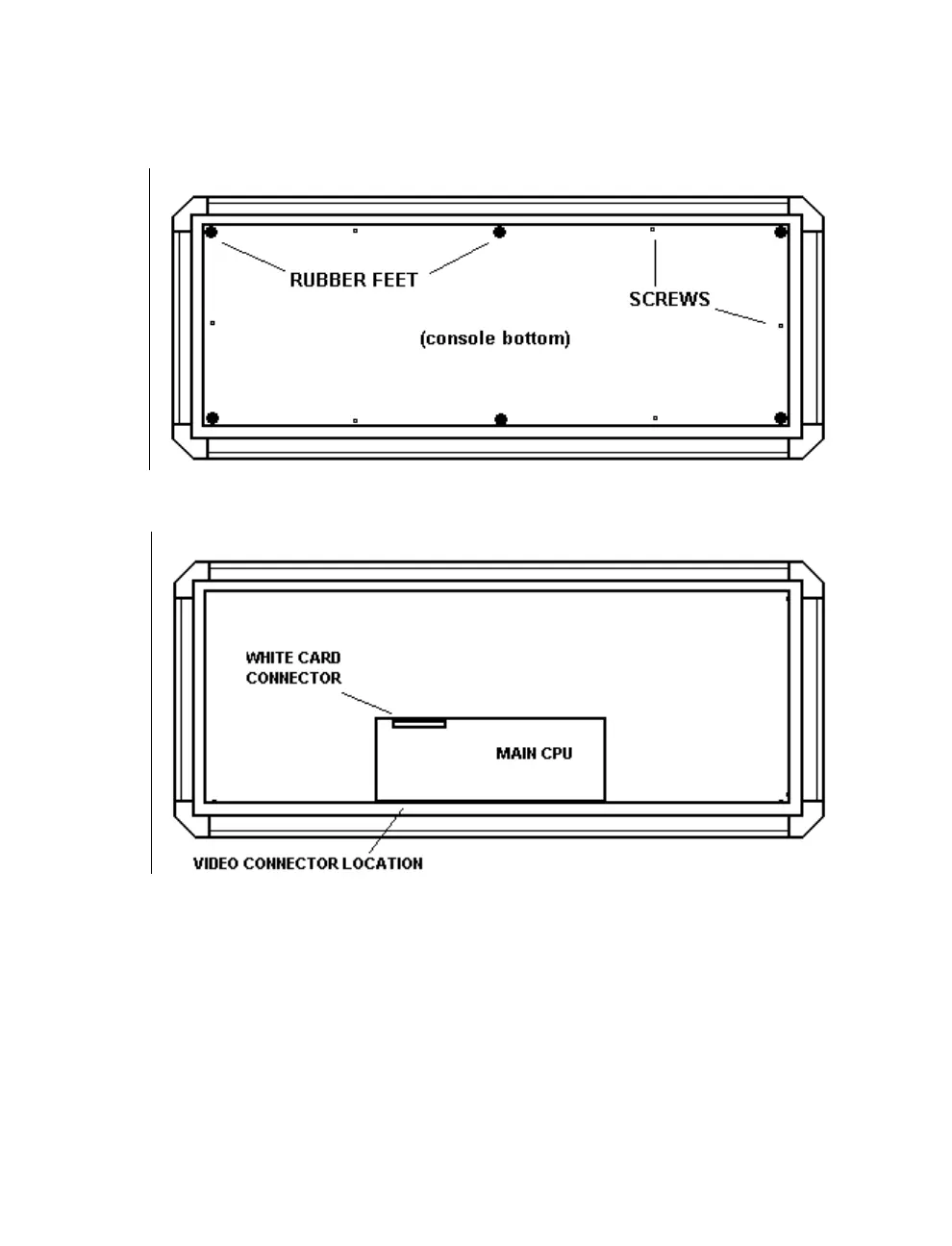
3. With a Phillips screwdriver, remove the rubber feet and screws from the
bottom panel. (see Figure A.6)
Figure A.6 Bottom of Console
Figure A.7 Location of CPU and Video cards
4. Locate the Main Processor Circuit card. (See Figure A.7)
5. Remove Video Connector Cover plate. Be sure to save the two screws.
6. Insert Secondary Video card, aligning the video connector with the back
panel and the white card connect facing the processor card. Press the
white connector together. (see Figure A.7 on next page)
7. Attach mounting screws for video connect to rear panel.



 To Next Page