WP-A
Max 3000g d= 0.1g
56152
+
g
Max
Scale interval
Dead load at
Max at
calibrated at
Sensitivity
3000.0 g
0.1 g
mV/V
mV/V
mV/V
µV/d
0.040750
1.00000
0.400000
30000 d
1 d
83.33 cnt/d
by load by mV/V by data Linear. Save
Place the adjustment weight on the
platform and enter the value.
Ok Cancel
2516.5 g
The weight unit for the calibration weight (press to change) may dier from the
unit in the device; conversion is automatic.
WP-A
Max 3000g d= 0.1g
00
+
g
Max
Scale interval
Dead load at
Max at
calibrated at
Sensitivity
3000.0 g
0.1 g
mV/V
mV/V
mV/V
µV/d
0.040750
1.177246
0.987513
0.470898
30000 d
1 d
102.832 g
3000.000 g
2516.5 g
98.10 cnt/d
by load by mV/V by data Linear. Save
The weight value of the calibration weight, weight unit, and measuring signal in mV/V
corresponding to this value are displayed in the [calibrated at] line.
Possible error messages, see Chapter 9.7.4.
WP-A
Max 3000g d= 0.1g
56152
+
g
Max
Scale interval
Dead load at
Max at
calibrated at
Sensitivity
3000.0 g
0.1 g
mV/V
mV/V
mV/V
µV/d
0.040750
1.177246
0.987513
0.470898
30000 d
1 d
102.832 g
3000.000 g
2516.5 g
98.10 cnt/d
by load by mV/V by data Linear. Save
STOP
Set SPAN failed.
no standstill
Ok
Press [OK] to cancel the setting.
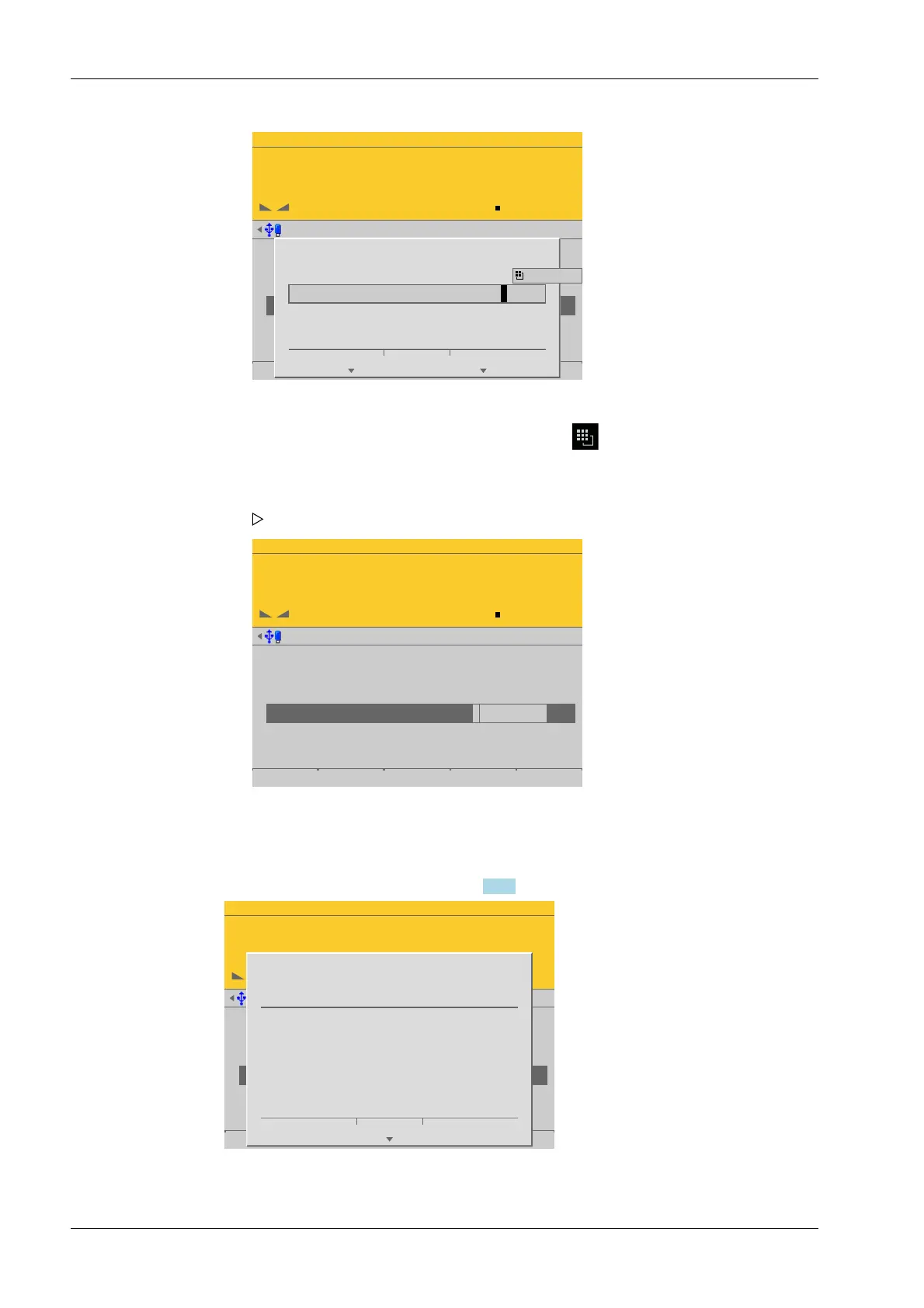
2. Place calibration weight on the scale and enter the value.
3. Press the [OK] soft key
The conrmation is displayed with "setting SPAN by load…".
4. Press the [Save] soft key to save the calibration.
Process Controller Maxxis 5 PR 5900 4 System setup
Minebea Intec EN-112


 To Next Page
 Loading...

