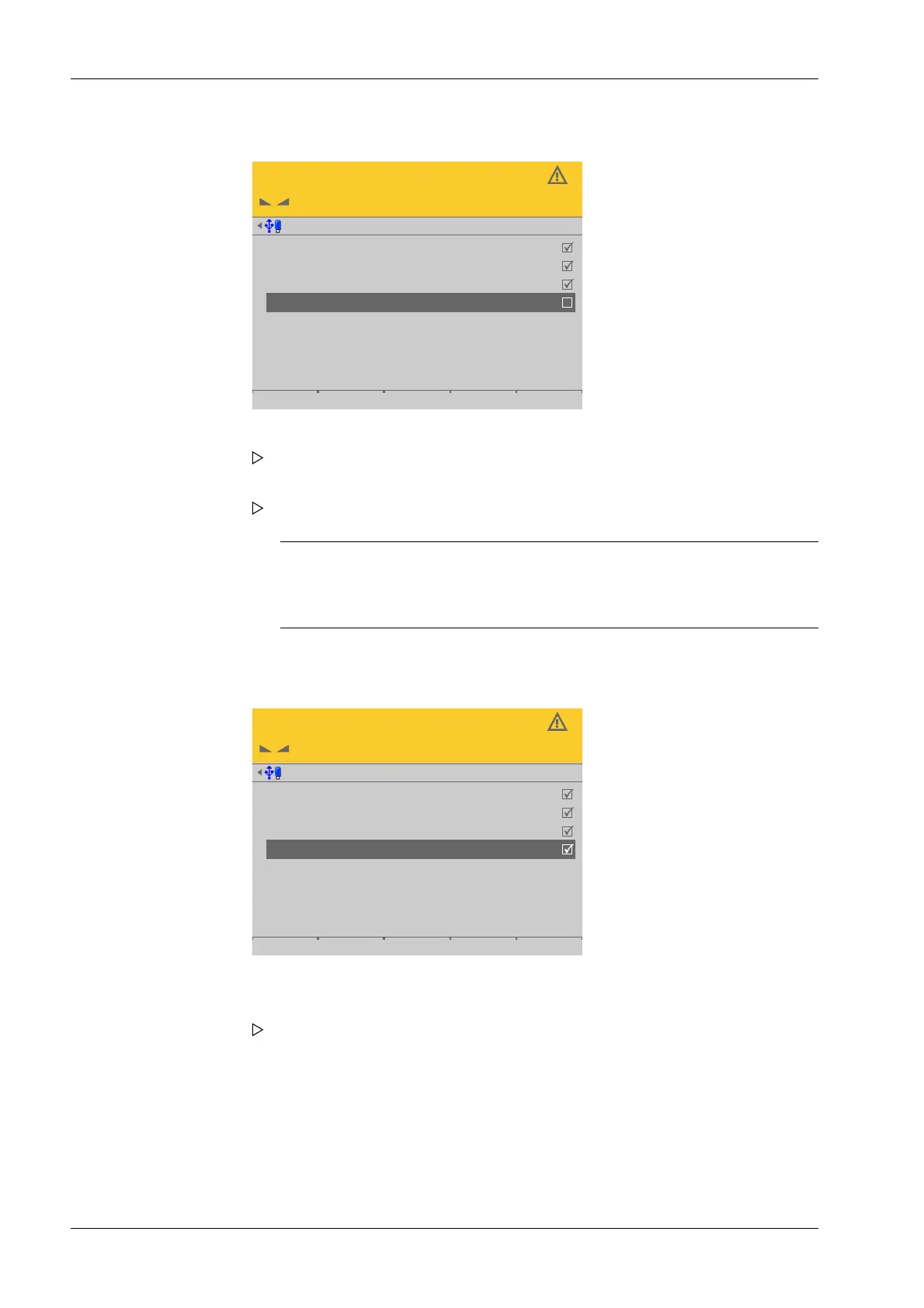
Deactivating the load cell
Service @admin
LC 1
LC 2
LC 3
LC 4 deactivated
101
103
104
1.350 t
1.506 t
2.197 t
2.457 t
1.439 t
1.598 t
2.108 t
2.367 t
Activating the load cell
After inserting and connecting the new load cell:
Service @admin
LC 1
LC 2
LC 3
LC 4
101
103
104
102
1.350 t
1.506 t
2.197 t
2.457 t
1.439 t
1.598 t
2.108 t
2.367 t
2. Select the faulty load cell and conrm to deactivate the cell.
The warning symbol replaces the weight unit.
3. Press the [Accept] soft key.
Note:
Trucks should only be allowed to move onto the center of the weighing
platform, in order to distribute the weight evenly.
The simulation of the deactivated load cell is started.
4. Select and conrm the deactivated load cell.
5. Press the [Accept] soft key.
A search is initiated and only then will the new load cell be detected.
Process Controller Maxxis 5 PR 5900 4 System setup
Minebea Intec EN-184



 To Next Page