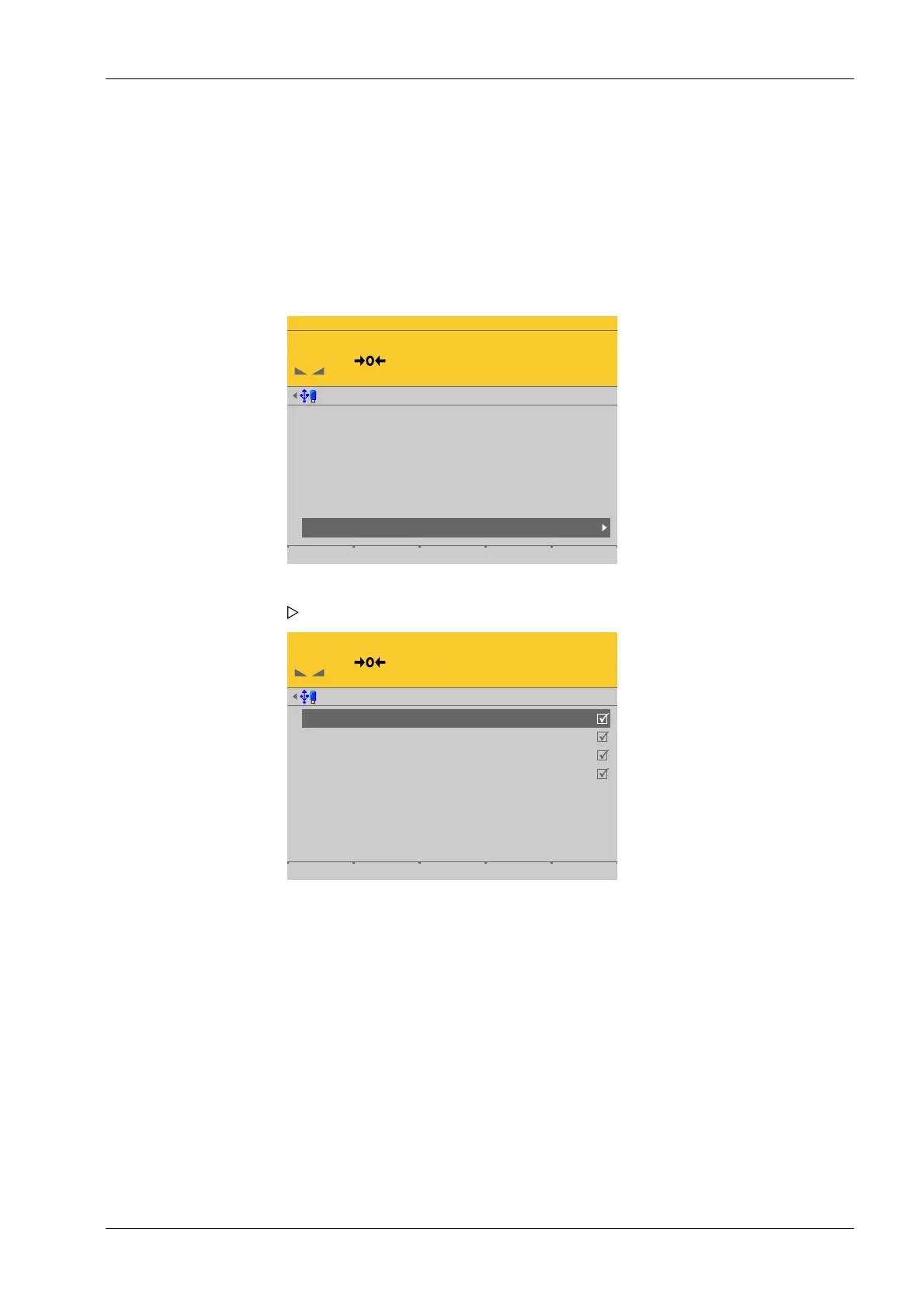
4.7.8.3.6 Service function for load cells
In this menu item (under Calib), faulty load cells of the digital precision pressure load cell
Pendeo
®
Process can be deactivated and replacement load cells activated.
Accessible via MENU – [Operating] - [System setup] - [Weighing points] - [Weighing
point x] - [Calib] - [Service function for load cells].
WP-D
Max 192t d= 0.02t
0.000 t
Weighing points @admin
Setup Pendeo
Quick install with search load cells and set dead load
Search for connected load cells
View and assign load cells
Calibrate the scale
Assign load cell name
Service function for load cells
Service @admin
LC 1
LC 2
LC 3
LC 4
101
102
103
104
1.430 t
2.373 t
1.583 t
2.121 t
1.465 t
2.339 t
1.620 t
2.084 t
Item number, serial number, dead load, and current load of connected load cells are
displayed.
2. Select the load cells in succession, enter the name using the keyboard and conrm.
3. Press the [Save] soft key to save the entry.
1. Select and conrm [Service function for load cells].
The service window opens.
4 System setup Process Controller Maxxis 5 PR 5900
EN-209 Minebea Intec



 To Next Page