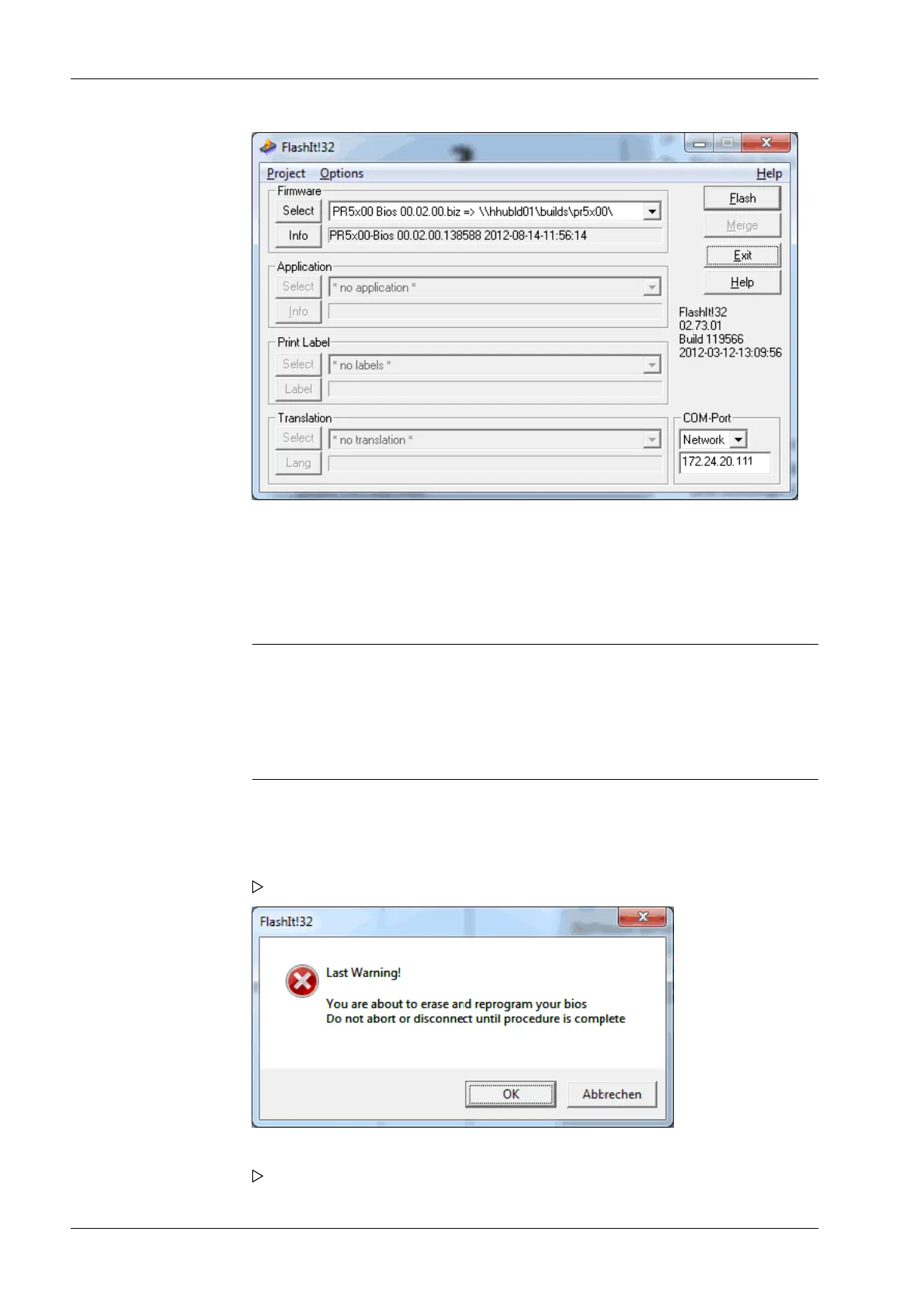
The les are installed in the following order:
- PR5900-Firm xx
- PR5900-Bios xx (only when required for the rmware)
- Application (in this case: PR5900-Basic xx)
Note:
If only the application is to be ashed, there is no need to ash the rmware.
If the CAL switch 2 is closed or if the [Settings locked] parameter is activated whilst
[W&M mode] is selected for at least one weighing point, ashing of the BIOS or
rmware is aborted with an error message.
4. Select [Network].
5. Enter the device IP address (shown in the window on the device display).
6. Click [Flash] to start the procedure.
A conrmation prompt appears when the BIOS is updated.
7. Click [OK].
The process starts now.
Process Controller Maxxis 5 PR 5900 6 System maintenance
Minebea Intec EN-328



 To Next Page