4 Product description
Maschinenfabrik Reinhausen GmbH 202028 3587317/21 ENTAPCON
®
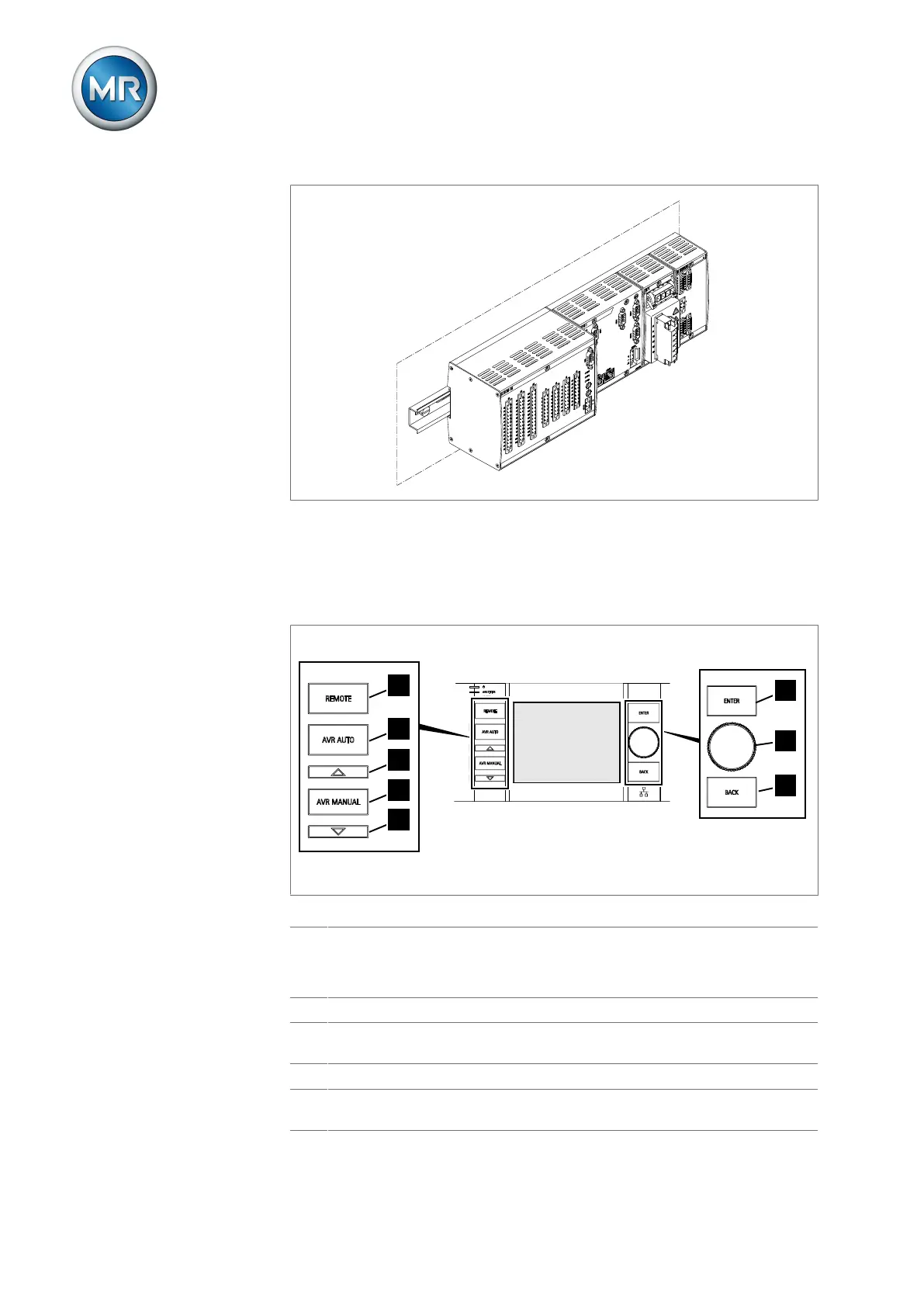
Figure5: Individual components for assembly on a cap rail
4.6.1 Operating elements
The device has seven pushbuttons and one rotary knob. The illustration be-
low is an overview of all the device's operating controls.
Figure6: Operating elements
1 REMOTE key
1)
Select the operating mode:
▪ On: REMOTE
▪ Off: LOCAL
2 AVR AUTO key Activate auto mode.
3 RAISE key Send a control command to the motor-drive unit to in-
crease the voltage. Only possible in manual mode.
4 AVR Manual key Activate manual mode.
5 LOWER key Send a control command to the motor-drive unit to
reduce the voltage. Only possible in manual mode.



 To Next Page