7 Commissioning
Maschinenfabrik Reinhausen GmbH 202080 3587317/21 ENTAPCON
®
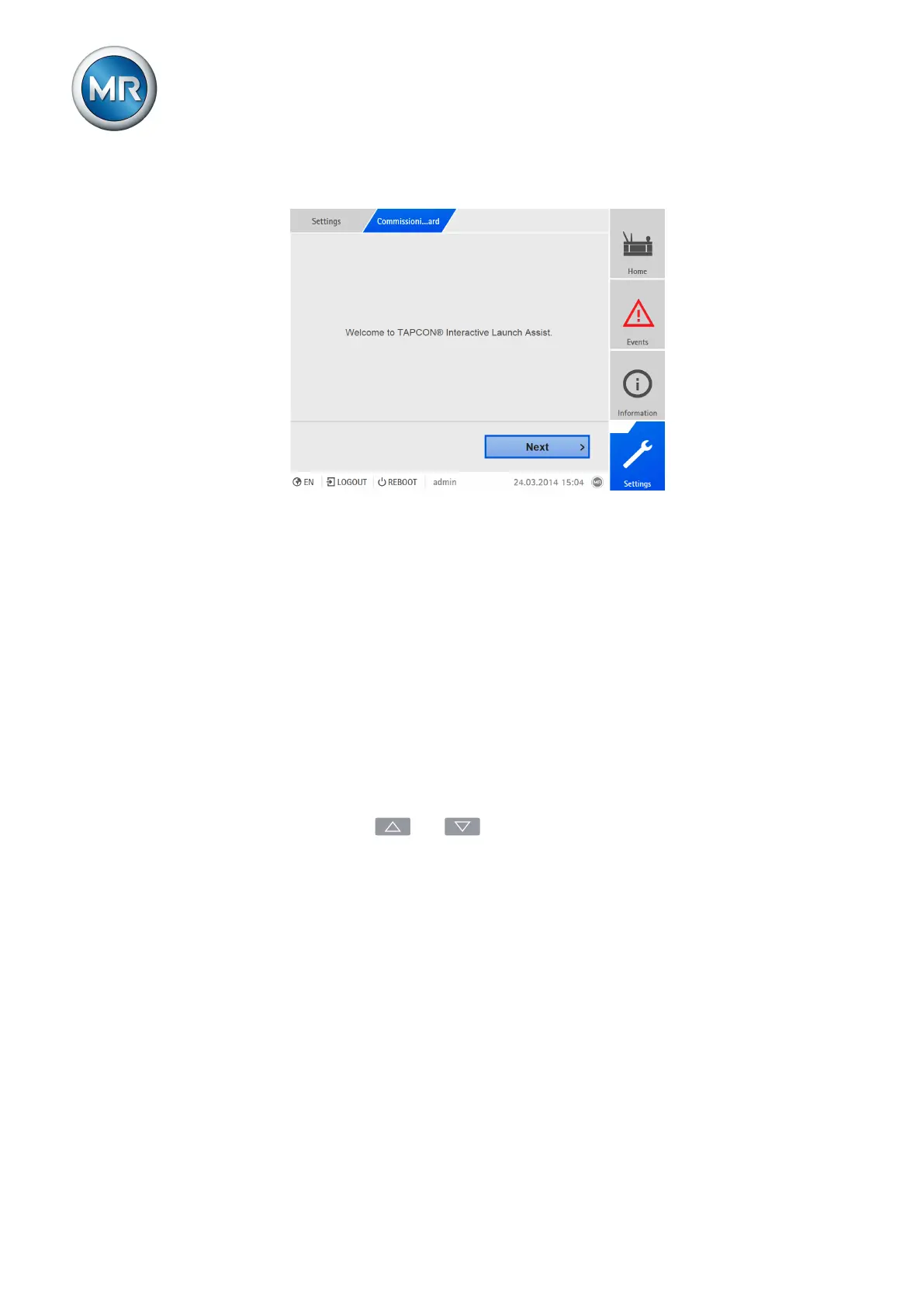
2. Go to Settings > Commissioning wizard.
Figure68: Calling up the commissioning wizard
3. Press the Next button to launch the commissioning wizard.
4. Follow the on-screen instructions.
Once you have entered all of the parameters relevant to commissioning,
continue with the function test [►Section 7.5, Page 80].
7.5 Function tests
Before switching from manual mode to auto mode, Maschinenfabrik Rein-
hausen recommends carrying out function tests. These function tests are de-
scribed in the following sections. Note the following points for all function
tests:
▪ You must ensure that REMOTE mode is disabled before you can control
the on-load tap-changer manually in manual mode.
▪ You can only activate the on-load tap-changer manually in manual mode
using the and keys.
▪ You have to be logged in to the device as a user with a parameter config-
urator or administrator user role.
When in delivery status, you can log in as the administrator as follows:
▪ User name: admin
▪ Password: admin
During the function test, you must set the most important parameters. Details
on the parameters listed can be found in the Operation [►Section 8, Page
87] chapter.



 To Next Page