6 Mounting
Maschinenfabrik Reinhausen GmbH 2020 553587317/21 EN TAPCON
®
6.5.1 Fastening the cap rail
The cap rail is required to mount a bus bar or a device's remote assemblies
in a control cabinet. Only use the following types of cap rails in accordance
with EN 60715:
▪ TH 35-7.5
▪ TH 35-15
The cap rail may not be painted or lacquered.
WARNING
Electric shock!
Risk of fatal injury due to electrical voltage if the cap rail is not connected to
the protective ground.
► Connect the cap rail to the protective ground securely (e.g. with a protec-
tive conductor line-up terminal).
► Ensure that the cap rail is connected securely to the protective ground via
a ground test after installation.
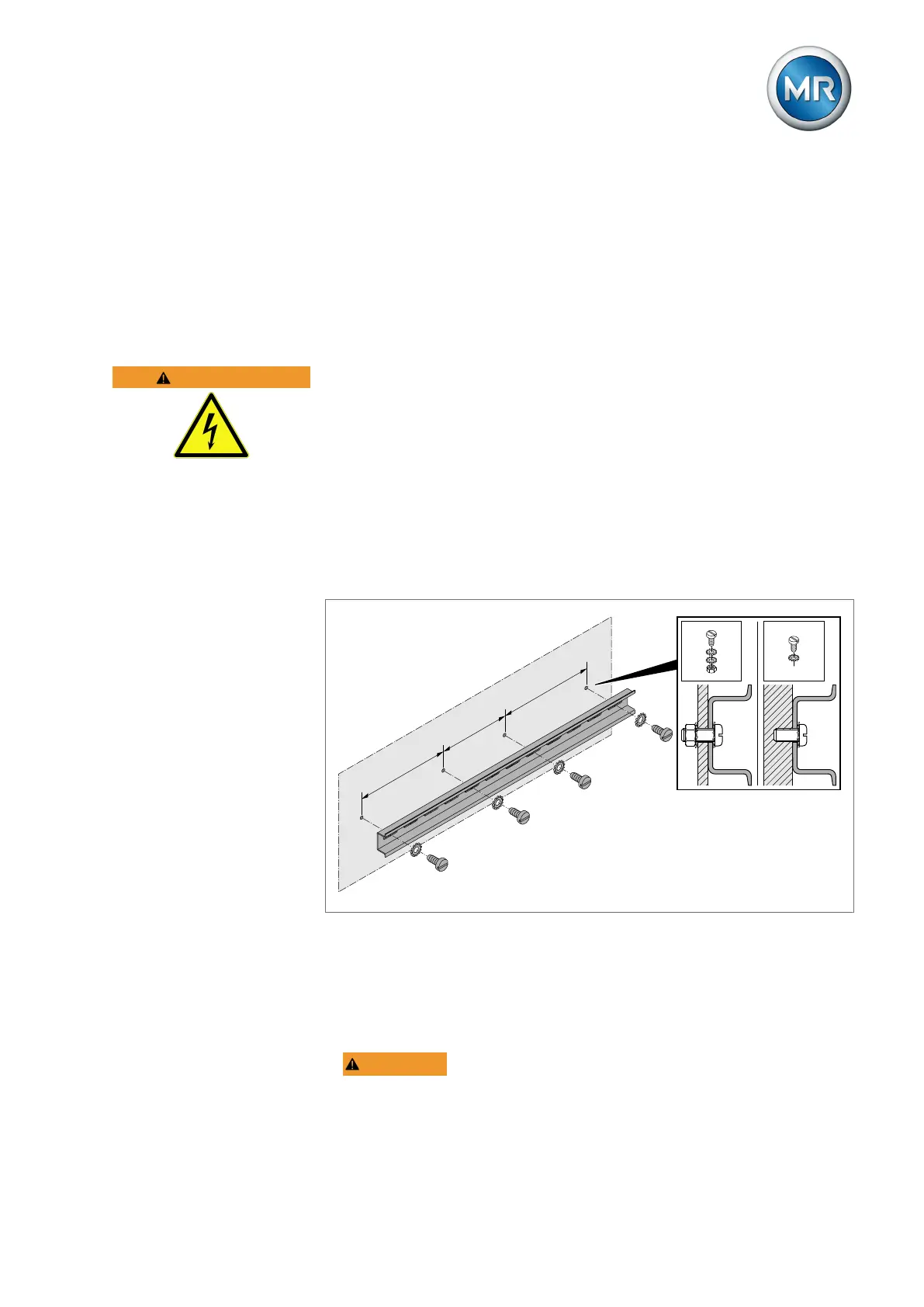
► Fasten the cap rail to the rear panel of the switch cabinet using screws
and contact washers or lock washers. The distance between the screws
may be no more than 10cm (3.94in).
≤ 10 cm (3.94 in)
≤ 10 cm (3.94 in)
≤ 10 cm (3.94 in)
Figure38: Fastening the cap rail
6.5.2 Installing the bus rail on the cap rail
The bus rail connects assemblies, such as the CPU, DIO and AIO, to each
other mechanically and electrically. The bus bar can contain different assem-
blies according to your order.
► WARNING! Mount the bus rail on the cap rail, ensuring that the bus
rail engages correctly. Otherwise, it can result in electric shock due to a
faulty connection to the protective ground.



 To Next Page