4 Product description
Maschinenfabrik Reinhausen GmbH 202034 3587317/21 ENTAPCON
®
4.6.3 Additional operating controls and display elements when using
the MControl touch panel (optional)
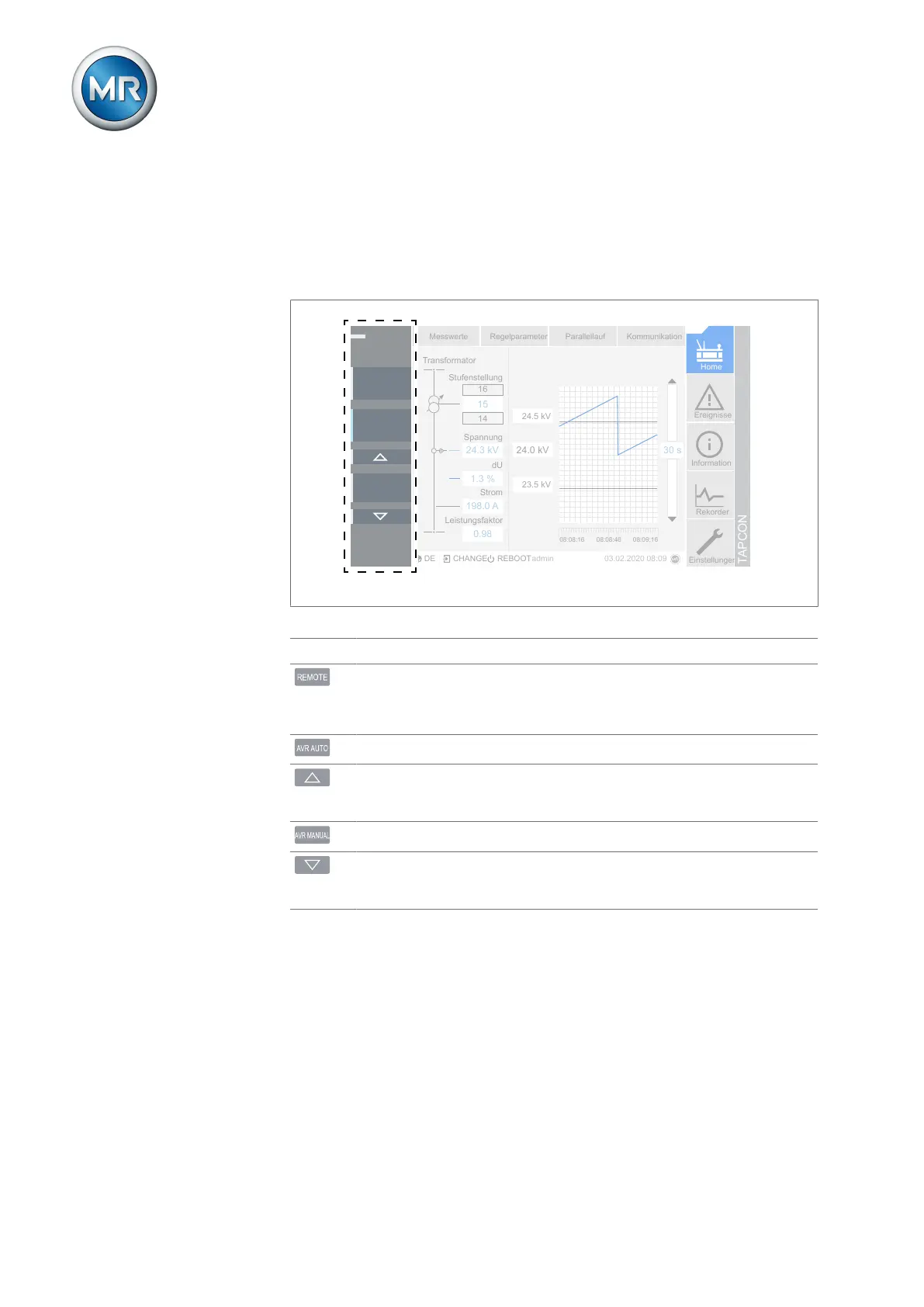
If you are using the device with the optionally available MControl touch
panel, additional operating controls and display elements are displayed on
the left edge of the screen
Home
Ereignisse
Information
Rekorder
Einstellungen
DE CHANGE REBOOTadmin 03.02.2020 08:09
Messwerte Regelparameter Parallellauf Kommunikation
Transformator
Stufenstellung
Spannung
dU
Strom
Leistungsfaktor
14
16
24.3 kV
1.3 %
198.0 A
0.98
15
24.0 kV
24.5 kV
23.5 kV
08:09:1608:08:4608:08:16
30 s
TAPCON
AVR STATUS
REMOTE
AVR AUTO
AVR MANUAL
Figure13: Additional display elements and operating controls
Status LED status Status display
1)
REMOTE key Select the operating mode:
▪ On: REMOTE
▪ Off: LOCAL
AVR AUTO key Activate auto mode.
RAISE key Send a control command to the motor-drive
unit to increase the voltage. Only possible in
manual mode.
AVR Manual key Activate manual mode.
LOWER key Send a control command to the motor-drive
unit to reduce the voltage. Only possible in
manual mode.
1)
Not available if local/remote is toggled using a digital input.



 To Next Page