6 Mounting
Maschinenfabrik Reinhausen GmbH 202072 3587317/21 ENTAPCON
®
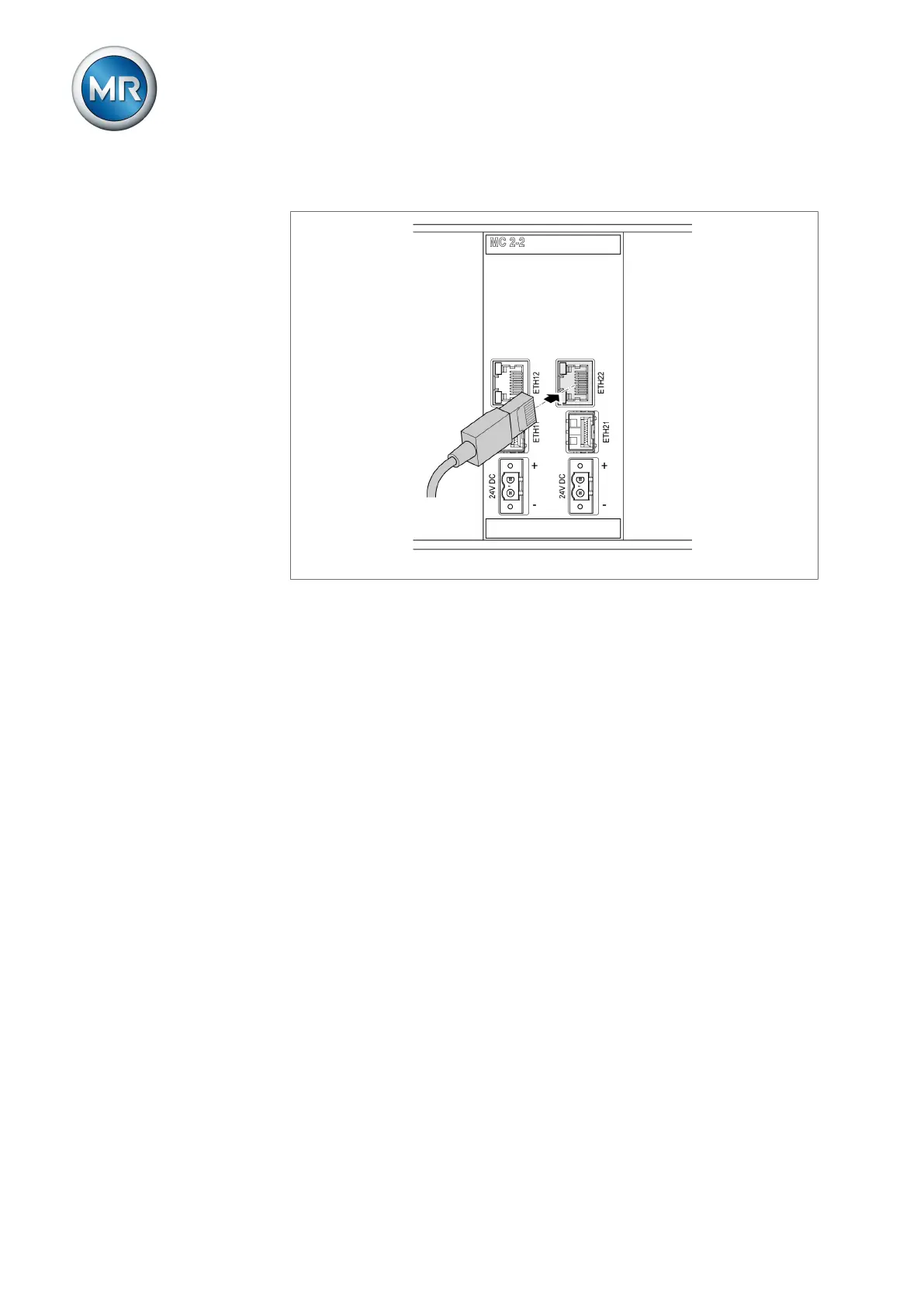
4. Insert the network cable.
Figure62: Inserting the network cable
6.6.11 Connecting the power supply
You may only connect the device to circuits with an external overcurrent pro-
tection device and an all-pole isolating device, enabling the equipment to be
fully de-energized if required (service, maintenance etc.).
Suitable equipment includes isolating devices in accordance with IEC
60947-1 and IEC 60947-3 (e.g. circuit breaker). Note the properties of the
relevant circuits (voltage, maximum currents) when selecting the circuit
breaker type. In addition, observe the following:
▪ It must be easy for the operator to access the isolating device
▪ The isolating device must be labeled for the device and circuits to be iso-
lated
▪ The isolating device may not be a part of the power line
▪ The isolating device may not interrupt the main protective conductor
Miniature circuit breaker You must fuse the power supply circuit with a miniature circuit breaker. The
miniature circuit breaker must have the following properties:
▪ Rated current: 6 to 20 A
▪ Triggering characteristic: B or C
Conductor cross-section For the power supply circuit, use a conductor cross-section suitable for the
miniature circuit breaker that you have selected, but at least 1.5mm
2
(AWG
15).



 To Next Page