4 Product description
Maschinenfabrik Reinhausen GmbH 2020 293587317/21 EN TAPCON
®
6 ENTER key Confirm selection and save modified parameters.
7 Rotary knob Navigation through individual menu items and param-
eters.
8 BACK key Exit the current menu. Go to the previous menu level.
1)
Key without function if a digital input is used to toggle between local/re-
mote.
4.6.2 Display elements
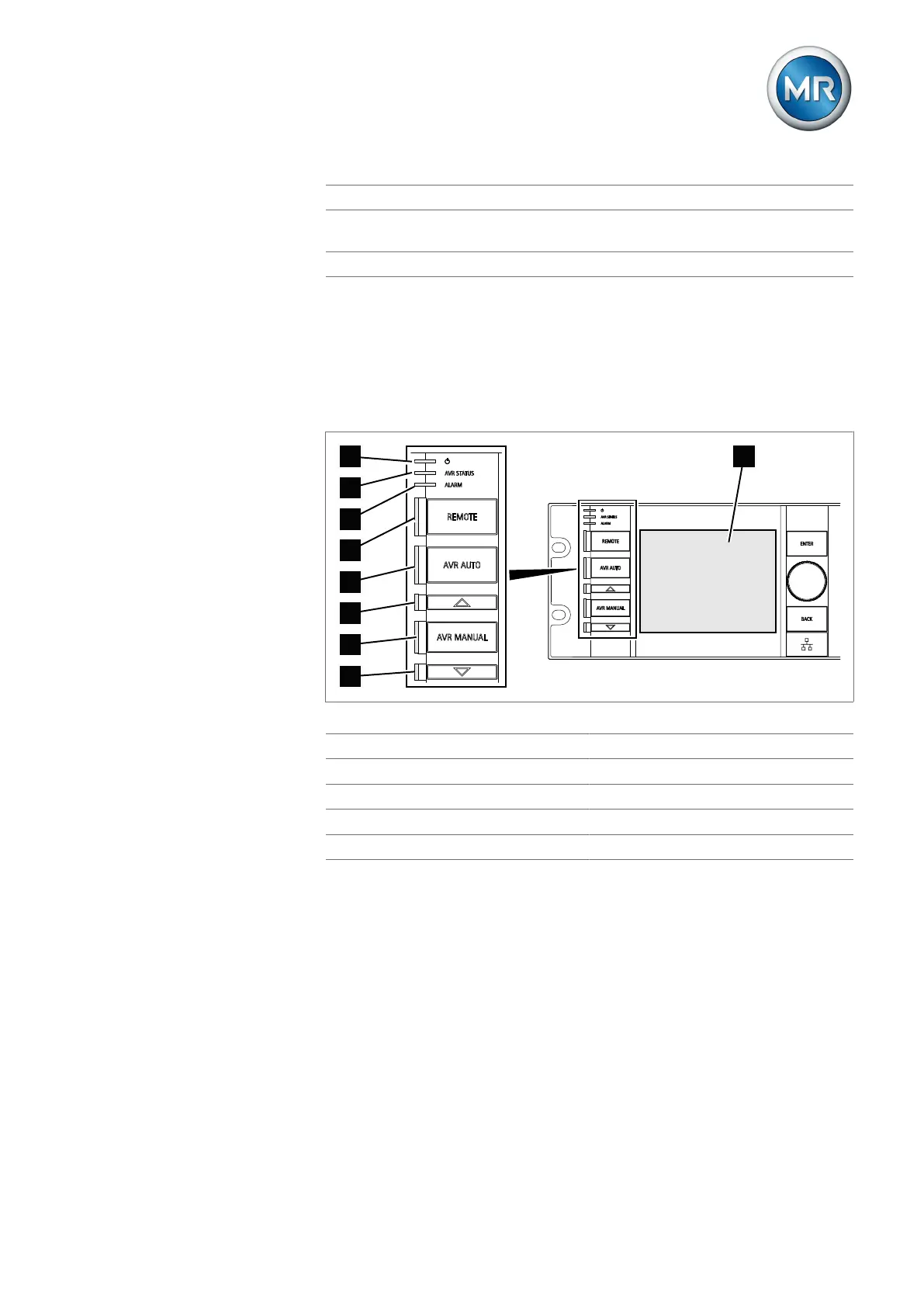
The device has a graphics display and 8 LEDs, which indicate the various
operating statuses and events.
Figure7: Display elements
1 Power supply LED 2 AVR STATUS LED
3 ALARM LED 4 REMOTE LED
5 AVR AUTO LED 6 RAISE VOLTAGE LED
7 AVR MANUAL LED 8 LOWER VOLTAGE LED
9 Display



 To Next Page