8 Operation
Maschinenfabrik Reinhausen GmbH 202088 3587317/21 ENTAPCON
®
Establishing connection via the rear ETH2.2 interface on the CPUI
module
To connect via the rear interface, proceed as follows:
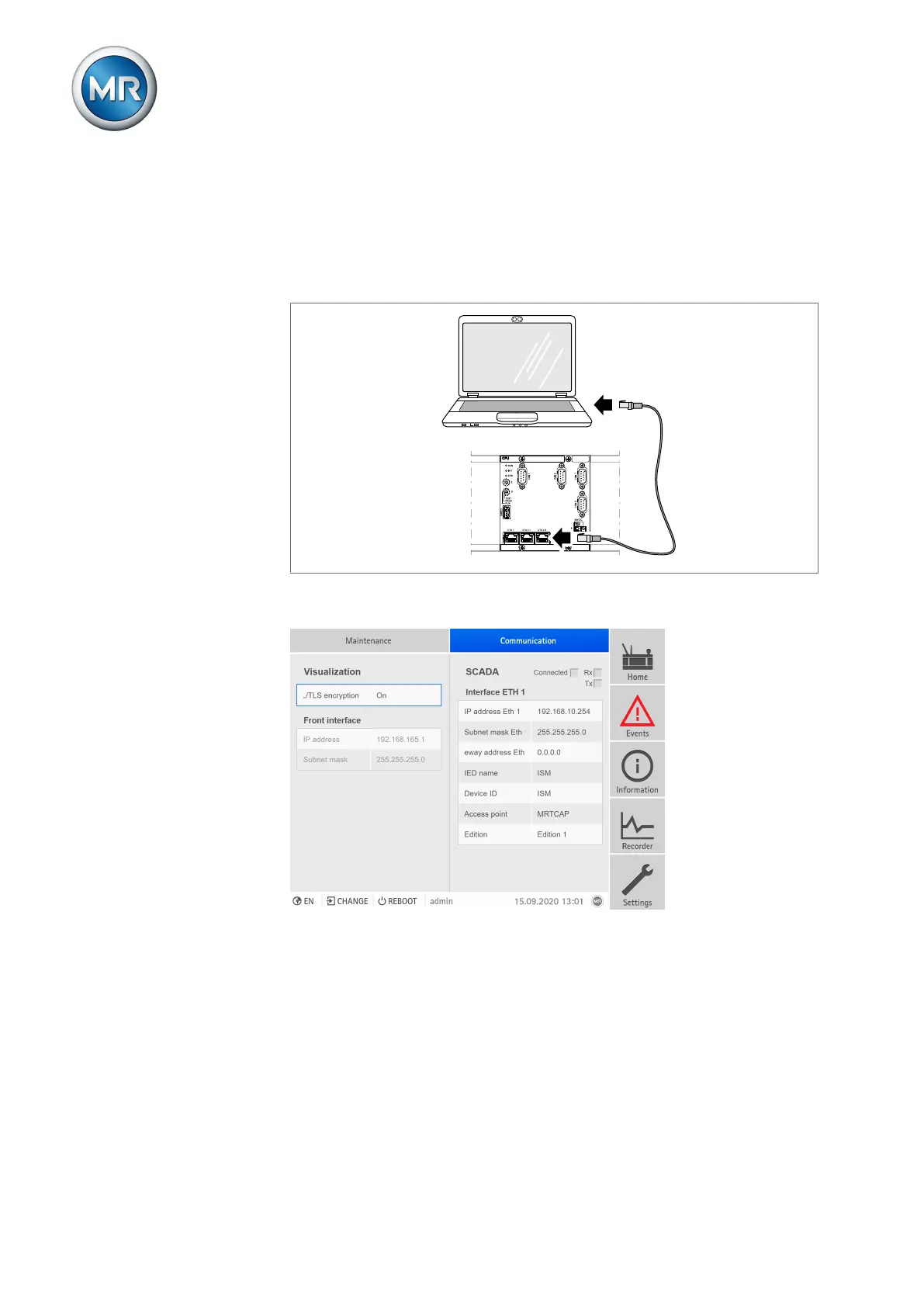
1. Connect PC and device via rear ETH2.2 interface using Ethernet cable
(RJ45 plug).
Figure71: Establishing a connection via the rear ETH2.2 interface
2. Go to Communication on the device to display the device's IP address.
Figure72: Displaying the Communication menu item
3. Assign a unique IP address to the PC in the same subnet as the device
(e.g. 192.0.1.100).
4. Enter the visualization's IP address (e.g. http://192.0.1.230, if SSL
encryption is active enter https://192.0.1.230) in the browser on the
PC.
ð The visualization is accessed.



 To Next Page