PRISMAproduction Explorer Messages
A29247-X3-X-6-7670 103
5.10.4 Operator Requests
Note that pop up messages are only shown if the message window is open. Otherwise you
cannot continue printing!
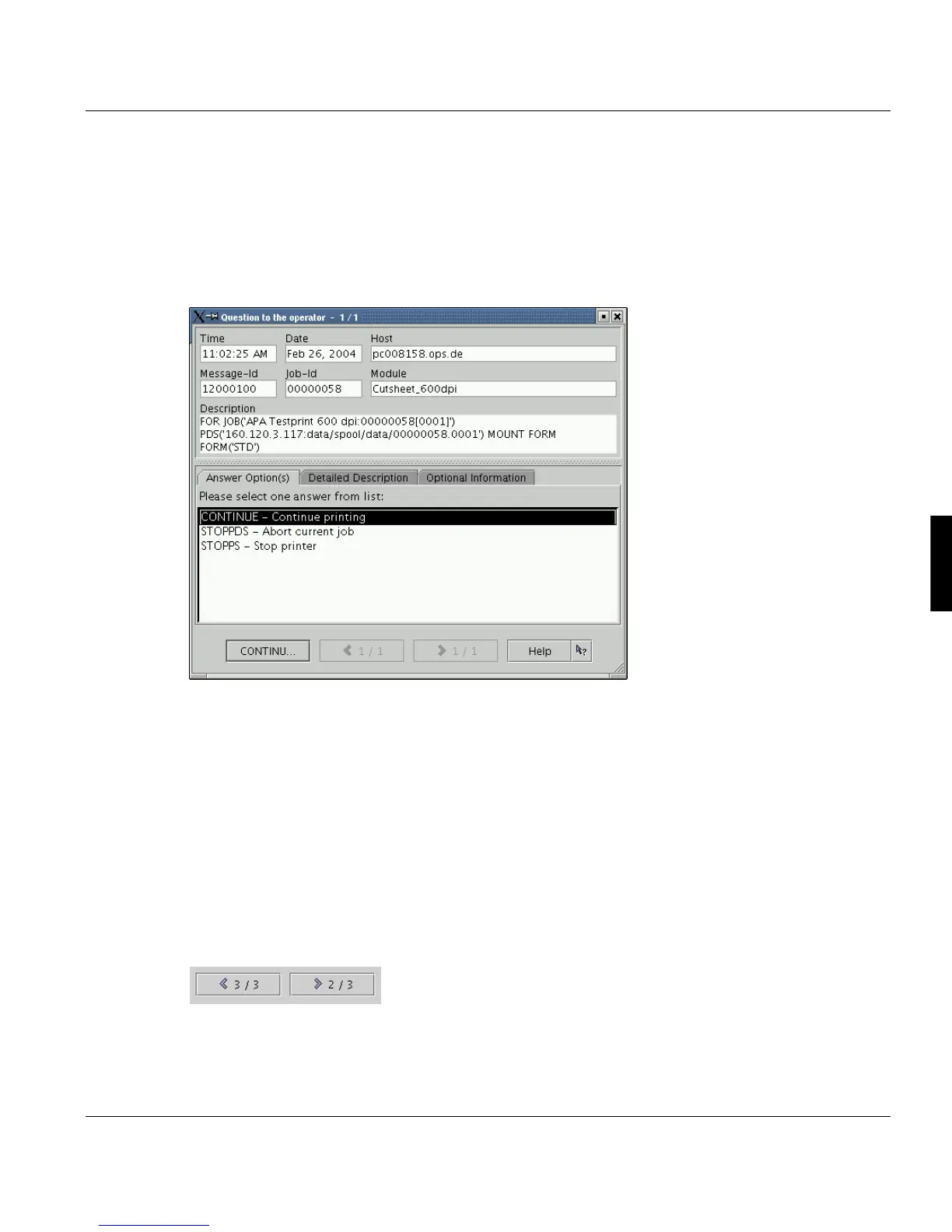
If a message arrives, which requires an answer from the operator, a window similar to the
details window is opened.
The bottom part of the window depends on the question. There can be displayed:
• a list containing all allowed answers (one of these answers must be selected)
• a number value (with a checked range value)
• free answer text input field
The selected or entered answer is transmitted to the sender, after the close button is se-
lected. If the window is closed without selecting an answer, it's automatically reopened.
The number of questions is indicated in the title of the window, here: ’1 / 1’ (number of open
questions / number of questions). If there are more than one quetions to be ansewred, two
buttons are active at the bottom of the window, which allow you move one question back-
wards or forwards:



 To Next Page