Configuration Toner
A29247-X6-X-6-7670 201
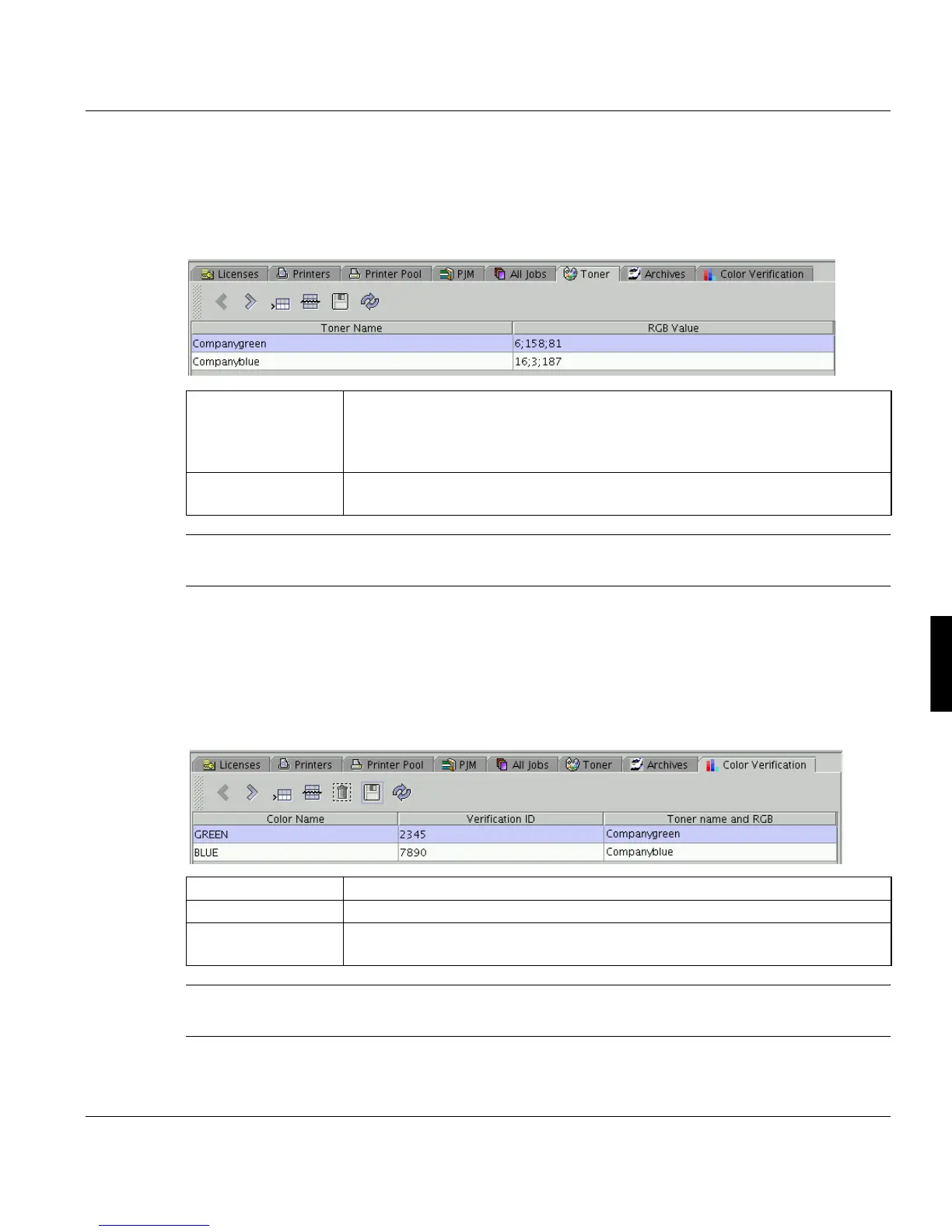
6.17 Toner
Use this dialog box to define the toner colors, you want to use in the PRISMAproduction
system.
Note: For a complete Workflow for the definition of colors in a print job see ’Color Toner
Workflow’ on page 254.
6.18 Color Verification
In this window you combine color names and color verification IDs with the values config-
ured in the window above.
Note: For a complete Workflow for the definition of colors in a print job see ’Color Toner
Workflow’ on page 254.
’Toner Name’ Description of the toner (color or internal number). This description can be as-
signed to color name and a color verification ID in ’Configuration’ -> ’Color Ver-
ification’. This ID can be part of a job ticket to provide a check, if the colors can
be printed with the respective printer.
’RGB Value’ Red-Green-Blue value. The setting is used by the Professional Document
Composer to display the color.
’Color Name’ Name of the color
’Verification ID’ Unique Number of the color.
’Toner name and
RGB’
Double clicking this column opens a list of toners defined in ’Configuration’ ->
’Toner’.



 To Next Page