Licenses Configuration
166 A29247-X6-X-6-7670
6.13 Licenses
6.13.1 Introduction
To activate a PRISMAproduction module you need valid licenses for it. These can either be
on a license floppy (if you are installing from scratch) or they are already installed on your
server (if you are doing a reinstall or upgrade installation). To view and manage licenses on
a PRISMAproduction server you have to use the Océ License Manager. It’s possible to
manage all licenses of your cluster from each server (master or slave) of your cluster. The
licenses are stored central in the Database and will be distributed to the slave systems.
Note: Only the users root, service and admin can save configuration changes.
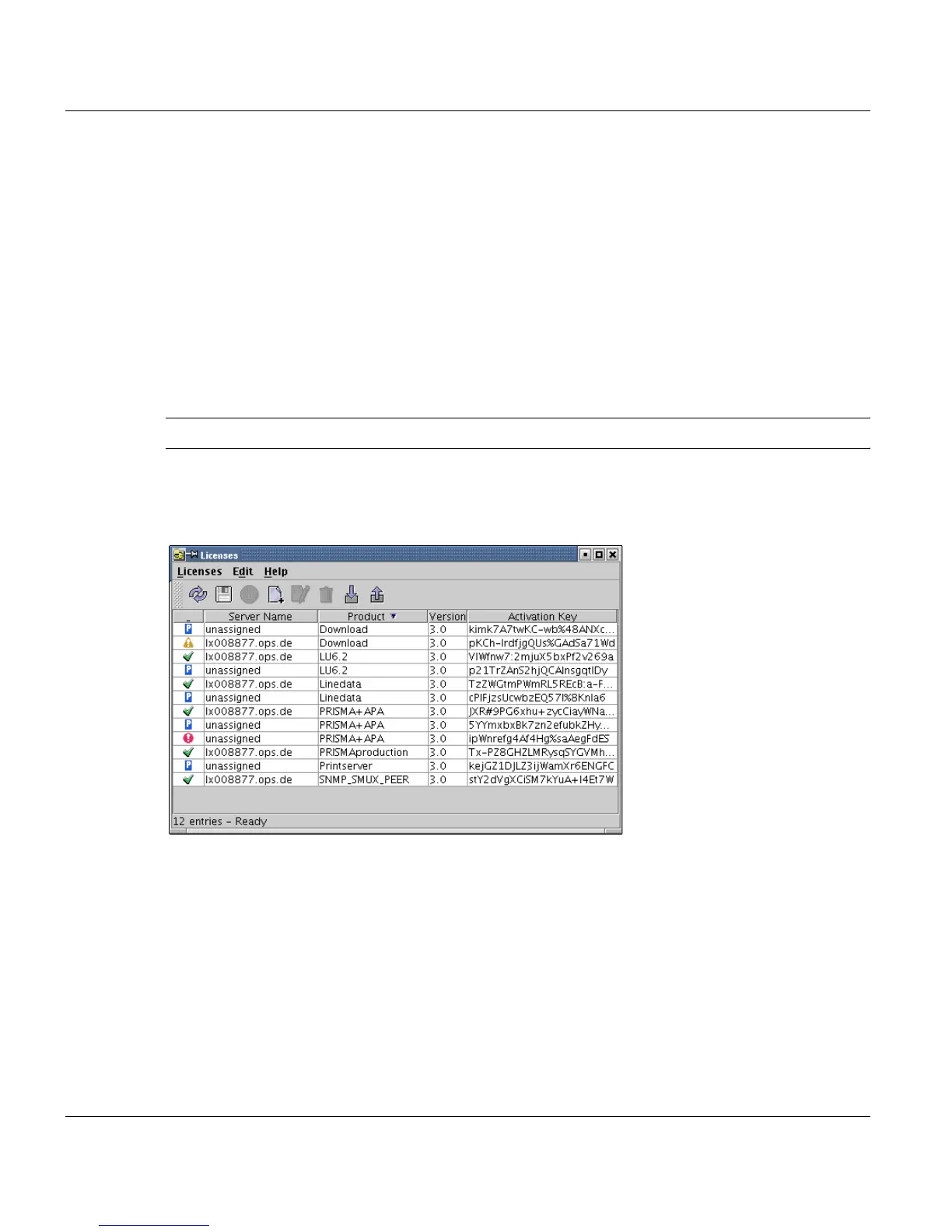
To start the License Manager, open the PRISMA Explorer, open the tree item ’Configura-
tion’ and double-click on Licenses. A applet is opened, containing a menu bar, a toolbar and
all licensed OPS products in your cluster:
6.13.2 Functions of the License Manager
The list in the middle of the window displays the products and version numbers of each
server in your cluster available in the system, plus the license keys.
After opening the window (or reloading the licenses), the license manager check all licens-
es to be valid. While the check is running the status column contains a blue sign and some
of the menu entries and some of the toolbar buttons are greyed out.
After the requested information arrives, the license status will be actualised.



 To Next Page