Print Job Manager ’List of Files’ Section (‘Edit’ Menu)
A29247-X3-X-6-7670 241
8.6 ’List of Files’ Section (‘Edit’ Menu)
The 'List of files' section in the main PJM window is where you assemble and edit the set
of print files belonging to the job. You can set the format and parameters of each file in the
list.
All language module jobs support multiple entries in the 'List of Files'.
You can switch from right justification to left justification of the table entries if you click the
table heading. This might help you reading long list entries.
You cannot output the print files with the settings you have made unless you first place them
in the 'List of files'.
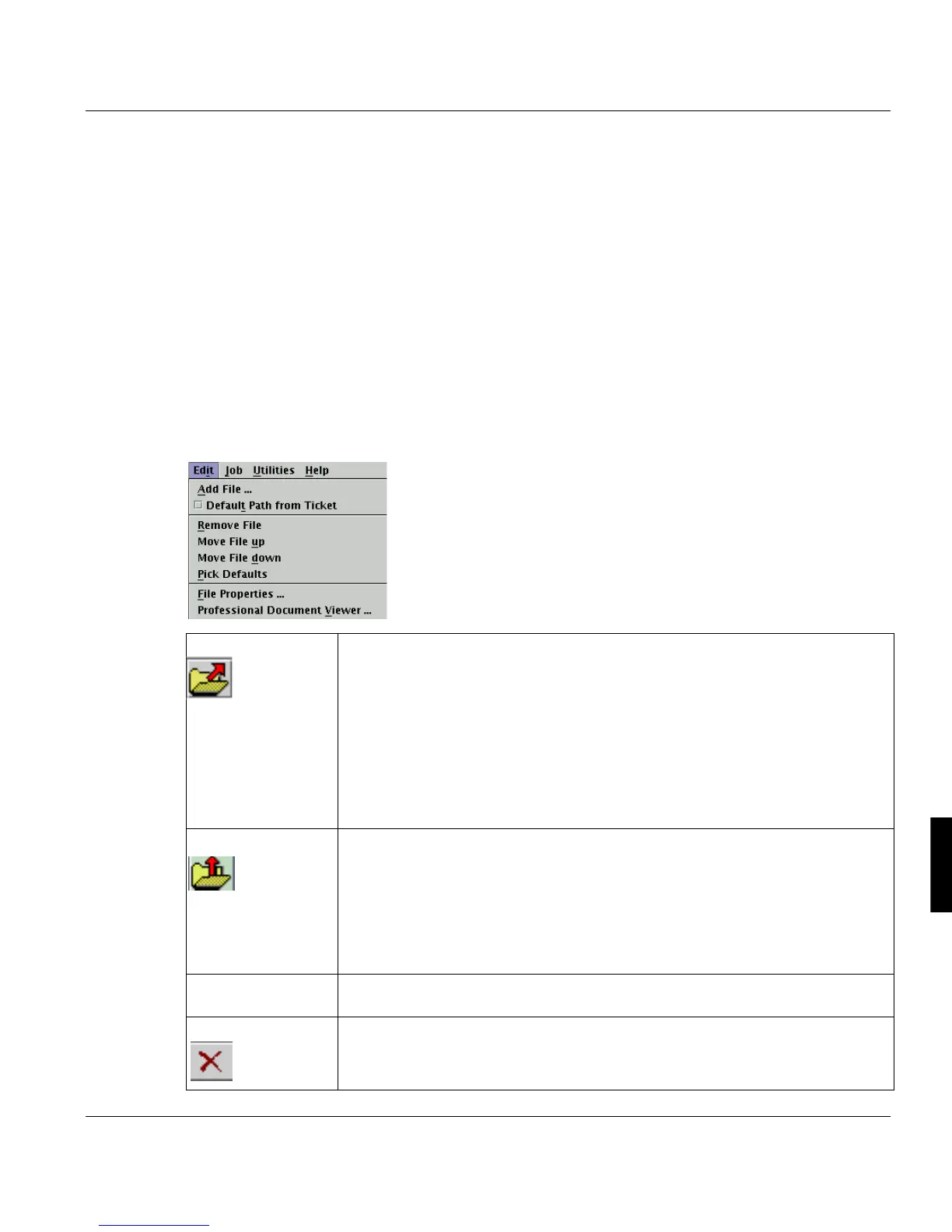
The commands in the 'Edit' menu can all also be accessed via the toolbar in the 'List of
files' field. These commands are used for editing the entries in the list.
‘Add file’ When you click 'Add file', a file selection box (see below) opens for you to se-
lect the print file(s) you want to put in the job ticket. Every file inserted is
checked for the data format, which is then displayed in the ’Format’ column.
If you have defined default values with the ’Pick Parameter’ function, every file
which is inserted in the list contains this data format and these file properties.
For the POD-Module: If you load reprints from the PFL into the List of Files,
these will automatically be connected with the IOCA format, because they have
been converted to this format already.
The List of Files can contain a maximum of 9998 files.
’Web Start Upload’
(only when working
with Java Web Start)
When working with Java Web Start you can upload a file from a workstation. A
file selection box is opened to copy the file from a local directory into the ’List
of files’.The prefix ’ws-upload’ is inserted before the file name. Apart from this,
the file is treated like a file from the server.
If a job ticket is opened, which contains a ws-upload file in it’s list of files, this
file will be marked red and the job can only be executed, if the file ist uploaded
again.
’Default Path from
Ticket’
Activating this option adds the path of the selected file as default value, if you
use the ’Pick Parameters’ function.
‘Remove File’ Choose this command to remove files from the list.



 To Next Page