APA-Module Components Web Client
A29247-X2-X-8-7670 51
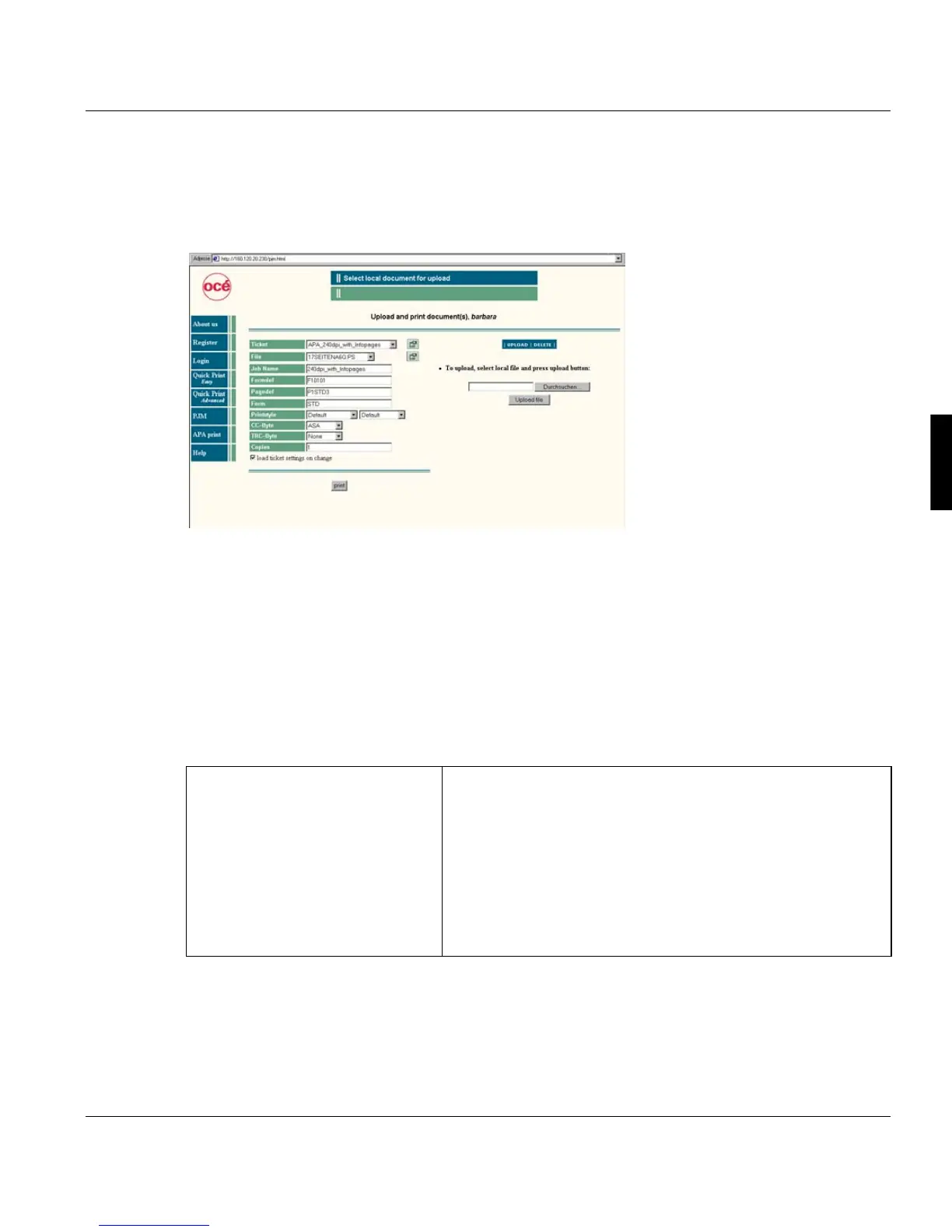
4.7.7 APA Print
The program is only availlable if you obtain a valid APA licence on the PRISMAproduction
server.
APA print has a different approach to submitting print jobs. The uploaded file is printed in
connection with a saved ticket, whose settings can be partly modified directly on the screen.
An APA ticket is loaded and the settings of this ticket are displayed on the screen. You can
modify these settings for the current print job. If you do so the saved ticket will not be mod-
ified.
The information section on top of the window informs you, if a submitted print job has been
accepted by the server or if an error occurred. If the print job has been accepted, no further
information on the status of the job will be displayed. In case of an error the system tries to
return corresponding information.
’Ticket’ Select a predefined ticket for the basic settings of t print job.
The tickets available are stored in the library $APATICKET
which represents the physical path
/u/prismapro/data/web/apa/tickets
on the PRISMAproduction server. If the checkbox load ticket
settings on change is aktivated, all fields match the settings of
the ticket.
To view the properties of the ticket, click the properties button
(a corresponding description has to be part of the ticket).



 To Next Page