Configuration Service activation
A29247-X6-X-6-7670 163
6.10 Service activation
This tab shows all the services for which there is a license. Use the functions on this tab to
enable or lock the services.
’File’ menu and toolbar see ’Editing configuration data’ on page 138.
6.11 Backup
With the backup function the user can save a configuration of the system and restore it later.
It can be useful to generate a backup before an installation and to restore is after the instal-
lation.
After a restore you have to perform a ’Reset PRISMAproduction’. You have to perform this
reset on all slaves first and then on the master.
Service name Name of the service.
Host Name of the host on which the service is located.
active A service can only be used if it is activated.
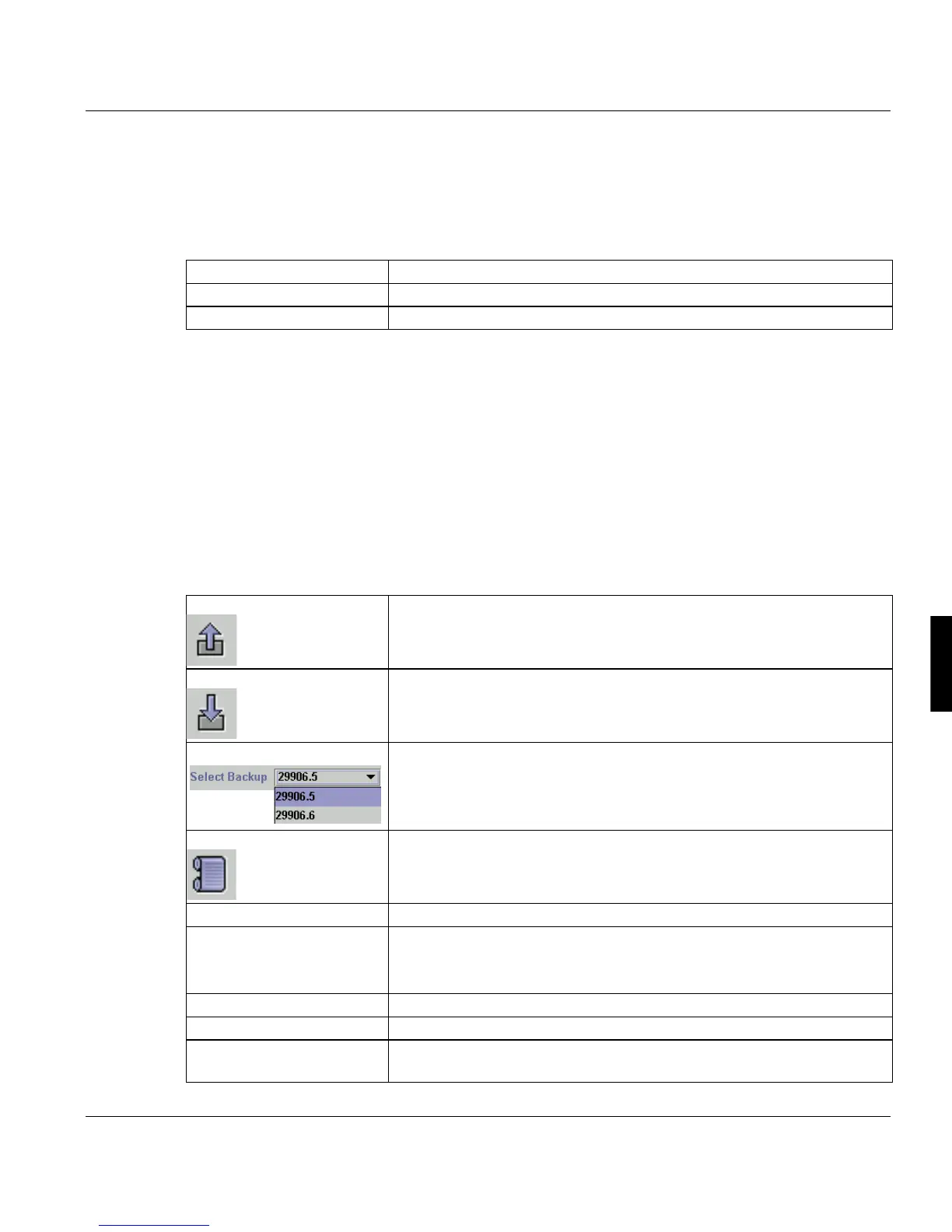
Starts a new backup
Restores a selected backup
You select a backup out of a list of generated backups. The name of
the backup consists of the number of the version and a serial number.
In this example the 5 th backup of the version 2.99.06 is selected.
Shows the history of the selected backup. The history informations
contains the generation date, the ip -address of all server, the compo-
nents of the backup and all components of a preprocessed restore.
’Master’ Shows the IP-address of the master.
’Server’ Here you can see all servers of the PRISMApruduction system. Cur-
rently you can only
generate a backup of the entire system an not of a single server.
’Date’ Date and time of backup creation.
’PRISMA Version’ Version of PRISMAprsoduction Server.
’Description’ Short description of this backup version. You create this description
on the start of a new backup.



 To Next Page