LCDS Resources Import PRISMAproduction Explorer
128 A29247-X3-X-6-7670
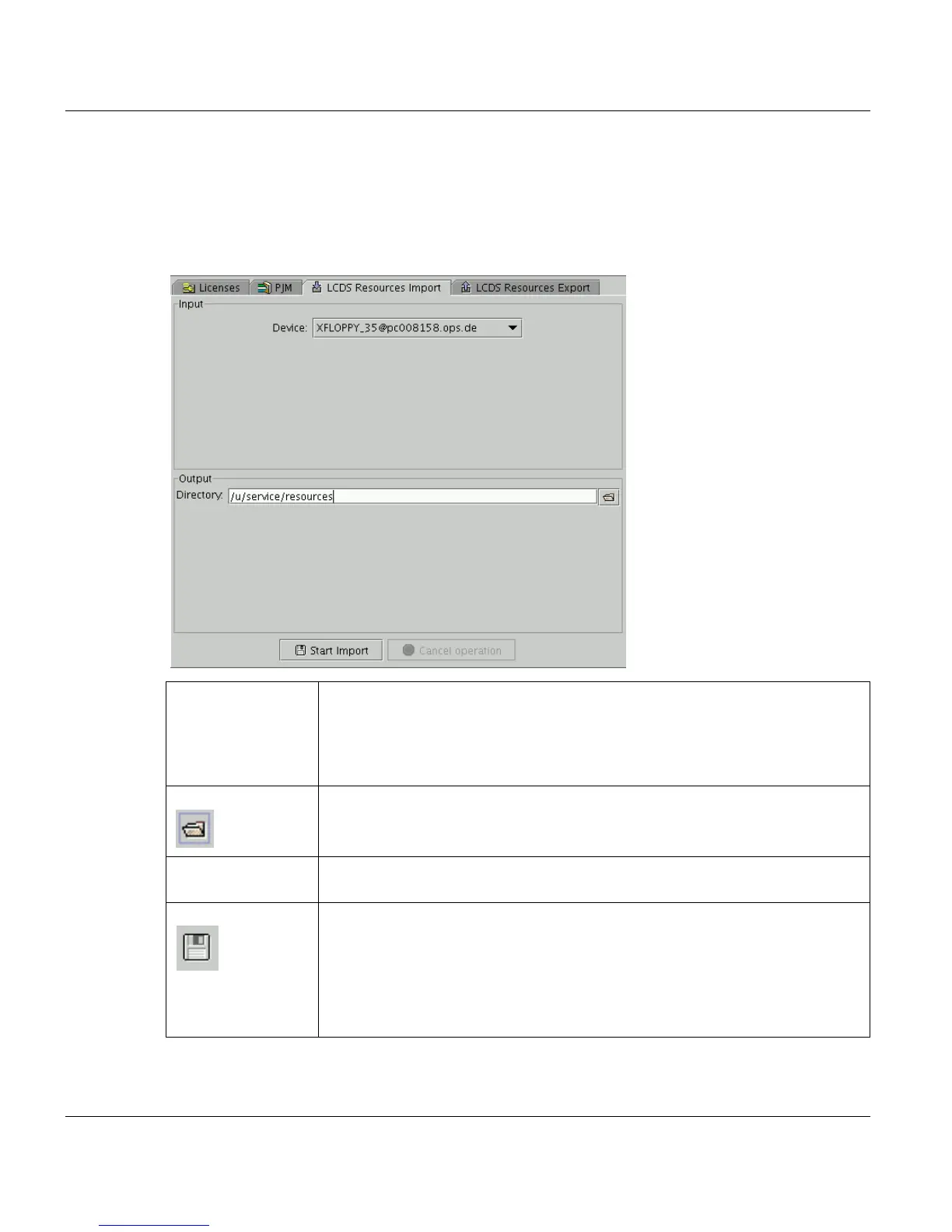
5.15 LCDS Resources Import
Use this applet to import LCDS resource files from an external medium into any directory
on the PRISMAproduction system. This is useful, if resources are to be imported from a Xe-
rox DocuPrint system.
Device Select the external device (and the server, which the device is connected to),
from which the files are to be imported. The following devices are selectable:
XFLOPPY_35 (3.5"-Floppy 1.2 MB), XFLOPPY_525 (5.25"-Floppy, 1.2 MB
or 720 kB), XRES_TAPE, XRES_QIC, XRES_CARTRIDGE. These devices
can be connected to every server in the master-slave network.
Directory Defines the target directory. You can directly insert the path or select it via a
file selection box.
Files in directory The table shows the contents of the currently selected directory. Per default
the files are sorted by date.
Start Import Starts the import process.
All files found on the device are stored in the given directory. (If not yet exis-
tant, this directory will be created before the import process.) After finishing
the import process, the table is updated.
If errors occur during import (e.g. no floppy in drive) a message box appears
displaying all relevant ifilter messages.



 To Next Page