’Job Attributes’ Section Print Job Manager
258 A29247-X3-X-6-7670
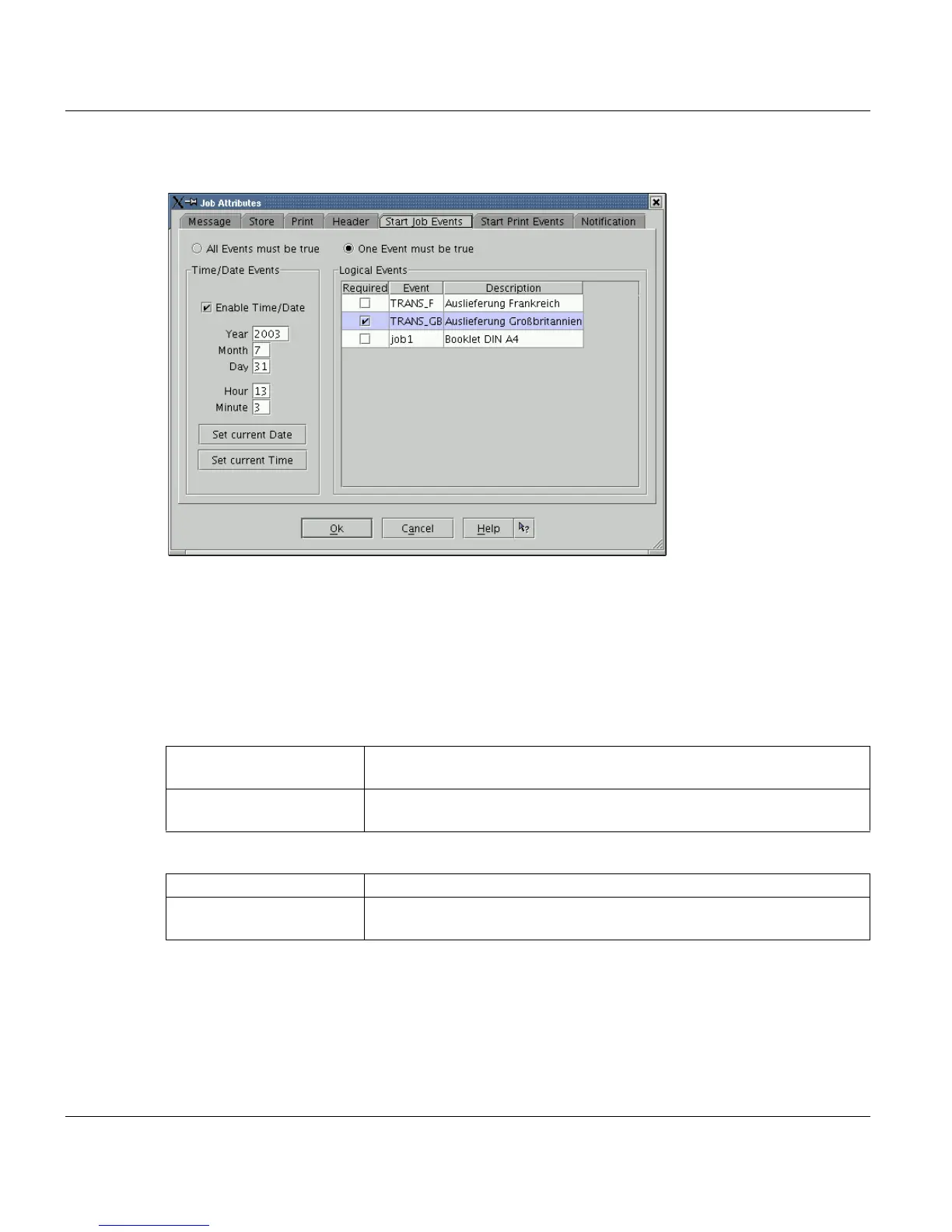
8.7.5 Start Job Events
A job is only processed (e.g. for conversion), if the events selected here are true. Until then
the job is in the state 'waiting for event' or 'waiting for time to run'.
There are two kinds of events: Time/Date Events and Logical Events.
You define and activate logical events under Configuration -> Events (e.g.: 'Nightshift' or
'Reel of paper installed').
You can activate time/date events directly in this window by selecting a time.
’Time/Date Events’
’All Events must be true’ All events (logical and date/time) must be true, before the job is submit-
ted.
’One Event must be true’ One event (logical and date/time) must be true, before the job is submit-
ted.
’EnableTime/Date’ You can only set the time if this option is activated.
’Set actual Date/Set actual
Time’
The actual values are inserted. You can modify these values to set the
desired time.



 To Next Page