Printer Pool PRISMAproduction Explorer
116 A29247-X3-X-6-7670
5.13 Printer Pool
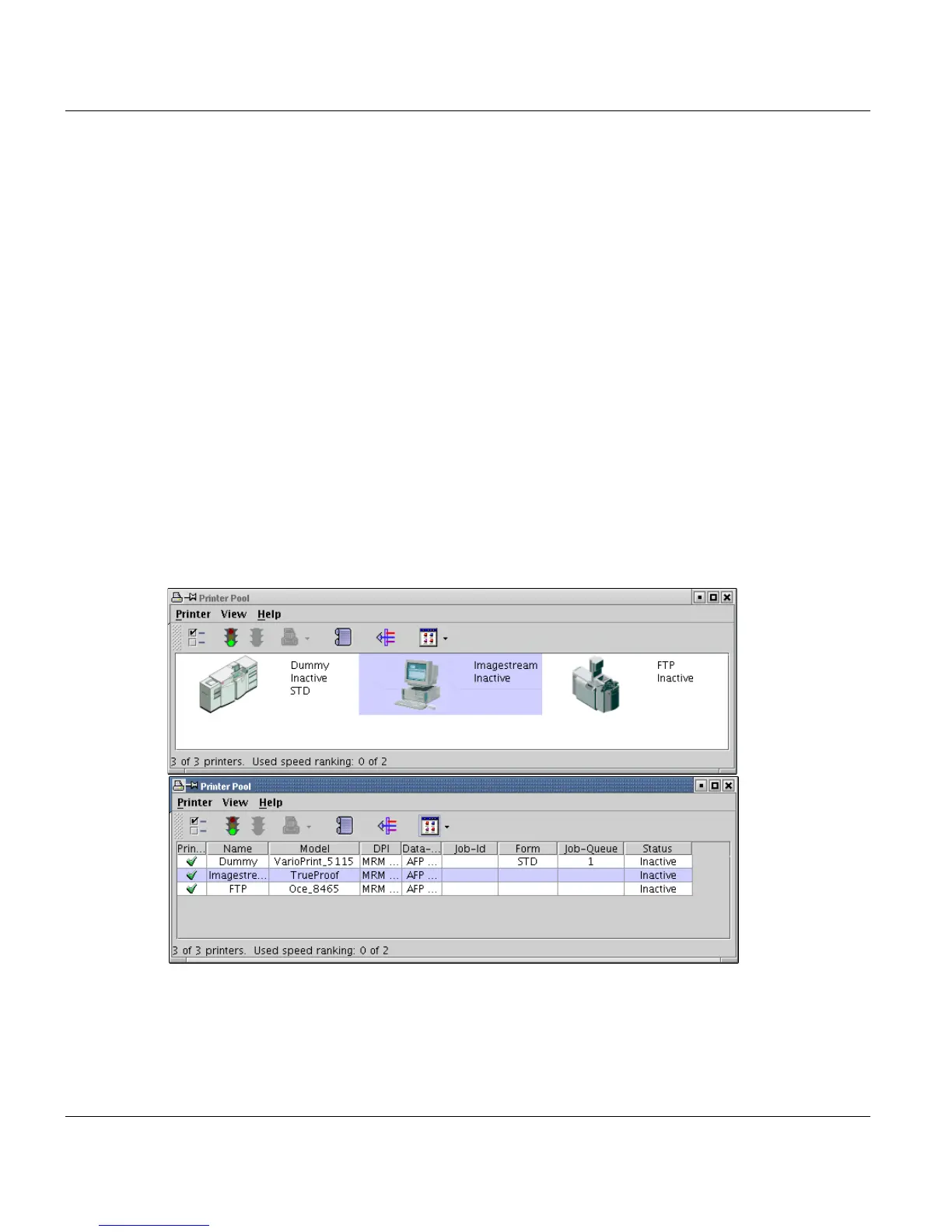
The 'Printer Pool' entry in PRISMA Explorer opens a window containing all the administra-
tion functions for the printers configured in the system. This is the replacement for the
former 'Printer Administrator' window, but here it's possible to contol all printers of a PRIS-
MAproduction cluster in a single window, even if they are physically connected to different
print servers.
Available operations:
• Activate and stop printers
• Adjust paramters for job selection on each printer like assigning job queues to printers,
...
• Set the NPRO time (the time after which the last page printed is to be ejected)
• Interrupt, cancel and delete a running print job
• View printer dependent messages.
The Administrator window consists of the title bar, toolbar, menu bar, client area and a
status bar. You can switch between ’Table view’ and ’Symbol view’:.
The title bar along the top of the window contains the window name (Printer Pool).
The client area contains printer-specific information in 2 diffenrent views:
• 'Symbol view' displays each printer as symbol for 130x70 pixels size with some infos on
the right side of the symbol:



 To Next Page