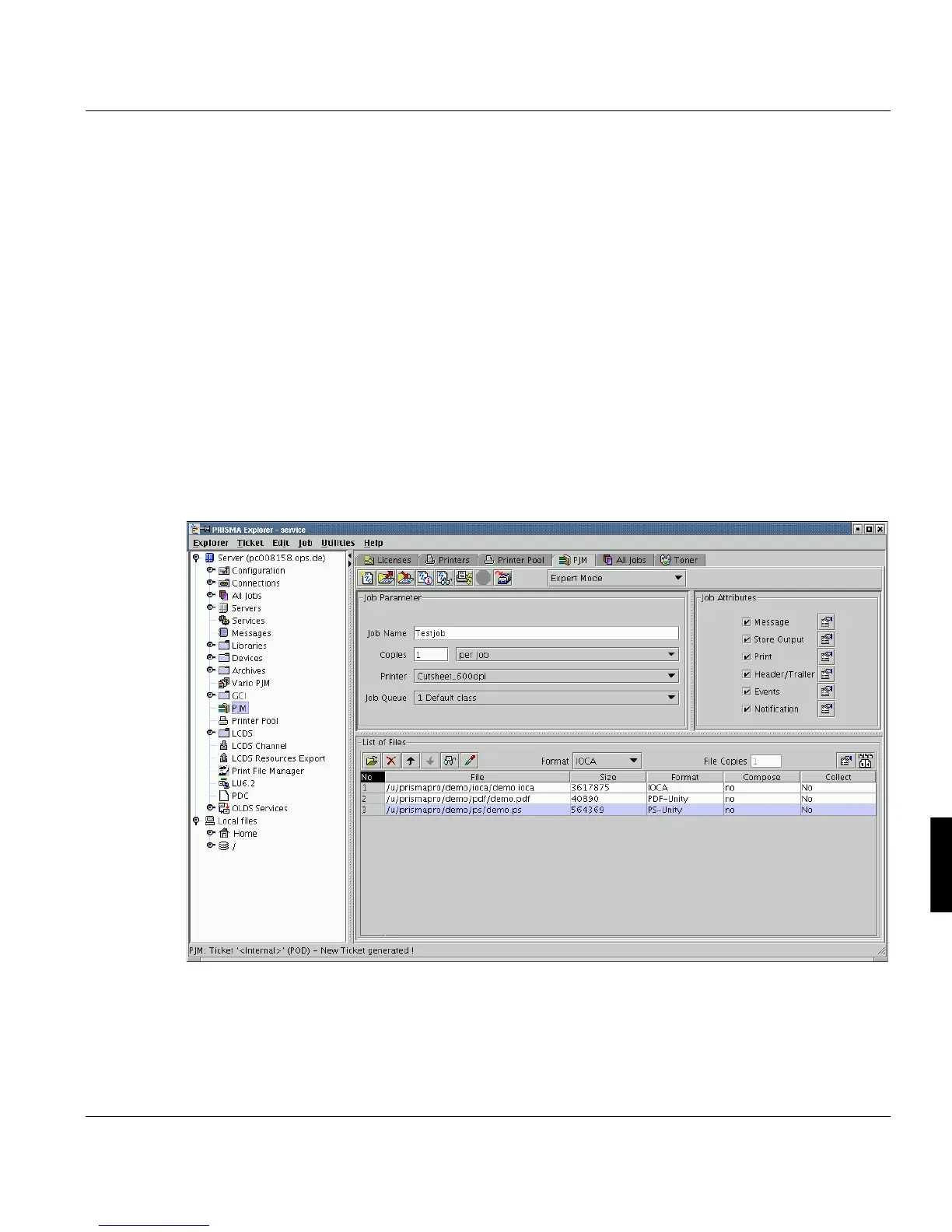
Print Job Manager Overview Main Window
A29247-X3-X-6-7670 235
8.3 Overview Main Window
The PJM window consists of
•the menu bar (menus ’Ticket’, ’Edit’, ’Job’, ’Server’, ’Utilities’ and ’Help’)
•the toolbar contains icons for a fast call of functions, which can also be accessed via
the ’Ticket’ and ’job’ menus. You also set the ’Working Mode’ here.
•the status bar (current status of the PJM)
•the Job parameter section (set general parameters for the entire print job). See
page237
•the Job attributes section (set detailed parameters for the output of the print job). See
page248
•the List of files section (set detailed parameters for the files to be printed in a print job).
See page241.



 To Next Page