PRISMAproduction Explorer Vario PJM
A29247-X3-X-6-7670 105
5.11 Vario PJM
The PRISMAproduction Vario PJM is a combination of the Print Job Manager (PJM) and
the Professsional Document Composer (PDC). This user interface provides a dialoge,
which simplifies editing job tickets for cutsheet printers.
Vario PJM consits of a menu bar, a tool bar, four tabs, which open different dialog boxes,
and a status bar.
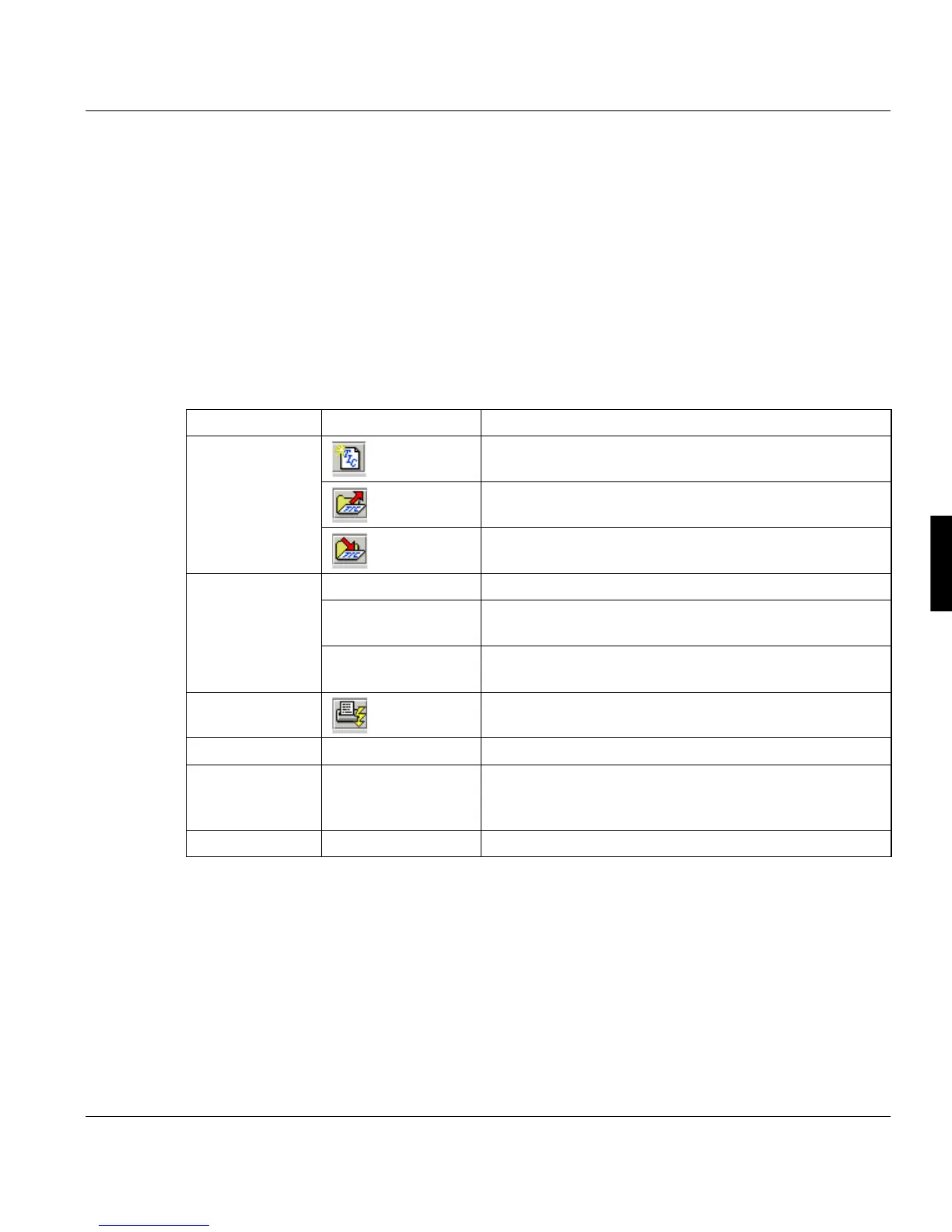
5.11.1 Functions of the Menu Bar/Tool Bar
5.11.2 Functions of the Status Bar
The status bar at the bottom of the window shows status messages (black) and error mes-
sages (red). The message remains in the status bar until it is overwritten by another mes-
sage.
Menu Menu entry Description
Ticket New Generates a new job ticket.
Open Load the job ticket from a file. File ending is always .TIC.
Save Saves the ticket to file. File ending is always .TIC..
Edit File Properties... File properties of PostScript and PDF files.
Professional Docu-
ment Viewer...
Opens the file in the Professional Document Viewer for
viewing.
Viewer Configurati-
on...
Opens a dialog box which allows you to assign viewing
programs to diffenrent file types.
Job Execute Execute a print job.
Help Help contents Opens the Vario PJM help
Context help Changes the mouse pointer into a question mark. If you
click on an entry in the window you will get a related help
topic.
About Vario PJM... Version number of Vario PJM.



 To Next Page