Print Job Manager Edit File Properties with the APA-Module
A29247-X3-X-6-7670 273
8.11.3 Resources
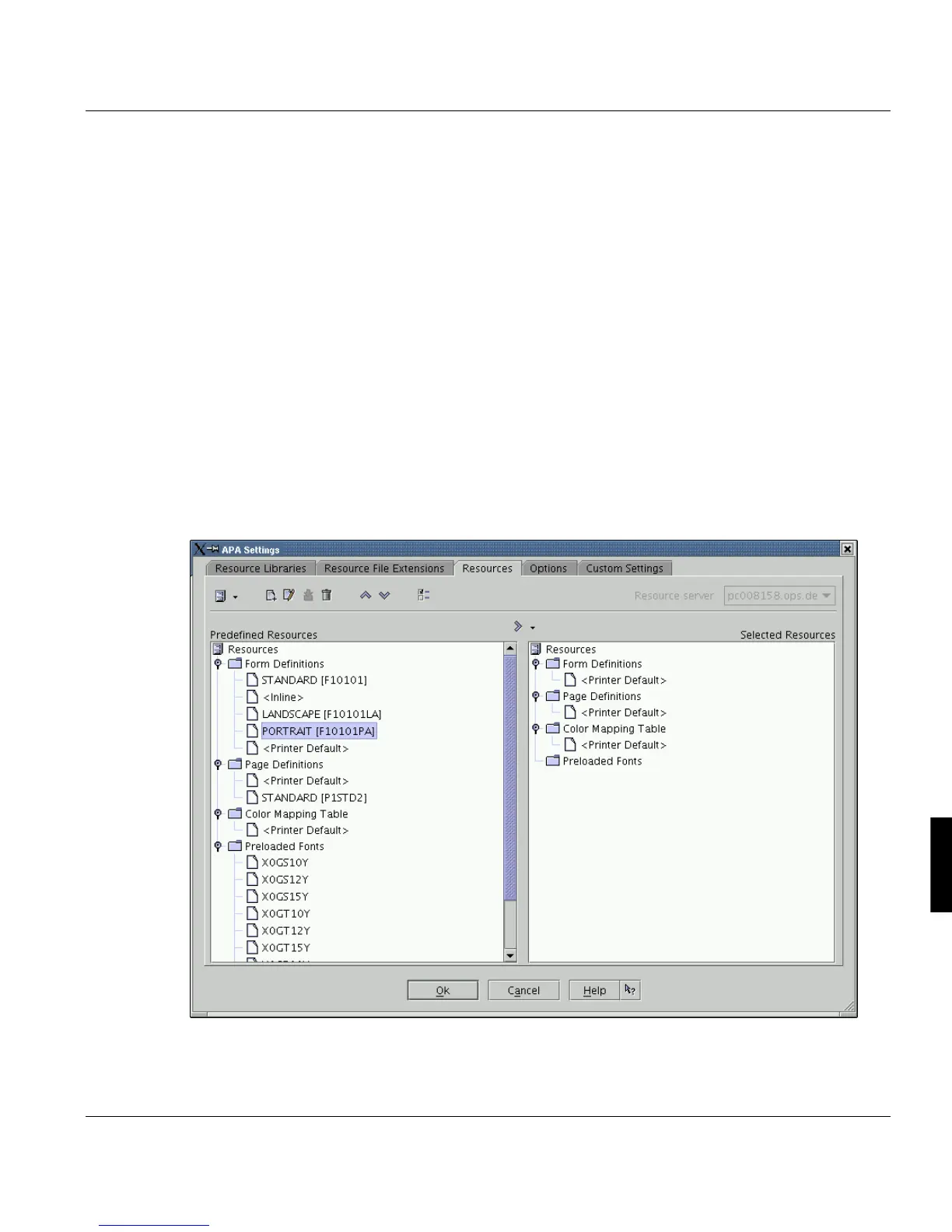
This dialog allows you to select single recources required for print jobs (e.g. linedata). Use
the "Resources" tab to make settings for the form definition (formdef), page definition
(pagedef) and color mapping tables.
Like in 'Resource Libraries' you can switch the left tree view from predefined view to the file
system view. The filesystem view provides only directories you have selected in the 'Re-
source Libraries' tab (visible in the right tree view).
You can only select one formdef, pagedef or colour mapping table. Therefore a new selec-
tion will overwrite the actual selection. If you select a resource in the file system view, you
have define the correct target using the small arrow down button next to the transfer button.
Mulitple selection with preloaded fonts is possible.This tab also gives the list of preloadable
fonts. These are preloaded into the printer before the print data, thus eliminating the need
to load them later when they are required. This is an old feature and can usually be ignored
for current printers, especially since the SNIPDS Backend can organize resource adminis-
tration in the printer efficiently enough.



 To Next Page