Vario PJM PRISMAproduction Explorer
106 A29247-X3-X-6-7670
5.11.3 Functions of the Tabs
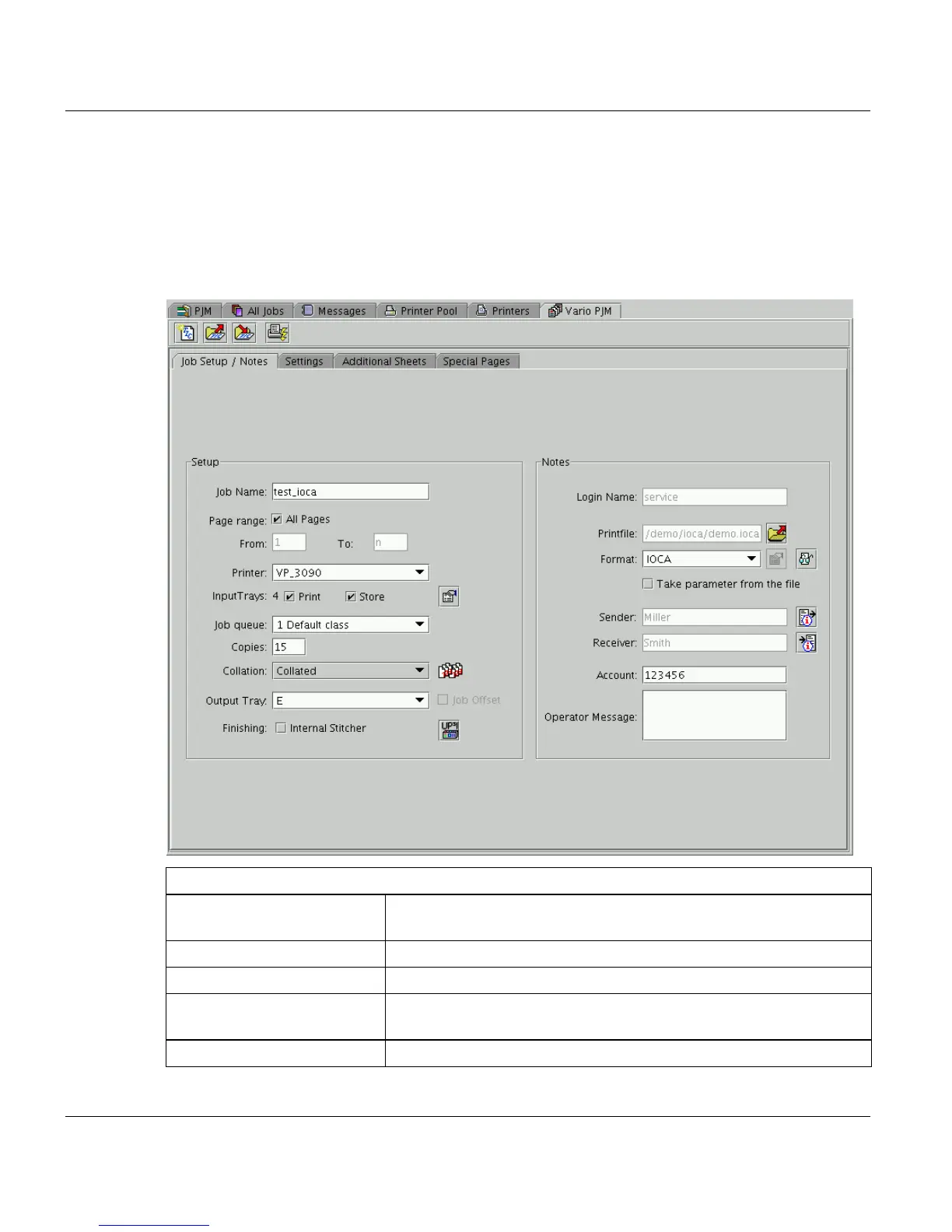
Job Setup / Notes
In this dialog you define the basic settings for the job, the printer and the postprocessing.
Additionally you can insert information on the sender, receiver and account of the job..
Setup
’Job Name’ Insert the name of the print job. Special characters and blanks are
replaced by ’_’. Max. length of the entry is 32 characters.
’Print Range’ - ’All Pages’ Select the whole range of the print file by checking this box.
’Print Range’ - ’From...To’ Select the first and the last page to be printed.
’Printer’ Select a cutsheet printer connected to this PRISMAproduction sys-
tem. The number of input trays is displayed automatically.
’Print’ Print the job on the selected target printer.



 To Next Page